Tag: ai chat

  • Chat – Support Board – AI Chatbot – WP

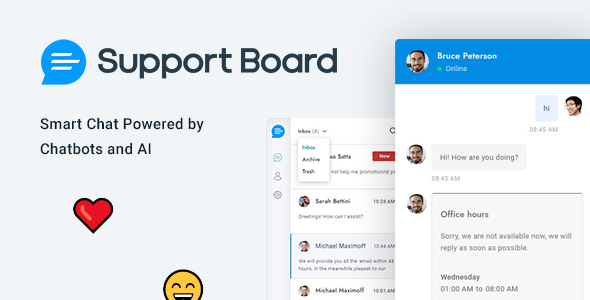
    Chat – Support Board – AI Chatbot – WP

    Customer support is often the first place where a relationship with your audience is won or lost. Yet, for many WordPress site owners, managing a help desk feels like a game of catch-up—juggling emails, social media DMs, and live chats while trying to keep response times under control.

    The solution isn’t just another chat widget; it is a centralized hub that unifies communication and leverages artificial intelligence to handle the workload for you. Chat – Support Board – AI Chatbot – WP is a powerful WordPress plugin designed to consolidate your messaging channels and automate responses using cutting-edge AI technology. Developed by the reputable Schiocco, this tool bridges the gap between traditional live chat and fully automated customer service. By connecting platforms like OpenAI’s ChatGPT and Google, it allows you to offer instant, intelligent replies to your customers, regardless of whether they are on your website or a third-party social network.

    Key Features

    This isn’t just a simple chat box plugin. Support Board is engineered as a comprehensive communication suite. Here is a breakdown of the core features that make it a standout utility for your WordPress arsenal:

    • Omnichannel Integration: Forget switching between tabs to manage conversations. This plugin allows you to manage interactions from Facebook Messenger, WhatsApp, Instagram, Telegram, and more, all from within your unified dashboard. This centralization saves significant time and ensures no customer query slips through the cracks.
    • AI-Powered Automation (ChatGPT & OpenAI): The plugin seamlessly connects with OpenAI (ChatGPT) to provide an AI chatbot capable of understanding context and generating human-like responses. This feature allows you to automate routine questions, guide users through troubleshooting, and provide 24/7 support without human intervention.
    • Google AI Integration: In addition to OpenAI, the plugin integrates with Google AI services. This redundancy and flexibility mean you can choose the machine learning engine that best fits your needs or data privacy requirements.
    • Ticket Support System: Beyond instant chat, the plugin functions as a mobile-first support ticket system. When a conversation requires deeper investigation, it can be seamlessly converted into a ticket, ensuring proper tracking and resolution.
    • WordPress-Native Design: As a WordPress plugin, it is built to integrate smoothly with your existing site structure. It utilizes the native framework to ensure performance isn’t compromised and that the user interface feels consistent with standard WordPress utilities.

    Who Is This For? Use Cases

    While marketed as a utility, the true value of the Chat – Support Board – AI Chatbot – WP plugin lies in its versatility. It is not a one-size-fits-all solution that forces you to change your workflow; rather, it adapts to different business models and support strategies.

    Agency Owners & Freelancers Managing Multiple Clients

    If you manage websites for multiple clients, you know the pain of logging into different portals and chat systems. This plugin provides a unified solution that centralizes communication across different domains. It allows you to offer a premium support package to your clients, where you can manage all their inquiries—whether from their website visitors or their business social media profiles—from a single point of control, significantly improving your efficiency and response time.

    E-commerce Stores on WooCommerce

    E-commerce support is heavily repetitive: “Where is my order?” “Can I return this?” “What size should I get?” Using the AI chatbot integration, you can train the bot to answer these FAQs instantly. By connecting WhatsApp, you can send automated shipping updates or confirmations to customers who prefer messaging over email. This reduces cart abandonment caused by unanswered pre-sale questions and frees up your human agents to handle complex issues like refunds or technical glitches.

    Large Communities & Internal Help Desks

    For organizations that need a support desk for employees or a large community forum, this plugin acts as a powerful knowledge base assistant. The AI chatbot can be deployed to retrieve information from your documentation, offering instant answers to staff or community members. If the bot cannot resolve the issue, the conversation escalates to a human agent via the ticket system, ensuring a smooth handoff without the user needing to repeat themselves.

    Solopreneurs & Digital Course Creators

    Running a business single-handedly often means support requests interrupt deep work time. This plugin acts as your virtual assistant. By leveraging ChatGTP and AI, you can provide instant answers to students asking about course access, refund policies, or lesson schedules—even when you are asleep. The AI Chatbot handles the “mechanical” questions, allowing you to focus on the quality of your product or service rather than getting bogged down in repetitive typing.

    Technical Details & Compatibility

    Before purchasing any premium plugin, it is critical to understand the technical environment required for optimal performance. Chat – Support Board – AI Chatbot – WP is developed exclusively for the WordPress environment. This ensures native integration with your user database and existing theme functions.

    It is important to note that while the core plugin provides the AI integration backbone, some messaging channel integrations require the purchase of additional apps. This is a modular design choice by the developer, Schiocco, allowing you to pay only for the specific channels (like WhatsApp or Telegram) that you actually use, rather than paying for a comprehensive package full of features you may never touch.

    The developer offers a PHP version of the product separately, which suggests that the WordPress iteration is optimized to strictly leverage the WP REST API and backend hooks. This distinction ensures that the plugin adheres to WordPress standards and is compatible with a wide variety of themes and page builders, provided they follow standard coding practices.

    Pros and Cons

    To provide a balanced view, it is essential to weigh the advantages against the potential limitations. No single plugin is perfect for every scenario, and understanding these nuances ensures you make an informed decision.

    Pros

    • Efficiency: Combining AI assistance with human ticket management drastically reduces response times. The automation handles instant FAQs while the ticket system ensures complex issues aren’t ignored.
    • Consolidated Inbox: Managing Instagram, WhatsApp, and web chat from one dashboard eliminates context switching, making your team significantly more productive.
    • Lead Generation: The proactive AI Chatbot engages visitors immediately, capturing them before they leave. This works well for converting anonymous traffic into viable leads through conversational marketing.
    • Credibility: With 3,798 sales on CodeCanyon, this plugin has a proven track record. The developer, Schiocco, has a history of maintaining updates and providing support, which adds a layer of trust regarding long-term usability.
    • Pay-as-you-grow: The ability to only purchase the app connectors you need makes the base price of $59.00 highly accessible for startups, with scalability available when required.

    Cons

    • Variable Pricing: The core price is just the starting point. Integration with specific platforms (mentioned vaguely as “some features”) may require additional purchases. Users need to budget for the specific “apps” they need to connect.
    • Setup Complexity: Connecting OpenAI, Google, and various social channels often requires creating API keys and configuring webhooks. This is not a “click and run” plugin; a basic understanding of API authentication is necessary.
    • Specific Environment: It is only listed for WordPress. If you are using another CMS or need a script solution, you would need to look at the PHP version, which functions independently of a WordPress framework.

    Frequently Asked Questions

    Is Chat – Support Board – AI Chatbot – WP compatible with WooCommerce?

    Yes, as a WordPress-native utility, it is compatible with WooCommerce. While it is not a strictly “e-commerce plugin,” it operates alongside WooCommerce without interfering with cart or checkout functions. It is commonly used by store owners to provide post-purchase support and answer pre-sale inventory questions via chat or AI automation directly on the product pages. If you are using a modern, well-coded theme designed for WooCommerce, this support board should integrate effortlessly.

    Do I need to pay extra for the WhatsApp or Telegram integration?

    This is highly likely. The product description explicitly states that “Some features require purchasing additional apps.” While all buyers receive the core chat board and AI setup, the connections to third-party messaging channels often act as extensions. It is best to check the developer’s official documentation during the checkout process to see exactly which messaging channels are included in the base price versus which ones require the purchase of a connector app to ensure you budget accordingly.

    Can the AI Chatbot (ChatGPT) handle customer inquiries without my input?

    Absolutely, provided you configure it correctly. The plugin connects to OpenAI (ChatGPT) and Google AI, enabling the bot to provide detailed, context-aware answers based on your knowledge base or general data. You can automate the initial response, escalation rules, and handoff triggers. If the AI determines it cannot solve the issue with the information provided, or if the user requests a human, the conversation is automatically converted into a ticket within the support desk for your team to address.

    Final Verdict

    In a digital landscape where speed is currency, Chat – Support Board – AI Chatbot – WP offers a pragmatic solution to the growing demand for instant support. It successfully merges the utility of a live chat widget with the intelligence of modern AI, covering bases that standard WordPress contact forms simply cannot. The fact that it supports multiple platforms—from Facebook to WhatsApp—makes it a worthy contender for any business that maintains a presence across social media.

    When evaluating this plugin, the numbers speak for themselves. With over 3,798 sales on CodeCanyon and the consistent reputation of developer Schiocco, you are investing in a tool that has been battle-tested by thousands of other site owners. It represents significant value at the $59 price point—especially if you rely on free alternatives to AI logic and standard chat to gauge the difference. If you are ready to reduce your support load, improve response times, and provide a modern communication experience for your audience, this utility deserves a place on your website. Take the leap and let the automation handle the noise while you focus on the signal of growing your business.
  • Davinci AI – All-In-One SaaS Platform for AI Text, Image, Audio, Video and Content Generation

    Davinci AI – All-In-One SaaS Platform for AI Text, Image, Audio, Video and Content Generation

    Building a SaaS business around artificial intelligence used to mean juggling multiple APIs, complex billing systems, and a development team on standby. Davinci AI – All-In-One SaaS Platform for AI Text, Image, Audio, Video and Content Generation changes that completely. This PHP script from CodeCanyon author Berkine lets you launch a fully-featured AI platform in minutes. With over 4,300 sales and a constant stream of updates, it has become a go-to solution for entrepreneurs who want to monetize AI tools like ChatGPT, image generators, and voice synthesis without building everything from scratch. This isn’t just a plugin; it’s a turnkey business model that puts cutting-edge AI capabilities into the hands of your subscribers.

    Key Features

    Davinci AI packs an enormous amount of functionality into a single script. The core strength is its ability to aggregate multiple leading AI providers into one cohesive user interface. Here are the standout features that define this platform:

    • Multi-Model AI Engine: Access a massive roster of models including OpenAI’s GPT-5.5, GPT-4o, and o3/o4-mini series, Google’s Gemini 3.1, Anthropic Claude Opus 4.7, xAI Grok 4.3, Amazon Nova 2, and DeepSeek. This isn’t a single-tool script; it’s a unified gateway to the best AI has to offer in 2026.
    • Text, Image, and Video Generation: Your users can generate long-form articles, catchy copy, and code snippets. They can also create images using DALL-E-3 HD, Stable Diffusion 3.5, and Flux AI, or produce videos with Sora 2, Google Veo 3.1, and Kling 3.0.
    • Advanced Voice Capabilities: A text-to-speech engine with over 1,700 voices and 150 languages, powered by ElevenLabs, Microsoft Azure, AWS Polly, and Google Cloud. Features extend to voice cloning and a Sound Studio for mixing and adding background audio.
    • Comprehensive Content Toolkit: Includes an AI Article Wizard, a Smart Editor for refining output, an AI ReWriter, a Plagiarism Checker, and an AI Content Detector to ensure originality.
    • Interactive AI Chat: Comes pre-loaded with 42 AI Chat Assistants and allows users to create unlimited custom chatbots using OpenAI Assistant v2. Includes a real-time text streaming feature for a seamless chat experience.
    • Monetization-Ready SaaS Infrastructure: The advanced subscription builder allows you to create free, prepaid, monthly, yearly, or lifetime plans. A dynamic credit calculation mechanism ensures fair usage, and 16+ payment gateways are integrated, including Stripe, PayPal, and Coinbase for cryptocurrency.
    • Business Management Tools: Manage teams, track user spending, run a full affiliate referral program, integrate Google AdSense, and handle newsletters directly from the admin dashboard. The user and admin panels include advanced analytics.

    Who Is This For? Use Cases

    This script is designed for anyone with the ambition to own and operate their own AI content business. Its versatility means it can be adapted to various niches and markets.

    Entrepreneurs Launching an AI SaaS Startup

    Bootstrapping a SaaS platform is expensive and time-consuming. Davinci AI eliminates the heavy lifting. You can set up a subscription-based service where users pay a monthly fee to access AI writing, coding, and image generation. The built-in affiliate system and promo code features help you acquire customers, while the wallet and gift card systems give you flexibility in how you manage revenue and user credit.

    Digital Marketing Agencies & Freelancers

    Agencies need to produce high volumes of content quickly. With Davinci AI, you can create a custom internal platform for your team, complete with Brand Voices and Team Management features. You can control which AI models your team uses and allocate credits, ensuring brand consistency across social media posts, blog articles, and ad copy. The WordPress integration extension also allows your team to auto-post content directly from the platform to client sites.

    Web Developers & Agencies Offering AI Services

    Developers can use Davinci AI as a foundation to build and sell white-label AI services to their own clients. The custom model system and RestAPI provide the power needed to create bespoke solutions. Because the script supports multi-tenancy through subscription plans, you can onboard multiple clients, each with their own branding and model access, while managing them all from a central admin panel. The Marketplace feature also opens the door to selling templates or extensions within your own ecosystem.

    Educators and Course Creators

    Educators can use the AI tools to develop course materials, quizzes, and summaries quickly. Conversely, they can deploy Davinci AI as a teaching tool, giving students access to AI coding assistants or research tools in a controlled environment. The AI File Chat feature, which supports Word, PDF, and CSV files, is a powerful study aid that lets students extract insights from their own documents.

    Technical Details & Compatibility

    Davinci AI is built on PHP, making it a viable option for a huge portion of the web. It is regularly updated to incorporate the latest AI models and security patches, with a major update (v10) release in March 2026 and numerous minor updates throughout the year. It is a self-hosted solution, so you will need to install it on your own server, ideally one with standard PHP and MySQL support.

    The platform includes a one-click update feature, so maintaining the latest version is effortless. It is also designed to be fully responsive, offering a native experience on mobile, tablet, and desktop devices. For developers, the RestAPI allows for custom integrations and extended functionality. The script also supports RTL languages and includes a Language Manager for localization, making it a global product. A select few free extensions allow you to connect to external services like Azure OpenAI, OpenRouter, and Amazon Bedrock, while paid extensions handle more niche requirements.

    Pros and Cons

    Honest feedback is crucial, especially for a platform with so many moving parts. Here is a balanced breakdown of what to expect:

    Pros

    • Unmatched Value: For a one-time cost of $19, you get a suite of tools that would otherwise require multiple $50+ monthly subscriptions.
    • Rapid Feature Velocity: The author is incredibly active. Over 12 months, they’ve shipped a staggering 1500+ features and improvements, constantly upgrading to new GPT, Gemini, and Claude models.
    • Multiple Revenue Streams: The built-in affiliate program, Google AdSense support, premium subscription plans, and gift card systems allow you to diversify how you make money.
    • Granular Control: The admin panel gives you fine-grained control over what models each user group or subscription plan can access, preventing abuse and managing costs effectively.
    • All-In-One Solution: You get text, image, video, audio, voice cloning, and code generation in a single, unified interface. Your users don’t have to switch between platforms.
    • Proven Track Record: With over 4,300 sales on CodeCanyon, this is a community-tested and trusted script.

    Cons

    • Extended License Required: To fully charge your end users and utilize all SaaS features, you must purchase the Extended License. This is an additional cost on top of the base script.
    • Third-Party API Costs: You need your own API keys for OpenAI, Azure, or other providers to make the platform work. This is an ongoing operational cost that varies based on usage.
    • Self-Managed Hosting: Unlike SaaS alternatives like ChatGPT, you are responsible for server maintenance, security patching, and scaling your infrastructure to handle user load.
    • Integration Complexity: While the core script is beginner-friendly, truly leveraging advanced extensions like external chatbots for WhatsApp or Telegram requires a deeper technical understanding of setup and configuration.

    Frequently Asked Questions

    Is Davinci AI compatible with current AI models like GPT-5 or Gemini 3?

    Yes. The developer, Berkine, has shown an exceptional commitment to staying current. The product change log is a testament to this, showing updates that integrate the latest models from OpenAI (including GPT-5.5 and Sora 2), Google (Gemini 3.1 and Veo 3.1), Anthropic (Claude Opus 4.7), and xAI (Grok 4.3) almost as soon as they are released. You don’t have to worry about your platform becoming obsolete with this script.

    Can I charge users via subscription, and is the Extended License really necessary?

    Absolutely. Davinci AI includes a comprehensive subscription plan builder. You can create free trials, prepaid credits, monthly subscriptions, or lifetime deals. However, according to the Envato license policy and the product description, to charge your end users for access and enable the full suite of SaaS features, you are required to purchase the Extended License. The Regular License allows for personal or one-client use, but to operate a commercial SaaS where multiple users pay for access, the Extended License is the correct and legally required option.

    Does the script work with voice cloning and custom languages?

    The platform supports a wide range of languages and dialects. The text-to-speech feature alone supports 150 languages and dialects with over 1,700 voices. For voice cloning, there is a Voice Clone extension that allows users to train the system on their own voice and then use it to synthesize text in 27 languages. The platform also supports RTL (Right-to-Left) languages, ensuring a great experience for Arabic, Hebrew, and other RTL users.

    Final Verdict

    Davinci AI – All-In-One SaaS Platform for AI Text, Image, Audio, Video and Content Generation isn’t just a piece of software; it’s a blueprint for a profitable online business. It intelligently aggregates the world’s leading AI technologies and bundles them into a professional, user-friendly interface that you control. The value proposition is staggering. At just $19 for the regular license, the return on investment is nearly immediate, especially when you consider the cost of developing these integrations yourself or subscribing to multiple third-party tools to offer the same features.

    The 4,384 sales aren’t just a number; they represent thousands of entrepreneurs validating the quality and effectiveness of this script. While there are considerations around API costs and licensing, the sheer scope of features, the reliability of the core code, and the rapid release cycle of new models make this a solid, future-proof investment. The developer has consulted the community and built a roadmap that mirrors the frontier of AI technology. Whether you are a developer looking to quickly launch a new service or an entrepreneur ready to capture the growing demand for AI tools, Davinci AI gives you the power to build the platform your users have been waiting for. Take advantage of this opportunity to stop paying for AI tools and start getting paid for them.

  • Support Board – AI Chat & Ticket

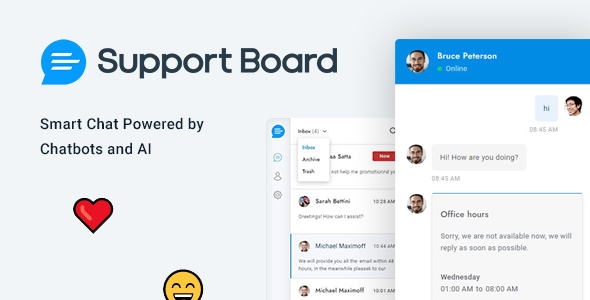
    Support Board – AI Chat & Ticket

    Customer support is no longer a luxury—it is the lifeline of any modern business. Yet, managing inquiries across email, social media, and live chat simultaneously can overwhelm even the most organized teams. Support Board – AI Chat & Ticket offers a pragmatic solution by merging a powerful help desk system with the conversational intelligence of OpenAI and Google. Developed by Schiocco, this PHP script is designed for business owners, developers, and support agents who want to automate repetitive questions while maintaining a human touch where it matters most. The script acts as a central hub, connecting your customers to your team through channels they already use daily—WhatsApp, Messenger, Instagram, and more.

    What sets this tool apart is its focus on automation without depersonalization. Instead of a basic chatbot that frustrates users with scripted dead ends, Support Board – AI Chat & Ticket leverages the reasoning capabilities of ChatGPT and Google’s AI to interpret customer intent. This means your support system can handle routine queries instantly, freeing your human agents to focus on complex issues that require empathy and judgment. With over 4,700 sales on CodeCanyon, this script has a proven track record among developers and entrepreneurs who need a self-hosted alternative to pricey SaaS help desks.

    Key Features

    The core strength of Support Board lies in its ability to unify multiple communication streams into one manageable interface. While the script is feature-rich, the following elements are the most critical for improving your response times and operational efficiency:

    • AI-Driven Chat Automation: Integrate OpenAI (ChatGPT) directly into your support workflow. The AI can understand natural language, resolve common issues, and escalate to a human agent when it detects frustration or complexity.
    • Google AI Integration: Beyond OpenAI, the script supports Google’s AI services, giving you redundancy and flexibility in choosing which engine powers your chatbot responses.
    • Multi-Channel Connectivity: Connect WhatsApp, Facebook Messenger, Instagram, and Telegram to the same dashboard. Agents no longer need to switch between apps to answer customers on different platforms.
    • Ticket System: Transform chat conversations into structured tickets when they require further investigation. This ensures nothing slips through the cracks and provides a clear audit trail for your team.
    • Unified Inbox: Instead of a fragmented view, all incoming messages are routed to a single, organized interface. This reduces training time for new agents and accelerates response times.
    • PHP Script Architecture: Being a self-hosted PHP script, you retain full ownership of your data. There are no per-seat monthly fees, and you can install it on your own server with the flexibility to customize the codebase.

    It is worth noting that while the base script is robust, specific advanced features—such as the full Ticket add-on and the AI capabilities—may require purchasing separate companion apps from the developer. This modular approach lets you start lean and add features as your support volume grows.

    Who Is This For? Use Cases

    Support Board is not a one-size-fits-all widget; it is a flexible infrastructure piece. Understanding who benefits most will help you evaluate if it fits your stack.

    E-commerce Store Owners

    Running an online store means dealing with order status questions, return policies, and shipping inquiries at all hours. By deploying Support Board – AI Chat & Ticket, you can program the chatbot to answer questions about your store policies instantly. When a customer asks about a specific order, the AI can pull information and provide a status update, and if a refund request comes in, it can automatically create a ticket that routes to your finance team. This drastically reduces the amount of repetitive typing your support staff does daily.

    Digital Agencies & Web Developers

    Agencies managing support for multiple clients need a white-label solution that can be rebranded. Since this is a PHP script, developers can integrate it into existing client dashboards or as a standalone service. The WhatsApp integration is particularly valuable for agencies with clients in international markets where WhatsApp is the dominant communication channel. The script allows you to offer “AI-enhanced support” to your clients without paying a monthly fee per agent.

    Startups & SaaS Companies

    If you are launching a SaaS product, a gap between user expectations and your support capacity can be fatal. The AI chat can handle the initial onboarding questions that plague every new SaaS (“How do I reset my password?”, “How do I invite my team?”), giving your small team the space to deal with bugs and feature requests. The Ticket system ensures that deeper requests are logged and tracked, which is essential for product development teams.

    Freelance Support Agents

    Even if you are a solo support agent working for multiple clients, this tool helps you stay organized. You can set up different chat channels for specific clients and manage them all from one place. The automation ensures that your clients’ customers get instant responses even when you are offline.

    Technical Details & Compatibility

    As a PHP script, Support Board is designed to run on your own web hosting environment. This offers a level of control that cloud-based ticketing platforms cannot match. The primary requirement is a standard PHP hosting environment that supports modern PHP versions. The script is lightweight enough to run alongside your existing website or as a standalone application.

    The developer, Schiocco, maintains a consistent update schedule, addressing security patches and compatibility improvements. While the product description highlights the integration with OpenAI and Google, the core chat system is platform-agnostic, working across all modern browsers and mobile devices. Because it is a server-side script, there is no requirement for your customers to install any app—they interact with you directly on WhatsApp or Messenger.

    The architecture emphasizes performance. Chat systems that run on shared hosting can become slow, but this script is optimized to handle concurrent sessions without excessive server loading. However, for high-volume deployments (hundreds of simultaneous chats), a VPS or dedicated server is recommended. Furthermore, since the AI features rely on external API requests, you will need to ensure your server allows external HTTP calls.

    Pros and Cons

    Every tool has trade-offs. Here is an honest breakdown to help you decide if this script meets your expectations.

    Pros

    • Multi-Channel Management: The ability to treat WhatsApp and Instagram chats in the same dashboard is a massive time saver.
    • AI-Powered First Response: Integrating ChatGPT enables you to offer 24/7 immediate responses without hiring night-shift staff.
    • Data Ownership: Since it is a PHP script, you are not renting a service—your data stays on your server. This is critical for industries with strict privacy regulations (GDPR, HIPAA).
    • Cost-Effective Scaling: At a one-time cost, this beats most subscription help desks that charge monthly per agent.
    • Developer Credibility: Schiocco has a substantial footprint on Envato, and the sales volume (4,718+) indicates a stable, tested product.

    Cons

    • Add-On Costs: The core script is comprehensive, but the headline “AI” features and “Ticket” system might require purchasing separate apps. Budget accordingly.
    • Technical Setup Required: This is not a no-code cloud app. You need to upload files and configure webhooks. If you are not technical, you may need a developer for installation.
    • API Fees: While the script is free to install, using OpenAI or Google AI involves external API usage fees. This is a running cost depending on your chat volume.

    Frequently Asked Questions

    Is Support Board – AI Chat & Ticket compatible with WordPress?

    Yes, but not as a traditional plugin within this purchase. The developer, Schiocco, offers a separate WordPress version of Support Board on the Envato marketplace. The product description specifically references a “WordPress version here” link. If you are looking for a plugin that integrates with the WordPress admin dashboard and its user system, you should acquire the dedicated WordPress iteration. The PHP version you are viewing here is better suited for custom applications, Laravel projects, or standalone websites that are not based on WordPress.

    Does the chatbot require the OpenAI API key to work, or is it optional?

    The AI functionality is an enhancement, not the core requirement for basic chatting. The script operates as a standard live chat and help desk tool even without an API key. However, to unlock the ChatGPT automation, you must have a valid OpenAI API key and the specific AI add-on app. If you choose not to use AI, you can still route messages to human agents manually. The decision to use OpenAI adds intelligence but comes with per-token costs, so estimate your usage volume first.

    Can I use Support Board to manage WhatsApp chats natively?

    The script supports WhatsApp integration, but it usually requires connecting through an official WhatsApp Business API or a third-party gateway. The setup involves scanning a QR code or using a WhatsApp Business account to link the channel. Once connected, your agents can send and receive WhatsApp messages directly within the Support Board dashboard. This is a major advantage for international businesses where email is less prevalent.

    Final Verdict

    If your support stack consists of scattered inboxes and a ticketing system that costs a monthly fortune, Support Board – AI Chat & Ticket provides a cohesive alternative. The strength of this product lies not just in its ability to centralize communications but in its forward-looking integration with AI. The developer, Schiocco, has established a reputation for quality through consistent updates and documentation on CodeCanyon. The high sales count—exceeding 4,700—is a testament to the script’s reliability in production environments.

    This is a tool that scales with your ambition. Start by using it solely as a live chat to unify your channels. As you grow, activate the AI agents to triage incoming requests and let the Ticket system organize the backlog. While the initial setup requires some technical confidence, the long-term savings on software subscriptions are substantial. For small to mid-sized teams that want to deliver enterprise-level support without enterprise-level overhead, this script is a smart investment.

    Do not let support requests pile up while you deliberate—streamline your operations today. Purchase Support Board – AI Chat & Ticket and take command of your customer communication.

  • MagicAI – All-In-One SaaS Platform for AI Text, Image and Content Generation

    MagicAI – All-In-One SaaS Platform for AI Text, Image and Content Generation

    Key Features

    MagicAI – All-In-One SaaS Platform for AI Text, Image and Content Generation delivers a vast array of capabilities that set it apart from typical AI scripts. Developed by LiquidThemes, this platform is engineered to be a complete business-in-a-box for anyone looking to launch or scale an AI-powered service. Here are the standout features that make it the best-selling product on CodeCanyon with over 9,464 sales.

    • Multi-Modal AI Generators: Generate high-quality text, images, video, code, voiceovers, and speech-to-text all from a single dashboard. The platform supports industry-leading models including OpenAI’s GPT-4o, GPT-5 series, Gemini, Claude, Grok, DeepSeek, and more.
    • AI Chat Pro with Advanced Intelligence: Go beyond simple Q&A with features like Smart Highlight, Chat Navigator, Memory, folder organization, and an AI Council mode that leverages multiple models simultaneously for superior reasoning.
    • Comprehensive AI Video Suite: Create professional videos with tools like AI Video Pro, UGC Factory, AI Video Editor, AI Captions, AI Dubbing, and a Voiceover Library. Supports models like Veo 3.1, Sora 2, Kling 3, and Seedance 2.0.
    • External Chatbot & Lead Generation: Deploy fully customizable floating chatbots on your frontend and dashboard. The system now includes a brand-new External Chatbot with CRM Inbox, Sales Agent, Booking Agent, and Voice Chat capabilities to capture and convert leads.
    • AI Agent Builder (Paid): Enter the “Agentic Era” with a dedicated builder that connects to Gmail, Outlook, Slack, WhatsApp, and more. Create autonomous agents for marketing, social media, and customer support.
    • Monetization Engine: Built-in support for subscription, prepaid, lifetime, and free trial pricing models. Includes a robust plan builder, coupon system, affiliate program, and integrations with Stripe, PayPal, RazorPay, Cryptomus, and many more gateways.
    • Themes & Customization: Choose from multiple paid and free themes for both the frontend and dashboard. Includes a live customizer, mega menu, and an editable frontend to align the platform with your brand identity.
    • AI Code & Developer Tools: Generate and debug code using AI. Includes a REST API for building custom apps and a Personal API keys feature for users to bring their own OpenAI tokens.
    • SEO & Content Marketing: Generate SEO-optimized blog posts, create sitemaps, check for plagiarism and AI content detection, and integrate with WordPress (paid extension) for auto-publishing.
    • Social Media Automation: Schedule and publish posts directly to LinkedIn, X, Instagram, TikTok, Facebook, and YouTube. The system supports carousel posts, smart prompts, and multi-account management.
    • Mobile & Multi-Language Support: Fully responsive and mobile-first design with a dedicated mobile app (sold separately). Supports 30+ languages with one-click auto-translation and full RTL compatibility.

    Who Is This For? Use Cases

    Entrepreneurs Launching an AI SaaS Business

    If you want to start your own AI content generation platform without writing a single line of code, MagicAI is your perfect foundation. The built-in pricing plan builder, payment gateways, and user management allow you to launch a subscription-based service in minutes. You can offer text, image, video, and voice generation to your customers and start earning immediately. The revenue potential is significant given that you control all pricing tiers, discount codes, and affiliate commissions.

    Digital Marketing Agencies & Freelancers

    Agencies can use MagicAI to streamline content production for clients. The AI Writer with 100+ templates generates blog posts, ad copy, social media captions, and email newsletters at lightning speed. The BrandVoice feature ensures consistency across all client outputs by remembering key brand details. The AI Social Media Suite lets you plan and publish content across multiple platforms from one dashboard, saving hours each week.

    Developers & Tech Teams

    Developers will appreciate the REST API which allows for custom integrations and app development. The platform’s scalable architecture supports multiple API keys and tokens to avoid rate limits, and it integrates with cloud storage providers like AWS S3 and Cloudflare R2. For those building internal tools, the AI Code Generator and AI File Chat (supporting PDF, CSV, DOC) make it easy to extract insights from technical documentation.

    Content Creators & YouTubers

    Create videos from static images, add professional voiceovers using ElevenLabs or Azure TTS, and even clone your own voice for 20+ languages. The YouTube to Blog Post feature automatically transforms video transcripts into polished articles, helping creators repurpose content across multiple channels effortlessly.

    Technical Details & Compatibility

    MagicAI is a PHP script hosted on your own server, giving you full control over data and performance. The latest version (v10.8) reflects an aggressive update cycle with over 1,500 new features released in the past ten months alone. It supports a wide range of AI models including OpenAI (GPT-4o, GPT-5 series), Gemini, Claude, Grok, DeepSeek, OpenRouter, Llama, Stable Diffusion, ElevenLabs, and Azure. The platform is mobile-first with a fully adaptive layout that works on all devices. It supports RTL languages, offers dark mode, and includes built-in two-factor authentication for enhanced security. The smart installation wizard and one-click update system ensure easy deployment and maintenance. For storage, you can use local hosting or connect AWS S3 or the paid Cloudflare R2 extension.

    Pros and Cons

    Pros

    • Unmatched feature depth: Covers text, image, video, code, voice, and chatbot generation—few competitors offer this breadth.
    • Proven social proof: Over 9,464 sales and #1 best-selling status on CodeCanyon indicate high reliability and community trust.
    • Rapid updates: Developer LiquidThemes pushes frequent updates with cutting-edge model support (GPT-5, Veo 3, Sora 2) keeping the platform future-proof.
    • Monetization ready: Built-in subscription management, payment gateways, coupons, affiliate system, and free trials allow immediate revenue generation.
    • Customization: Multiple themes (paid and free), a live customizer, and an editable frontend let you tailor the experience to your brand.
    • Extensive AI model support: Over 20 different AI providers and models ensure you can always use the best tool for a given task.
    • Excellent value: At $39.00, the core platform includes an enormous amount of functionality typically found in enterprise SaaS tools.

    Cons

    • Many premium extensions: While the core script is affordable, several advanced features (AI Chat Pro, AI Video Pro, AI Agent Builder, etc.) are paid add-ons that increase total cost.
    • Learning curve: The sheer number of features and settings can feel overwhelming for beginners who only need a simple AI writer.
    • Self-hosted requirements: Users must manage their own server, updates, and security, which may be challenging for non-technical entrepreneurs.
    • Mobile app sold separately: The native mobile app is not included with the core script, requiring an additional purchase for on-the-go access.
    • Third-party API costs: Generating content requires API keys from providers like OpenAI, which incur usage fees beyond the script purchase price.

    Frequently Asked Questions

    Is MagicAI compatible with WordPress?

    Yes, but through a paid extension. The WordPress Integration extension allows you to automatically push SEO-optimized blog posts generated in MagicAI directly to your WordPress site. This tool streamlines content publishing by handling scheduling, image uploads, and formatting, making it a powerful addition for bloggers and site owners who rely on WordPress.

    Does MagicAI include support and updates?

    Yes. When you purchase MagicAI from CodeCanyon, you get six months of free support from LiquidThemes, which you can extend. You also receive all future updates for the core script at no additional cost. The developer has a stellar record of releasing frequent updates—over 1,500 features in ten months—and actively maintains a changelog and community forum for assistance.

    Can I use my own OpenAI API key with MagicAI?

    Absolutely. MagicAI supports Personal API Keys, allowing your users (or you) to integrate their own OpenAI, Gemini, Anthropic, or other provider API keys. This feature is ideal for reducing your own API costs and giving advanced users control over their model choices and usage limits. The platform also supports Multiple API Keys and Tokens to bypass rate limits and ensure uninterrupted service.

    Final Verdict

    MagicAI – All-In-One SaaS Platform for AI Text, Image and Content Generation is more than just a script—it is a comprehensive business operating system for the AI age. With nearly 10,000 sales and a track record of relentless innovation, LiquidThemes has built a platform that rivals expensive cloud-based services at a fraction of the cost. The ability to generate text, images, videos, code, voiceovers, and deploy intelligent chatbots all from one self-hosted solution gives you total creative and financial control. Whether you are an entrepreneur launching a new SaaS product, an agency scaling content production, or a developer building custom AI applications, MagicAI provides the tools, flexibility, and community