Key Features
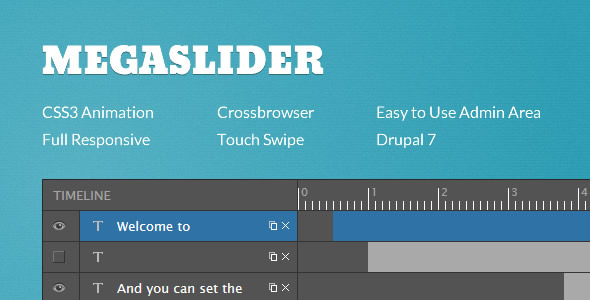
MegaSlider is a responsive slider module for Drupal 7 and Drupal 8 that delivers a premium, touch-friendly presentation layer for any website. It combines a powerful timeline manager, a drag-and-drop admin interface, and rich animation libraries to give you total control over how text, images, and videos appear in your slides. Whether you are building a corporate landing page, a media-heavy portfolio, or an e-commerce showcase, MegaSlider helps you create engaging, SEO-optimized slideshows that work seamlessly across all modern browsers and mobile devices.
- Touch-Swipe Navigation: Built-in touch support works on both mobile and desktop, allowing users to swipe through slides naturally with their finger or mouse.
- Responsive Design: Each slide automatically adjusts to any screen size, from wide desktop monitors to small smartphones, without breaking layouts or distorting images.
- Video Integration: Add YouTube and Vimeo videos directly inside slides, so you can mix static content with engaging video without embedding separate players.
- Image Preloading: Slides preload images in the background to ensure fast, seamless transitions with no flickering or white flashes between slides.
- Custom Object Effects: Every item inside a slide — text, image, or video — can have its own unique entrance and exit animations, creating dynamic, layered presentations.
- Cross-Browser Compatibility: Tested thoroughly on IE8+, Firefox, Safari, Opera, and Chrome, so your slides look and perform consistently everywhere.
- SEO Optimized: The module outputs clean, semantic markup that search engines can crawl, and you can add alt attributes to slide images for better accessibility and ranking.
Who Is This For? Use Cases
Web Developers Building Client Sites on Drupal 7 or 8
If you manage multiple Drupal websites for clients, MegaSlider saves hours of custom coding. The drag-and-drop admin area lets you organize slides visually, while the timeline manager gives you precise control over when each object appears, disappears, and how long it stays. You can duplicate slides and objects to reuse layouts, and export/import entire sliders between sites — ideal for agencies that need consistent branding across projects.
Marketing Teams Creating Landing Pages for Campaigns
For promotional pages, product launches, or seasonal campaigns, the ability to combine custom CSS3 animations with video backgrounds and overlay settings makes MegaSlider a powerful conversion tool. You can highlight a call-to-action button with a specific effect, set slide transitions to fade or move, and even hide certain content on mobile to optimize for smaller screens. The link redirect option per slide lets you direct traffic exactly where you want, turning a hero slider into a clear sales funnel.
Content Managers Showcasing Portfolios or Galleries
Photographers, designers, and creative agencies can use MegaSlider to present portfolios with smooth slide transitions and image preloading. The ability to add Google web fonts and custom CSS classes means you can match any brand style. The module also supports background images and background colors per slide, allowing for striking visual contrasts that keep users engaged.
Technical Details & Compatibility
MegaSlider is built specifically for Drupal 7 and Drupal 8 (with version 8.x-1.4 supporting Drupal 8.6.x). It relies on jQuery UI for interface interactions in the backend and leverages CSS3 animations from Dan Eden’s Animate.css and Magic CSS3 animations for frontend effects. The module has been tested on all major browsers including IE8+, Firefox, Safari, Opera, and Chrome. It supports touch-swipe navigation on both mobile and desktop environments, and includes a responsive layout engine that adapts slides to any viewport. The most recent updates (October 2018) added per-slide link redirect and fixed multi-instance bugs when using the same slider multiple times on one page. No WooCommerce integration is available — this is a Drupal-only solution, not for WordPress or other CMS platforms.
Pros and Cons
Pros
- Highly customizable timeline manager allows per-object delays, start times, and stop times for complex animations.
- Drag-and-drop admin interface reduces the learning curve for non-technical users.
- Touch-swipe support works out of the box on mobile and desktop without additional plugins.
- Video background and inline video support for YouTube and Vimeo adds multimedia depth.
- Export/import functionality makes it easy to migrate sliders between Drupal installations.
- Google web font integration lets you use custom typography without external CSS.
Cons
- Drupal-only compatibility — not available for WordPress, Joomla, or other CMS platforms.
- No WooCommerce or e-commerce integration — cannot directly pull products or categories into slides.
- Some transitions and effects may be limited compared to premium standalone sliders like Revolution Slider.
- Last update was October 2018 — long gap raises questions about ongoing support for newer Drupal versions.
- Requires update.php after certain versions, which can be a hurdle for less technical site administrators.
Frequently Asked Questions
Does MegaSlider work with Drupal 9 or Drupal 10?
MegaSlider was last updated in October 2018 and officially supports Drupal 7 and Drupal 8 up to version 8.6.x. It has not been tested or updated for Drupal 9 or Drupal 10. Users running newer Drupal versions should check the module’s page on ThemeForest or the developer’s website for compatibility information. Running it on unsupported versions may cause JavaScript errors or backend functionality issues.
Can I use MegaSlider to display products from my online store?
MegaSlider does not have built-in integration with e-commerce modules like Ubercart or Drupal Commerce. While you can manually create slides that showcase products with text, images, and links, there is no automated way to pull product data, prices, or stock levels into the slider. For a dynamic product slider, you would need to combine MegaSlider with custom views or field collections.
Does MegaSlider include support or a satisfaction guarantee?
MegaSlider is a premium product sold on ThemeForest by the author MegaDrupal. It includes access to the developer’s support forum for bug reports and questions. Like most ThemeForest items, you typically receive six months of support from the purchase date, with options to extend. Refund policies follow the Envato market standard — you can request a refund within 30 days if the item does not function as described, but custom development requests are not covered.
Final Verdict
MegaSlider is a solid choice for Drupal site owners who need a reliable, feature-rich slider without the overhead of building custom animations from scratch. Its timeline manager, touch navigation, and video support cover the essentials for modern web presentations, while the drag-and-drop admin area keeps the experience accessible. The ability to add per-object effects and link redirects makes it particularly useful for marketing-focused landing pages. However, the lack of updates since 2018 is a concern for anyone planning to upgrade to Drupal 9 or beyond. If you are building or maintaining a Drupal 7 or Drupal 8 site and want a slider that balances creative control with ease of use, MegaSlider delivers. With over a dozen updates in its changelog and a reputation from a known developer on ThemeForest, it offers proven reliability. Click the link below to check the latest version, read user reviews, and see if it still fits your project.