Tag: mobile

  • Superfluous Word Game with AdMob and Leaderboard

    Superfluous Word Game with AdMob and Leaderboard

    Key Features

    • Pure Java Native Source Code: Built entirely on Java within Android Studio, this project offers a clean, readable codebase ideal for learning or reskinning. No complex frameworks or third-party libraries obscure the logic, making customization straightforward for developers of all skill levels.
    • AdMob Banner & Interstitial Integration: Monetization is ready out of the box. Both AdMob Banner and Interstitial ads are pre-integrated, allowing you to generate revenue from day one by simply replacing the placeholder ad unit IDs with your own.
    • Google Play Games Leaderboard: Drive user engagement and retention with a built-in Google Play Games Leaderboard. Players can compete globally, compare scores, and strive for the top rank – a proven mechanic to increase session times.
    • Clear, Scalable Graphics: The visual design is crisp and uncluttered, optimized for readability across devices. Optimized for tablets, the UI scales properly on larger screens, ensuring a premium experience on phones and tablets alike.
    • Background Music & Sound Effects: Immersive audio feedback is included. Customizable background music and sound effects enhance the gameplay loop, and can be easily swapped with your own audio files during reskinning.
    • Dynamic Level System: No two playthroughs are the same. The app reads all levels from the words.txt file (located in the assets folder) and selects a level randomly. Each line contains four words where the first word is the “superfluous” (correct answer). Words are shuffled at the start of each level, preventing pattern memorization.
    • Fully Reskinnable & Customizable: You can modify every visual and audio asset. Add unlimited levels simply by appending new lines to the words.txt file – no code changes required. Change the package ID, app name, icons, and color scheme to launch your own unique version.

    Who Is This For? Use Cases

    Indie Game Developers & Hobbyists

    If you are an independent developer looking for a complete, ready-to-publish word game to learn from or reskin for the Google Play Store, this project is an excellent starting point. The Java native code is well-structured and annotated, making it simple to understand the game loop, random level selection, and scoring logic. You can avoid starting from scratch and focus on adding your own creative twist, such as new themes or advanced level logic.

    Mobile Marketing Agencies & White-Label Publishers

    Agencies seeking to quickly deploy a custom-branded casual game for clients will find this template invaluable. The reskinning process is streamlined: replace the graphics, sounds, and app metadata; update the words.txt file with client-specific vocabulary (e.g., industry terms, product names, or educational content); and build the APK. The pre-integrated AdMob and Google Play Games Leaderboard provide immediate monetization and engagement hooks without additional development work.

    Educators & Language Teachers

    The game’s core mechanic – identifying the odd word out – is a proven cognitive exercise for vocabulary building and critical thinking. Teachers can reskin the app to create subject-specific quizzes. For example, a biology class could have levels like “mammal reptile amphibian tree,” or a language-learning tool could feature sets like “gato perro mesa pájaro.” The simple file-based level system (words.txt) means non-technical educators can add levels using any text editor.

    Technical Details & Compatibility

    This project is a native Android application built with Java in Android Studio. It targets modern Android versions and is optimized for tablets alongside phone form factors. The source code is provided as a complete Gradle project, compatible with the latest Android SDK. Setup requires installing the latest Android SDK, opening the project in Android Studio, and configuring your own AdMob App ID, Google Play Games App ID, and Leaderboard ID. The game logic is entirely self-contained; no external servers or APIs are required for core gameplay. The words.txt file uses a simple plain-text format where each line defines a level, making it infinitely scalable without altering Java code.

    Pros and Cons

    Pros

    • Immediate monetization ready: AdMob Banner and Interstitial ads are pre-integrated, so you can earn revenue from launch.
    • Infinite scalability: Add unlimited levels by editing a single text file – no Android programming required.
    • Engagement mechanics: The Google Play Games Leaderboard boosts competition and retention.
    • Clean, readable Java code: Perfect for learning Android development or for quick customization.
    • High-quality audio & visuals: Background music and sound effects elevate the user experience beyond bare-bones templates.
    • Tablet-optimized: Ensures a professional look on larger screens, increasing your potential install base.

    Cons

    • Single game mechanic: The “find the odd word” concept is engaging but may require additional level types or power-ups to sustain long-term retention.
    • No cloud save: Leaderboard data uses Google Play Games, but local progress (e.g., highest score) is not synced across devices without additional implementation.
    • Java (not Kotlin): While Java is stable and widely used, some modern Android developers prefer Kotlin. However, the code is straightforward enough to convert if needed.
    • Manual reskin steps: While well-documented, reskinning still requires manual replacement of assets and configuration of IDs. A one-click reskin tool is not included.

    Frequently Asked Questions

    How do I add more levels to the game?

    Adding levels is simple and requires no coding. Open the words.txt file located in the assets folder of the project. Each line in this file represents one level, and you must place exactly four words separated by a single space. The first word on the line is the correct answer (the superfluous word). For example, to add a level about shapes, you could write: hexagon square circle triangle. The app will automatically shuffle these words at runtime and randomly select from all available levels.

    Do I need programming experience to reskin this project?

    Basic familiarity with Android Studio and the Gradle build system is helpful, but the reskinning process is designed to be straightforward. You will need to change the package ID and app name in the project settings, replace the existing graphics and sound files with your own, and update the AdMob and Google Play Games configuration files with your own IDs. The developer has provided clear instructions in the item description. If you can navigate Android Studio and use a text editor, you can successfully reskin this app.

    What advertisements are included, and can I disable them?

    Both AdMob Banner ads and AdMob Interstitial ads are integrated into the source code. You can easily enable or disable ad units by commenting out or removing the ad initialization code in the main activity Java file. Additionally, you can replace the test ad unit IDs with your own AdMob unit IDs to start monetizing your app immediately. If you prefer a paid, ad-free version, you can remove the ad code entirely during reskinning.

    Final Verdict

    This Pure Java Word Game delivers a polished, immediately playable experience that balances a simple, addictive mechanic with professional-grade features. The inclusion of AdMob and Google Play Games Leaderboard means you can launch a revenue-generating product without weeks of backend work. The standout advantage is the flexible level system – because the game reads from a plain-text file, you can create themed packs, educational content, or branded vocabulary challenges in minutes. Whether you are an indie developer wanting to learn Android Java, a teacher building a classroom app, or a publisher looking for a quick-turnaround reskin project, this template provides a rock-solid foundation. The code is well-documented, the graphics are clean and tablet-friendly, and the audio adds a layer of polish that many similar templates lack. If you need a ready-made, customizable, and monetizable word puzzle game, this project is a smart, cost-effective investment. Start by downloading it, open the words.txt file, and imagine what you can create – then build your APK and share it with the world.
  • RoyalSlider – Touch Content Slider for Drupal

    RoyalSlider – Touch Content Slider for Drupal

    For web designers, developers, and agencies seeking a versatile and visually stunning way to present media, the Royal Slider offers a comprehensive solution that transcends the limitations of standard WordPress sliders. This premium jQuery image gallery and content slider plugin is engineered for creating everything from high-impact image galleries to rich HTML content sliders, video showcases, and even full presentations. Its reputation is built upon a foundation of best practices, combining the elegance of CSS3 transitions with a robust fallback mechanism, ensuring a flawless experience across modern browsers and legacy systems alike. Whether you need to display a portfolio, build an eCommerce banner rotator, or craft a dynamic homepage slideshow, Royal Slider provides the flexibility and performance required to captivate mobile and desktop audiences. This review explores the depth of its features, ideal use cases, and technical specifics to help you determine if it is the right tool for your next project.

    Key Features

    Royal Slider distinguishes itself through a combination of visual richness, technical agility, and user-centric controls. Below are the standout features that make it a powerful asset for any digital project.

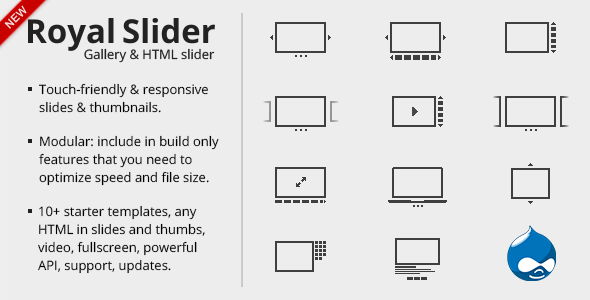
    • Versatile Content Engine: The plugin is not limited to static images. It handles image galleries, HTML content sliders, video galleries (with YouTube, Vimeo, and HTML5 video support), banner rotators, and even multi-slide carousels. This eliminates the need for multiple plugins for different content types.
    • Intelligent Navigation Systems: Users can navigate slides using highly customizable thumbnails, tabs, or bullets. This flexibility allows you to match the navigation style to the site’s design and the specific content being displayed, enhancing usability and accessibility.
    • Animated Captions and Layers: The plugin supports animated captions and HTML layers that can be triggered on slide entry. This enables you to create professional-looking presentations and storytelling experiences where text and graphics animate into view, adding a layer of sophistication not found in basic sliders.
    • Responsive and Mobile-Optimized: Built with a fully responsive layout, Royal Slider automatically adapts to any screen size, from large desktop monitors to smartphones. It includes dedicated touch support for mobile devices, enabling intuitive swiping gestures that mirror native app experiences.
    • Robust Performance with CSS3 Transitions: All animations leverage hardware-accelerated CSS3 transitions for smooth, high-frame-rate performance. A reliable JavaScript fallback ensures animations work correctly in older browsers, providing a consistent experience across the board.
    • Advanced Lightbox Integration: The slider integrates seamlessly with popular lightbox scripts, allowing you to link slides to full-size images or video embeds for a clean, immersive viewing experience without leaving the page.
    • User-Friendly Admin Panel: As demonstrated in the video of admin panel, the backend is designed for efficiency. You can manage slides, reorder them, configure layers, and set global options with a clean, intuitive interface that does not require deep coding knowledge.

    Who Is This For? Use Cases

    Royal Slider is a professional-grade tool designed to meet the needs of a wide spectrum of users, from solo freelancers to large digital agencies. Its broad feature set makes it suitable for several distinct use cases.

    Web Designers and Freelancers

    For designers building bespoke websites for clients, Royal Slider offers a reliable, license-free solution that can be deployed across multiple projects. It provides the creative freedom to implement complex visual layouts without resorting to clunky workarounds. Whether creating a minimalist portfolio carousel or a rich hero section with animated text overlays, it delivers a polished, client-ready result.

    ECommerce Store Owners (WooCommerce)

    Online stores can significantly benefit from the slider’s banner rotator and product showcase capabilities. Use it to highlight featured products, display promotional banners with call-to-action buttons, or create dynamic product galleries that replace the standard WooCommerce thumbnail system. The touch support ensures a smooth shopping experience on mobile devices, where conversion rates are often highest.

    Digital Agencies and Media Publishers

    Agencies managing high-traffic news sites, blogs, or media portals will find the slider’s performance and organization invaluable. The ability to create video galleries and HTML sliders makes it ideal for news features, editorial slideshows, and sponsored content. The thumbnails navigation is particularly effective for indexing many articles or videos in a compact space, improving page interaction and time-on-site metrics.

    Corporate and Event Websites

    Corporate websites often require a clean, authoritative presentation of brand imagery, product features, or event highlights. Royal Slider’s presentation mode allows you to create a controlled, full-screen slideshow perfect for keynote presentations, product launches, or conference banners. The animated captions add a touch of professionalism that standard sliders cannot match.

    Technical Details & Compatibility

    Developed using HTML5 and CSS3, Royal Slider is built on a foundation of modern web standards. It integrates as a standard jQuery plugin, making it compatible with virtually any CMS or static HTML website. The plugin’s architecture ensures it does not conflict with popular JavaScript libraries like jQuery UI or other common third-party scripts. It supports all major browsers including Chrome, Firefox, Safari, Opera, and Internet Explorer 9 and above. The responsive layout and touch support are fully functional on iOS, Android, and Windows mobile devices. While the exact version and last update date are not specified in the promotional text, the feature set and technical approach indicate a mature, well-maintained product designed for long-term reliability. It is a standalone plugin, not a WordPress plugin, meaning it can be integrated into any site that loads jQuery, giving you ultimate control over the hosting environment and server stack.

    Pros and Cons

    To help you make an informed decision, here is a balanced breakdown of the plugin’s strengths and areas for consideration.

    Pros

    • Extremely versatile – Handles images, HTML, video, and presentations in one package.
    • High-quality animations – CSS3 transitions provide smooth, performance-optimized sliding and caption effects.
    • Multiple navigation types – Offers thumbnails, tabs, and bullets, providing flexibility for different design patterns.
    • Touch and mobile ready – Full support for swipe gestures on mobile devices, improving user experience.
    • Developer-friendly admin panel – The back-end is easy to work with, as shown in the official video, saving time on setup.
    • Responsive by design – Automatically scales to fit any container or viewport size.

    Cons

    • Requires jQuery knowledge – While the admin panel is user-friendly, deep customization or integration into non-standard CMS setups may require some JavaScript expertise.
    • Not a dedicated WordPress plugin – Users accustomed to the WordPress plugin ecosystem will need to manually enqueue scripts and styles, rather than having a simple WYSIWYG editor.
    • Newer frameworks may offer more features – Modern sliders sometimes include built-in lazy loading for images or native WebP support, which may need to be manually configured here.
    • Learning curve for complex animations – Creating intricate layer animations with precise timings can take time to master.

    Frequently Asked Questions

    Is Royal Slider compatible with WooCommerce?

    Yes, Royal Slider can be effectively used with WooCommerce. Since it is a jQuery plugin, you can integrate it into any WordPress or custom eCommerce site. It can replace standard product galleries, create dynamic category slideshows, or serve as an advanced banner rotator for promotions. The responsive and touch features make it ideal for showcasing products on mobile storefronts.

    Does Royal Slider include support and documentation?

    Products sold through reputable marketplaces like ThemeForest and CodeCanyon typically include a support period and comprehensive documentation. The official product page and the video of admin panel indicate a focus on user education. You can usually expect a detailed help file covering installation, configuration, and common use cases, along with access to the author’s support system for technical issues.

    Can I use Royal Slider to create a video gallery without external plugins?

    Absolutely. Royal Slider has built-in support for embedding YouTube, Vimeo, and self-hosted HTML5 videos. This means you can create a dedicated video gallery or mix video slides with image slides within a single slider. The lightbox integration allows users to click a thumbnail to open a full-size video player, making it a versatile solution without needing to install additional gallery or video plugins.

    Final Verdict

    Royal Slider remains a highly capable and relevant tool in a crowded market of content display plugins. Its core strength lies in its versatility and performance, offering a single solution for image galleries, video showcases, HTML sliders, and presentations. The use of CSS3 transitions ensures smooth, hardware-accelerated animations that delight users, while the robust navigation options (thumbnails, tabs, bullets) provide the flexibility to match any design aesthetic. For developers and designers who value control and quality over one-click simplicity, it is an excellent investment. The product has consistently received positive feedback from thousands of users, reflecting its reliability and the author’s commitment to best practices. While it may require a bit more technical setup than a dedicated WordPress plugin, the payoff in terms of customization and performance is substantial. If you need a professional-grade slider that can handle complex content with grace and speed, Royal Slider is a proven choice that will elevate your web projects. Do not settle for a basic solution—click the link below to secure your copy and start creating slider experiences that truly captivate your audience.

  • Rock Paper Scissors HTML5 Game – Mobile Optimized (CAPX)

    Rock Paper Scissors HTML5 Game – Mobile Optimized (CAPX)

    Key Features

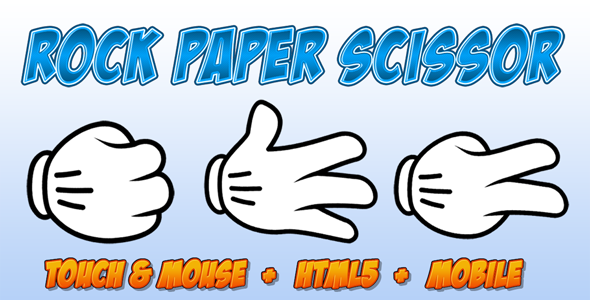
    This mobile-optimized HTML5 game brings the classic hand game to life with a polished, modern interface. Perfectly suited for casual players, educators, and web developers, it offers a responsive experience across all devices. The product name Rock Paper Scissors HTML5 Game captures the timeless appeal of the original while adding digital convenience. Whether you are building a portfolio, a game website, or an educational app, this game delivers instant playability without plugins or downloads.

    • HTML5 Technology: Built entirely with HTML5, the game runs smoothly in any modern web browser without requiring Flash or third-party plugins. This ensures fast loading times and broad compatibility.
    • Touch and Mouse Capabilities: Players can interact using either a mouse on desktops or touch input on smartphones and tablets. The interface adapts seamlessly to both control methods.
    • Mobile Ads Ready: Optional integration for mobile advertisements allows developers to monetize their game quickly. The structure supports popular ad networks without heavy code modifications.
    • Construct 2 Source Files Included: The purchase includes full Construct 2 (CAPX) project files. This allows advanced users to customize gameplay, visuals, and logic directly within the editor.
    • Fully Commented Code: Every line of the source code is thoroughly commented in English. Beginners and experienced developers alike can understand and modify the game logic with ease.
    • Multiple Game Modes: Choose between three, five, or unlimited rounds. This flexibility makes the game suitable for quick fun or extended play sessions.
    • Simple, Clean Visuals: The user interface is intuitive, with hand selection icons positioned clearly on the top left. The design minimizes distractions and keeps players focused on the action.

    Who Is This For? Use Cases

    Game Developers and Indie Creators

    If you are building a game portal or a mobile-first website, this package provides a ready-to-deploy title. The Rock Paper Scissors HTML5 Game can be integrated into larger projects or served as a standalone product. With the included CAPX files, you can study the code structure, learn game development patterns, and use it as a foundation for more complex projects.

    Educators and Teachers

    Classic games like rock-paper-scissors are excellent tools for teaching probability, decision-making, and strategy. This HTML5 version works perfectly on classroom tablets, Chromebooks, or interactive whiteboards. The simple rules and fast rounds make it ideal for short educational breaks or as a reward activity.

    Casual Website Owners

    Bloggers and small site owners looking to increase dwell time can embed this game directly into their pages. The mobile-optimized design ensures visitors on phones and tablets have the same fluid experience. Adding a fun, interactive game can reduce bounce rates and encourage repeat visits.

    Freelancers and Agencies

    If you develop websites or apps for clients, this game serves as a quick addition to entertainment-oriented projects. The commented code makes it easy to rebrand the visuals, change round counts, or add new features. Customization requests are also welcomed by the original author, who offers freelance work.

    Technical Details & Compatibility

    The game is built using Construct 2, a popular 2D game engine that exports to HTML5. This ensures compatibility with all modern browsers including Chrome, Firefox, Safari, Edge, and Opera. The file size is lightweight, making it suitable for mobile networks with limited bandwidth. Touch events are fully supported on iOS and Android devices, while mouse clicks work on desktops and laptops. The code is organized using the event sheet system of Construct 2, with clear comments explaining each function and condition. No additional libraries or external assets are required to run the game. The included CAPX file can be opened and edited in the free or paid versions of Construct 2. Based on the author’s portfolio, updates and support are available through the CodeCanyon platform.

    Pros and Cons

    Pros

    • Fully responsive and works on desktop, tablet, and mobile without any extra configuration.
    • Source files are included, so you can modify every aspect of the game to fit your needs.
    • Optional ad integration helps developers generate revenue from the start.
    • Code is heavily commented, making it a valuable learning resource for those new to Construct 2.
    • Simple, addictive gameplay that appeals to all age groups.
    • Supports multiple round options for varied play sessions.
    • Backed by an experienced author with a large portfolio of other HTML5 games and freelancing availability.

    Cons

    • Visual style is basic and may not suit projects requiring high-end graphics or animations.
    • Limited to rock-paper-scissors mechanics; no additional minigames or bonus features within this single purchase.
    • Requires Construct 2 (free version available) if you intend to edit the source files.
    • No multiplayer online mode; this is strictly a single-player versus-AI experience.

    Frequently Asked Questions

    Does this Rock Paper Scissors HTML5 game work on mobile devices without any issues?

    Yes. The game is specifically optimized for mobile devices. It uses touch input and adjusts to different screen sizes automatically. You can play it on smartphones and tablets in portrait or landscape orientation without any visual cutoffs or lag.

    Can I customize the game graphics and sounds after purchase?

    Absolutely. The purchase includes the full Construct 2 project file (CAPX). You can change images, colors, sound effects, and even the game logic. The code is fully commented, so even beginners can find and modify the relevant sections.

    Is technical support included if I have trouble editing or running the game?

    Yes. The author provides support through the CodeCanyon item comments page. Many of the other games in the author’s portfolio also have positive feedback regarding support responsiveness. Additionally, the author explicitly offers freelance services for custom modifications.

    Final Verdict

    The Rock Paper Scissors HTML5 Game delivers exactly what it promises: a reliable, mobile-friendly version of a beloved classic. It balances simplicity with technical quality, making it accessible to end-users while giving developers the tools to customize and learn. The inclusion of Construct 2 source files, commented code, and optional ad support adds significant value beyond the basic gameplay. Considering the author’s extensive catalog of proven titles on CodeCanyon, buyers can trust in continued support and updates. If you need a lightweight, cross-platform game that works out of the box and can be tailored to your needs, this is a solid investment. Add it to your project today and bring timeless fun to your audience with minimal effort.

  • Teddy Summer Dress-up

    Teddy Summer Dress-up

    Key Features

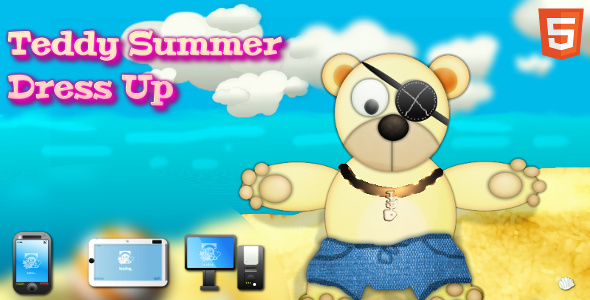
    The Teddy Summer Dress-Up HTML5 template offers a straightforward yet engaging dress-up experience for a wide audience. Built for maximum accessibility, this game ensures compatibility across all HTML5-supported devices, with a particular emphasis on mobile optimization. The project is delivered with both a standard Construct 2 project file and a dedicated Android project file that includes Google AdMob integration, making it a turnkey solution for developers aiming to publish on app stores. The fixed orientation of 800×480 pixels in landscape mode provides a consistent visual canvas, while the underlying structure is designed for easy modification, allowing you to swap assets and create a branded version without extensive coding. The package also supports direct publishing to platforms like Firefox OS and Amazon Appstore, as evidenced by the provided preview links.

    This template is not just a game; it is a flexible foundation. The ability to quickly change character skins, clothing items, and background elements means you can localize the content for different markets or seasonal campaigns in a matter of hours. The inclusion of the source project file (Construct 2) means you are not locked into a black box—you have full control over the code, physics (if any), and every interactive element. For monetization, the pre-built AdMob plugin for Android removes the initial heavy lifting, letting you focus on user acquisition and ad optimization.

    • Construct 2 Project File Included: The source .capx file is provided, giving you complete access to all events, sprites, and layouts for deep customization.
    • Android with Google AdMob: A separate project file is pre-configured with AdMob banners and interstitials, ready for Android deployment.
    • 800×480 Landscape Resolution: A standard aspect ratio that scales well on tablets and phones in landscape mode, maintaining visual clarity.
    • Easy Asset Swapping: The sprite organization is intuitive, allowing you to replace teddy bear graphics with your own characters, clothing, or backgrounds for a branded experience.
    • Cross-Platform Support: Beyond Android and HTML5, the template is confirmed to work with Firefox OS and can be exported to iOS, Windows Phone, and desktop via CocoonJS or Ludei.

    Who Is This For? Use Cases

    Indie Game Developers and Hobbyists

    If you are a solo developer or a small studio with limited design resources, Teddy Summer Dress-Up provides a proven, playable core. You can skip the months of prototyping and art creation and instead focus on monetization, marketing, or adding unique features. The template serves as an excellent learning tool for Construct 2, offering clear event sheets that demonstrate touch input handling, UI management, and state persistence.

    Mobile App Publishers Seeking Quick Releases

    With the included Android project file and AdMob integration, publishers can have a functional, ad-supported game on Google Play within days. The simple mechanic appeals to a broad demographic—parents download this for their children, and casual users enjoy the stress-free interaction. The template’s clean codebase makes it straightforward to integrate additional ad networks (like Unity Ads) or in-app purchases for extra item packs.

    Brands and Marketing Agencies

    Branded dress-up games are a powerful tool for engagement on social media or branded websites. Imagine a teddy bear dressed in a fast-food chain’s uniform or a clothing brand’s summer collection. Because the template is built for easy asset swapping, a marketing team can produce a custom interactive ad or a web-based giveaway game without needing a dedicated engineering team. The HTML5 version runs directly in a browser, making it embeddable on any landing page.

    Educators and Child-Themed App Creators

    This template is forgiving for young users. The drag-and-drop or tap-to-wear mechanics are intuitive for children as young as three. Educators can modify the items to teach about seasons, colors, or clothing vocabulary. The clean, non-violent theme aligns well with child safety guidelines for app stores, making it a reliable choice for the “Kids” category.

    Technical Details & Compatibility

    The Teddy Summer Dress-Up project is created with Construct 2, a popular HTML5 game engine that exports to multiple platforms without requiring C++ or Java knowledge. The template is designed for an 800×480 pixel landscape canvas, which scales responsively across devices. While the product is listed as an item on CodeCanyon, its update history and specific version number are not overtly stated in the provided snippet; however, the presence of a Firefox OS compatibility link and Amazon App Store reference suggests mature, stable code that has been deployed in production environments. The project includes touch event handling for mobile and click events for desktop, ensuring full functionality across touchscreens and mouse inputs. Export targets include Android (via Google Play), iOS (via CocoonJS or similar), and plain HTML5 for web hosting.

    For the Android version specifically, the template integrates Google AdMob SDK. Developers will need to have their own AdMob App ID and ad unit IDs to replace the placeholder values in the project. The template does not require any server-side logic; all game data and images are stored locally within the project file. The file size is light enough for fast loading even on 3G connections, a critical factor for mobile retention.

    Pros and Cons

    Pros

    • Immediate Time-to-Market: The inclusion of both standard and AdMob-enabled Android project files means you can have a published app in hours, not weeks.
    • Full Source Code Included: Unlike many app builders that lock you into a subscription, this purchase gives you the original Construct 2 file, allowing permanent ownership and unrestricted modifications.
    • Proven Cross-Platform Engine: Construct 2’s exporting capabilities mean your single purchase can yield games for web, Android, iOS, Amazon Fire, and even Windows desktop.
    • Child-Safe Content: The teddy bear theme is non-violent and friendly, reducing the risk of negative reviews or age-gating issues on app stores.
    • Simple Monetization Framework: AdMob integration is pre-coded, saving you the frustration of integrating third-party SDKs from scratch.
    • Responsive Design: The 800×480 resolution scales gracefully, and the built-in layout ensures no UI elements are cut off on different screen sizes.

    Cons

    • Requires Construct 2 License: To edit the .capx file, you need a licensed version of Construct 2 (now legacy, replaced by Construct 3). Exporting to certain platforms may require the “Personal” or “Business” license.
    • No Native iOS Project File: The template only includes an Android project file. iOS deployment requires using a third-party tool like CocoonJS or Ludei, which adds an extra step and potential cost.
    • Limited Gameplay Depth: This is a simple dress-up mechanic with no scoring, levels, or narrative. For developers seeking a more complex gaming experience, this template would require significant additions.
    • Outdated Engine Reference: Construct 2 has been superseded by Construct 3. If you are a new developer, you may prefer to work in Construct 3, which would require manual conversion of events.
    • No Analytics Plugin (Out-of-the-box): While AdMob is included, there is no pre-built integration for Google Analytics or Firebase, meaning engagement tracking must be added manually.

    Frequently Asked Questions

    Does this template work with Construct 3?

    While the project file is originally created for Construct 2, Construct 3 offers an import feature for .capx files. However, some event systems and behaviors may require manual adjustments due to differences in the runtime. If you are using Construct 3, plan for a few hours of testing and minor debugging to ensure all touch events and sprite behaviors function exactly as intended.

    Can I sell apps built with this template on app stores?

    Yes. The CodeCanyon license for Teddy Summer Dress-Up permits you to use the template as a foundation for your own commercial applications. You are allowed to publish apps on Google Play, Amazon Appstore, the App Store (via third-party export), or distribute as a browser game. You cannot, however, resell the raw template files themselves on other marketplaces—this is a standard restriction for all such items.

    Is it easy to change the teddy bear into a different character?

    Yes. The template is structured with clearly named sprite layers for the bear’s body, head, and individual clothing items. Replacing the teddy bear with a different animal or human character involves swapping the PNG images in the image editor of your choice (like Photoshop or GIMP). You must ensure the new character’s body parts align with the original skeleton’s pivot points. A basic understanding of Construct 2’s sprite editor and layout coordinates is helpful, but no coding is required.

    Final Verdict

    Teddy Summer Dress-Up stands out as a reliable, low-risk investment for anyone entering the mobile game market or needing a quick, customizable HTML5 interactive experience. Its strength lies not in complexity but in immediacy—the code is clean, the monetization path is pre-laid, and the content is universally appealing to a casual audience. For the price of a single template, you gain both a web-ready game and an Android-ready app, effectively covering two major distribution channels. The inclusion of the source project file ensures you are never held hostage by the template’s limitations; you can evolve it, rebrand it, or simply publish it as-is and start generating ad revenue.

    If you are considering building a dress-up game from scratch, consider the cost of a professional illustrator for the assets and a developer’s time for mobile integration—the math heavily favors purchasing this template. The author has created a solid foundation, as evidenced by the additional Amelia Dress-Up game also available on CodeCanyon, which speaks to consistent quality and support. Whether you are a first-time publisher testing the waters or an agency needing a quick client deliverable, this template delivers functional value. Stop planning and start publishing—download Teddy Summer Dress-Up today and transform your game idea into a live product.

  • Color Swatches

    Color Swatches

    Key Features

    This tool transforms your screen into a powerful color visualization environment, moving beyond basic swatches to create a truly immersive experience. It is built for precision and clarity, eliminating guesswork from color selection.

    • Instant Full-Screen Color Preview: Scroll through a curated palette of 330 colors. A single click or tap on any swatch instantly expands it to fill your entire screen. This allows you to evaluate how a color behaves in a pure, distraction-free environment, mimicking its real-world impact on a larger canvas.
    • Dual-View Flexibility: The tool comes with two distinct layout options. The Wide View presents a dense grid for rapid scanning of the entire palette. The Narrow View offers a more controlled, column-focused browsing experience, ideal for linear comparison or use in side-panel setups.
    • Powerful Sort and Filter Capabilities: The color array is not static. Users can apply sorting and filtering to reorganize the palette based on hue, saturation, or brightness. This transforms the tool from a simple gallery into a functional color sorting engine, helping you find analogous colors or contrast pairs efficiently.
    • JavaScript-Driven Color Array: The core data is stored in a clean, manageable JavaScript array. This makes the tool incredibly lightweight and fast to load, with no database queries or external API calls. It also means the color list can be easily modified or expanded by anyone with basic coding knowledge.
    • Mobile-Optimized Interface: The responsive design ensures that the full-screen previews and touch-based navigation work seamlessly on smartphones and tablets. This is a critical feature for professionals who present work directly from their mobile devices during client meetings or site visits.

    Who Is This For? Use Cases

    This tool bridges a gap between static color reference charts and full-fledged design software. It is specifically engineered for decision-making moments where visual accuracy is paramount. It serves a diverse range of creative and technical professionals.

    Web Designers and UI/UX Professionals

    When designing a user interface, selecting a primary brand color is just the beginning. You need to understand how that color reads at scale. This tool lets you blow up a hex value to full-screen, revealing nuances in hue and saturation that are invisible on a small swatch. Use the filter function to isolate neutral greys for background testing, or display a primary blue against a full white screen to check for glare or readability issues. It is an essential sanity check before committing a color to a stylesheet.

    Graphic Designers and Brand Identity Specialists

    Brand guidelines often live in PDFs. This tool makes them interactive. For a client presentation, you can load the brand’s standard palette—say, a signature red, a secondary gold, and a neutral charcoal—and use the narrow view to scroll slowly through them. The full-screen preview creates a powerful visual anchor, allowing clients to focus entirely on the color without the distraction of surrounding UI elements. It moves the conversation from abstract approval to concrete visual agreement.

    Front-End Developers

    Developers frequently work with color variables in Sass or CSS custom properties. This tool provides a rapid way to test these variables in a simulated “real-world” environment. If you are debating between #3A3A3A and #4A4A4A for a text color, you cannot fully appreciate the difference on a small code editor. Open the array, find both swatches, and use the wide view to compare them simultaneously. The full-screen preview of each variant helps you make a faster, more informed typographic decision.

    Presentation and Client-Facing Roles

    The primary value proposition for this user is confidence. Walking into a room with a printed color wheel is unreliable. Using a shared screen with this tool is definitive. The ability to sort the array by luminance allows you to create a coherent color story on the fly. You can show a client how a proposed accent color looks when it dominates the screen, eliminating the risk of “That color looks different on my monitor.” It transforms a subjective visual discussion into objective verification.

    Technical Details & Compatibility

    This is a pure front-end solution with no server-side dependencies. Its simplicity is its strength. The entire color library is contained within a single JavaScript array, meaning it operates entirely offline if hosted locally. It consists of two primary HTML files (wide.html and narrow.html) which can be opened directly in any modern browser. No installation, no plugins, no database setup is required. It achieves near-instant load times because all resources are minimal and self-contained.

    Compatibility: The tool is compatible with all modern evergreen browsers, including the latest versions of Chrome, Firefox, Safari, and Edge. It is responsive and functions correctly on iOS and Android mobile devices. There are no known conflicts with content security policies or cross-origin resource sharing (CORS) issues, as there are no external requests. The tool represents a static, well-tested implementation of a straightforward color display paradigm. The 330 colors included are a well-curated web-safe and extended web color set, providing a robust default library for any project.

    Pros and Cons

    Pros

    • Exceptional Visual Focus: The full-screen preview is the standout feature. It removes all visual clutter, allowing for pure color evaluation.
    • Lightning Fast: Since it’s just HTML, CSS, and JavaScript, it loads instantly, even on slow connections or older devices.
    • Highly Portable: You can host it on any web server, run it locally from a USB drive, or even integrate it into a larger design system.
    • Effective Filtering: The ability to sort and filter by visual properties (like lightness or hue) is genuinely useful for comparative analysis, far more than a simple alphabetical list.
    • Client Presentation Ready: It provides a professional, distraction-free environment for showcasing color choices to non-technical stakeholders.

    Cons

    • Fixed Palette: The 330 colors are static. You cannot add custom colors or import an existing brand palette directly into the array without modifying the source code.
    • No Color Picker: This tool is for viewing pre-selected colors, not for selecting or creating new ones. There is no eyedropper tool or hex input field.
    • Limited Context: The tool shows a solid color. It does not show gradients, textures, or the color applied to a mockup. The real-world application is up to your imagination.
    • Basic UI: While functional, the interface is utilitarian. It lacks the visual polish of a full design application, which might feel a bit minimalist to some users.

    Frequently Asked Questions

    Can I add my own brand colors to the tool?

    Yes, but it requires a manual edit of the source code. The colors are stored in a JavaScript array within the HTML file. If you are comfortable opening the file in a text editor and adding a new hex value to the list (for example, '#FF5733'), you can expand the palette to include your specific brand hues. There is no user interface for adding colors directly.

    Does this tool work on an iPad or mobile phone?

    Absolutely. The interface is fully responsive and optimized for touch. The narrow view is especially effective on mobile devices, as it translates well to a single-column scroll. The full-screen preview is triggered by a simple tap, making it easy to use during on-site client reviews or while working in the field.

    Is this product compatible with WordPress or other CMS platforms?

    It is not a plugin and does not integrate natively with WordPress or any other CMS. However, you can easily embed the entire HTML file into a WordPress page using a custom HTML block or an iframe. For users on ThemeForest or CodeCanyon, this tool functions as a standalone utility that can be hosted alongside any project or hosted on a subdomain for reference.

    Final Verdict

    This color visualization tool succeeds in its specific, focused mission: providing an unrivaled, distraction-free way to evaluate web colors at full scale. It cuts through the noise of multi-panel interfaces and allows you to connect with a color on a purely visual level. The inclusion of dual-view layouts—wide for scanning and narrow for focused reading—combined with the ability to sort and filter, transforms a simple concept into a genuinely useful professional utility. It is a solution born from a real problem: the difficulty of feeling confident in a color choice when you can only see a tiny swatch. This tool eliminates that uncertainty.

    For anyone who works with color—designers, developers, brand managers, or product owners—this is a low-cost, high-impact addition to your digital toolkit. It builds trust with clients, speeds up your own decision-making, and offers a level of visual clarity that standard color pickers simply cannot provide. Do not let the next project suffer from a color compromise. Add this to your workflow, and experience the clarity of seeing your colors at scale. Buy the color visualization tool today and see your palette in a whole new light.