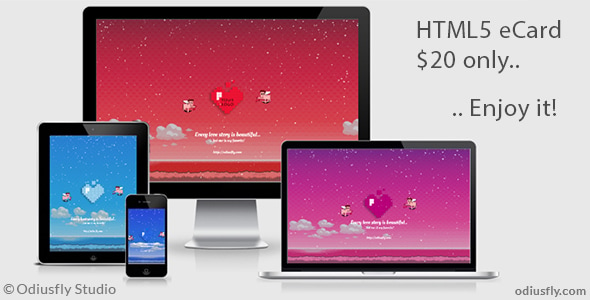
Tag: season

  • Valentines Pixelated Card v1 Review: Cute Canvas

    Valentines Pixelated Card v1 Review: Cute Canvas

    Valentines Pixelated Card v1 is a small HTML5 interactive card sold on ThemeForest under the Canvas category for $20. It presents a pixel-art Valentine’s greeting that responds to mouse movement or touch input, and it ships as a self-contained folder of HTML, CSS and JavaScript files that can be uploaded to any web host or embedded in an existing page with an iframe. It is aimed at freelancers, small agencies and site owners who want a seasonal greeting page they can rebrand with their own artwork and text rather than building an animation from scratch.

    The item is published by Odiusfly Studio, a developer whose portfolio on the marketplace consists of similar interactive cards and small browser-based games. No sales figures or customer ratings are shown on the listing at the time of writing, so there is no purchase history to weigh up — the assessment below rests entirely on what the package contains and how the licensing terms are written.

    What the Valentines Pixelated Card v1 Canvas package actually contains

    The download is not a single file. It is a folder structure that includes five separate versions of the card, each built with HTML5 markup, plus a set of help images that document the layout and show where content sits. The five variants appear to differ in presentation or interaction style rather than in underlying technology, which gives a buyer some choice without requiring any code changes.

    Input handling is the most technically interesting part. The card responds to both mouse movement and touch, so the same build works on a desktop browser and on a phone or tablet without a separate mobile version. That matters for a Valentine’s greeting, because a large share of the traffic to a seasonal card arrives from messaging apps and social links opened on a handset.

    Content is replaceable. The vendor states that all graphics and media can be swapped for the buyer’s own assets, and that anyone comfortable editing HTML and JavaScript can go further and change the structure or behaviour of the animation itself. Combined with the included help images, that makes the package a starting point rather than a fixed template — a designer can drop in a company logo, a couple’s photo, or a custom colour palette and have something that does not look like the demo.

    Deployment is deliberately low-tech. The folder goes onto a web host, and the card is then either served directly at its own URL or pulled into an existing page through an iframe. The listing gives a working iframe example with width, height and source attributes, which is the simplest route for anyone who does not want to touch an existing theme’s template files. Browser support is broad — Chrome, Firefox, Edge, Opera and Internet Explorer are all named, with Chrome recommended — which is unusual for a modern HTML5 item and suggests the code avoids newer APIs that would break older engines.

    Where a pixel-art Valentine’s card fits, and where it does not

    The obvious use case is a standalone seasonal page: a short URL that gets shared by email, text message or social post on 14 February. Because the whole thing is a self-contained folder, it can live on a subdomain or in a subdirectory without disturbing the main site, and it can be taken down again once the date has passed.

    A second fit is embedding. Marketing teams that already run a WordPress or static site can drop the iframe snippet into a blog post or landing page and get an interactive element without installing a plugin or touching the theme. The same approach works inside a campaign page built on any CMS, since an iframe does not care what generated the surrounding HTML.

    A third, less obvious fit is education and experimentation. The five versions and the plain HTML/JS structure make the package a reasonable sandbox for someone learning how pointer and touch events drive a canvas-style animation, or for a tutor who wants a small, self-contained example to take apart.

    It is the wrong choice in several situations. Anyone wanting a card that can be sold as part of a product, distributed through an app store, or resold on a marketplace is explicitly excluded by the licence. Buyers who need a card that collects RSVPs, tracks opens, or connects to a mailing list will find no such functionality here — it is a visual greeting, not a campaign tool. And anyone who needs guaranteed rendering on every device and every browser version should note the vendor’s own caveat that full compatibility across all devices and operating system updates cannot be assured.

    Setting up the Valentines Pixelated Card v1 Canvas

    Prerequisites are minimal. A web host with the ability to serve static files is enough. No database, no server-side language, no build step and no package manager are involved. If the card is going to be embedded rather than served on its own, the buyer also needs edit access to the page that will contain the iframe.

    The practical sequence is: unzip the download, pick one of the five versions, open the HTML and swap out the text and image references for your own, then upload the folder. Embedding means pasting the iframe snippet into the target page and adjusting the width and height values to suit the layout. The vendor’s help images cover the file layout, which shortens the guesswork.

    Realistically, a straightforward text-and-image swap is a job of well under an hour for someone who has edited HTML before. Deeper changes — altering the animation, replacing the pixel artwork with a different visual style, or restyling the CSS — are open-ended and depend entirely on the buyer’s front-end skills. The vendor states that customisation requests can be sent by email, so buyers without those skills have a route to a modified version, though no turnaround time or price for that work is published.

    Strengths and limitations

    Strengths

    • Five ready-made versions in one purchase, so there is a fallback if the first choice does not suit the page.
    • Mouse and touch input handled in the same build, which removes the need for a separate mobile version.
    • Plain HTML5, CSS and JavaScript with no framework dependency, making the files readable and editable by anyone with basic front-end knowledge.
    • Two deployment routes — direct hosting or iframe embedding — so it works with an existing site as well as on its own.
    • Broad browser support, including older engines, which reduces the risk of a broken card on an unfamiliar device.
    • Help images included, which is more documentation than many small marketplace items provide.

    Limitations

    • The licence covers one website, portal or store per purchase. Using the same card across several client sites requires additional licences, which changes the cost calculation for agencies.
    • Resale and redistribution are prohibited, including modified copies on Envato or similar marketplaces, so the card cannot be built into a product that is sold on.
    • Use inside app stores such as Google Play or the Apple App Store is explicitly disallowed.
    • The vendor does not guarantee full compatibility across every device and every operating system update, so testing on the target audience’s hardware is the buyer’s responsibility.
    • No sales count or rating is published, so there is no independent evidence of how the card behaves for other buyers.
    • Customisation beyond a content swap depends on the buyer’s own coding ability or on arranging paid work with the developer, and no pricing or timeline for that is stated.
    • The demo content, graphics and audio remain the developer’s property and cannot be reused in personal projects without permission.

    How this compares with the wider category of seasonal card templates

    Seasonal greeting items on theme marketplaces generally fall into three groups. The first is static image or video files, which are the cheapest and the easiest to deploy but offer no interaction. The second is plugin-based greetings for a specific CMS, which integrate cleanly with an existing site but tie the buyer to that platform and often to a subscription. The third is standalone HTML packages like this one.

    Against static assets, the Valentines Pixelated Card v1 Canvas offers genuine interactivity — the card reacts to the pointer or a finger — at a price that is still in impulse-purchase territory. Against CMS plugins, it is more portable: the same folder works on WordPress, a static site, a landing page builder or a bare host, and it does not add anything to a site’s plugin stack or update cycle. The trade-off is integration. A plugin can pull in a subscriber’s name from a database or sit inside a page template; an iframe cannot, and the card has no server-side component to build on.

    The per-site licence is the sharpest point of difference. Many HTML templates on the same marketplace are sold with terms that allow use across multiple projects owned by the buyer. Here, each portal needs its own licence, which makes the item well suited to a single campaign and less economical for an agency rolling the same greeting out across a dozen client sites.

    Frequently Asked Questions

    Can the Valentines Pixelated Card v1 Canvas be embedded in an existing website?

    Yes. The listing supplies an iframe snippet with width, height and source attributes, which can be pasted into any page that accepts raw HTML. The card folder is uploaded to the host first, then referenced by its URL. This works on WordPress, static sites and most page builders without installing a plugin.

    Does the card work on phones and tablets?

    Yes. The package handles both mouse and touch input, so the same version responds to a finger tap or swipe on a handset as well as to a cursor on a desktop. The vendor does not guarantee identical rendering on every device and operating system version, so testing on the intended hardware is advisable.

    Can the graphics and text be replaced with my own?

    Yes. The vendor states that all graphics and media can be swapped for the buyer’s own assets, and that the HTML and JavaScript files can be edited by anyone with the relevant skills. The included help images document the file layout. The developer’s original demo artwork cannot be reused elsewhere without permission.

    How many websites can one licence cover?

    One. Each licence permits use on a single website, portal or store. Running the same card across multiple sites requires a separate licence for each. Reselling, redistributing or publishing modified copies on Envato or similar marketplaces is prohibited under the same terms.

    Verdict

    Buy the Valentines Pixelated Card v1 Canvas if the goal is a single, self-contained seasonal page that needs to look customised without a custom build, and if the buyer is comfortable editing HTML or pasting an iframe. The five versions, dual input support and framework-free code make it a practical choice for a freelancer, a small business or a marketing team running one Valentine’s campaign.

    Skip it if the card needs to be resold, shipped inside a mobile app, or deployed across many client sites under one purchase — the licence forbids all three. Skip it too if the requirement is anything beyond a visual greeting, such as data capture or analytics, since none of that is present. At $20 with no published sales history, the decision rests on whether the demo matches the intended look and whether the single-site licence fits the project.
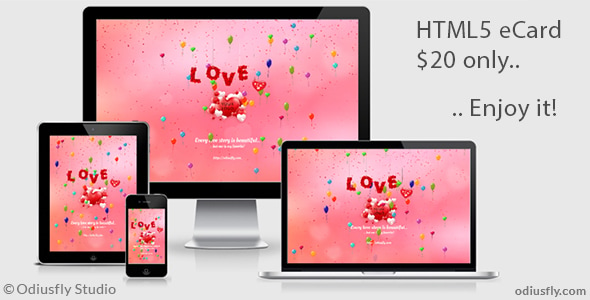
  • Valentine Card v2 Review: Canvas Card Builder

    Valentine Card v2 Review: Canvas Card Builder

    Valentine Card v2 Canvas is a small HTML5 digital greeting card sold on ThemeForest for $20, built by Odiusfly Studio. It is a self-hosted interactive card that responds to mouse movement or touch input, ships in two versions, and can be dropped onto a web server or embedded in an existing page with an iframe. It suits freelancers, small agencies and site owners who want a seasonal landing page or a shareable link without building an animation from scratch.

    The product is deliberately narrow. This is not a page builder, a plugin or a template kit. It is a single-purpose asset: a card that runs in the browser, uses the Canvas element to draw its visuals, and can be re-skinned with the buyer’s own graphics and media. That narrowness is both its selling point and its main constraint, and understanding the difference matters before spending money on it.

    What Valentine Card v2 Canvas actually does well

    The core interaction is input-driven animation. The card listens for mouse movement and touch events, which means the visuals respond to where a visitor points, taps or drags. On a desktop this reads as a cursor-following effect; on a phone or tablet it becomes a touch interaction. Because the animation is drawn to a Canvas surface rather than assembled from DOM elements, it stays smooth without the layout thrashing that plagues CSS-heavy alternatives.

    Two versions ship in the download. The vendor does not state what distinguishes them, so a buyer should expect to open both folders and compare before choosing. In practice, two-version bundles in this category usually mean a full standalone page and a lighter embeddable build, but that is an assumption, not a documented fact.

    Deployment is genuinely simple. The folder can be uploaded to any web host and opened as a standalone page, or pulled into an existing site through an iframe. The vendor supplies a working iframe example with fixed width and height attributes, which is the fastest route for anyone who does not want to touch the surrounding site’s code. That makes the card usable as a one-off URL to share in a message, or as a panel inside a larger page.

    Re-skinning is supported at the file level. Graphics and media can be swapped for the buyer’s own assets, and anyone comfortable with HTML and JavaScript can edit the markup and scripts directly. Help image files are included to guide that process. For a designer with basic front-end skills, that is enough to turn a generic Valentine’s card into something that matches a brand palette or carries a personal message.

    Browser coverage is broad by intent. The vendor lists Chrome, Firefox, Edge, Opera and Internet Explorer as targets, with Chrome recommended. Given that Canvas rendering and touch handling vary between engines, Chrome as the recommended baseline is a sensible signal about where the card has been tested most thoroughly.

    Where this card fits, and where it does not

    The obvious use case is a seasonal campaign page. A florist, jewellery retailer, restaurant or gift shop can host the card on its own subdomain or subfolder, link to it from an email, and get an interactive destination that costs less than a single hour of a developer’s time. Freelancers building a Valentine’s microsite for a client can use it as the hero element and spend their budget on copy and photography instead of animation code.

    A second fit is personal. Someone who wants to send a custom card to a partner can replace the graphics and media, upload the folder, and share a link. The iframe option also allows the card to sit inside a personal blog post or a portfolio page.

    A third fit is agency prototyping. When a client asks for “something animated” for a February promotion, a $20 asset that can be re-skinned in an afternoon is a cheap way to demonstrate a direction before committing to custom build work.

    Where it is the wrong choice: any project that needs the card to be part of a content management workflow. There is no WordPress plugin, no shortcode, no admin panel and no settings screen. If the person updating the site cannot edit HTML files and re-upload them, the card becomes a maintenance problem. The same applies to multi-brand or multi-language rollouts, because the licence covers one website portal per purchase, so a campaign running across five regional sites requires five licences. Anyone expecting analytics integration, A/B testing hooks or a form capture layer will need to build that around the card rather than inside it.

    Setting it up: what the process involves

    Setup assumes three things: a web host or server the buyer controls, FTP or file manager access to that host, and a text editor for any content changes. No build tools, package managers or databases are involved, because the deliverable is static HTML, JavaScript and assets.

    The practical sequence is short. Unzip the download, open the HTML files, replace the placeholder text and any graphics or audio with the buyer’s own, then upload the folder to the host. If the card is being embedded rather than linked directly, the vendor’s iframe snippet is pasted into the target page and the source URL and dimensions are adjusted to fit the layout.

    Realistically, a straightforward swap of text and images takes well under an hour. A full re-skin, where colours, assets and timing are all reworked to match a brand, is an afternoon’s work for someone fluent in HTML and JavaScript, and considerably longer for someone who is not. Testing across a desktop browser and at least one phone is worth budgeting for, since touch behaviour is the part most likely to need adjustment.

    Strengths and limitations

    Strengths

    • Low entry price at $20 for a finished, interactive animation rather than a tutorial or code snippet.
    • Canvas-based rendering keeps the animation smooth compared with DOM-heavy alternatives.
    • Both mouse and touch input are handled, so the same asset works on desktop and mobile.
    • Two deployment paths: standalone page or iframe embed, with a working example supplied.
    • Assets and code are editable, so the card can be rebranded rather than used as-is.
    • Broad stated browser support, with Chrome as the recommended target.

    Limitations

    • The vendor does not state what the two included versions actually differ in, which leaves buyers comparing files manually.
    • Licensing is one website portal per licence, so multi-site or multi-region campaigns multiply the cost.
    • Commercial resale and marketplace redistribution are prohibited, and the card cannot be published through app stores such as Google Play or the Apple App Store.
    • The vendor explicitly cannot guarantee full compatibility across every device and every operating system update, which is an honest warning but also a real risk for long-running campaigns.
    • Content in the vendor’s own graphics and audio cannot be reused in other personal projects without permission, so the assets are not a general-purpose library.
    • No sales figures or ratings are published on the listing, so there is no independent signal of how the card performs in the wild.
    • Support runs through a direct email address rather than a ticketing system, which means response times are unknown.

    How it compares with the wider category of seasonal web assets

    Buyers looking at Valentine Card v2 Canvas are usually choosing between four options: a purpose-built interactive card like this one, a general-purpose animation library, a full seasonal WordPress theme, or custom development.

    Against a general animation library, the trade-off is control versus convenience. A library gives more flexibility and no per-site licence restriction, but it requires the buyer to design and build the card themselves. This product delivers a finished result for a fraction of that effort, at the cost of being locked into the vendor’s structure and licence terms.

    Against a seasonal WordPress theme, the comparison is about scope. A theme brings a whole site, navigation, blog templates and ongoing updates, but it also brings weight and a much higher price. A single HTML card is lighter, faster to deploy and easier to remove once February passes. For a campaign that lives for a few weeks, the lighter option usually wins.

    Against custom development, the calculation is purely financial. A bespoke interactive card costs many multiples of $20 in developer time. The trade-off is originality: a purchased card may appear on other sites, whereas custom work does not. Buyers who need the animation to be unique should factor that in.

    Frequently Asked Questions

    Do I need coding skills to use Valentine Card v2 Canvas?

    No coding is required to deploy the card as-is, since uploading a folder and pasting an iframe snippet are the only technical steps. However, replacing the text, graphics and audio means editing HTML files, so basic familiarity with HTML markup is genuinely helpful. Anyone uncomfortable editing files directly will need assistance.

    Can Valentine Card v2 be embedded in an existing website?

    Yes, the vendor supplies an iframe example that places the card inside any page. The iframe’s source URL and width and height attributes are adjusted to match the target layout. This works on most platforms that allow raw HTML, including self-hosted WordPress sites, though platforms that strip iframe tags will block it.

    How many websites can one licence cover?

    One licence covers one website portal or store. Running the same card across multiple domains, subdomains or regional sites requires a separate licence for each. This is worth checking before planning a multi-market campaign, because the cost scales linearly with the number of destinations rather than being a one-off fee.

    Can the card be sold or used in an app store release?

    No. The licence prohibits selling, copying or modifying the card for redistribution on Envato or any similar marketplace, and the vendor states it cannot be used on stores such as Google Play or the Apple App Store. It is intended for hosting on the buyer’s own website or embedding in their own pages.

    Verdict

    Valentine Card v2 Canvas is a sensible purchase for freelancers, small agencies and site owners who need a finished interactive Valentine’s asset deployed quickly and cheaply, and who are comfortable editing HTML files or paying someone who is. It also works well for personal use, where a re-skinned card shared as a link delivers exactly what it promises. It is the wrong buy for anyone who needs CMS-managed content, multi-site licensing without extra cost, app store distribution, or a guarantee of long-term compatibility across every device. The absence of published sales figures and ratings means there is no community track record to lean on, so the decision rests on the demo and the licence terms. At $20 with an afternoon of setup, the risk is low for a single-site seasonal campaign, but buyers planning anything larger should price the per-site licences first.

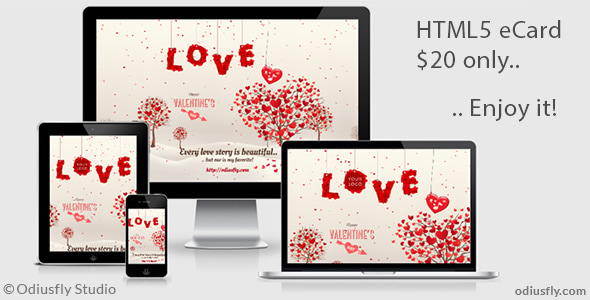
  • Valentine Card v1 – Special Edition Review: Canvas

    Valentine Card v1 – Special Edition Review: Canvas

    Valentine Card v1 – Special Edition is a small HTML5 interactive greeting card sold on ThemeForest for $20. It is a self-contained folder of HTML, JavaScript and image files that can be uploaded to any web host, opened directly in a browser, or embedded into an existing page with an iframe. The product suits freelancers, small agencies and site owners who want a seasonal Valentine’s Day page without building one from scratch, and it is a poor fit for anyone expecting a full content management system or a multi-page campaign site.

    What the Valentine Card v1 Canvas package actually contains

    The delivered download is a static front-end bundle rather than a WordPress plugin or a hosted service. Everything runs client-side, which means there is no database, no admin panel and no server-side language to configure. That single design decision shapes almost every other characteristic of the item.

    The listing states that two versions of the card are included. The vendor does not label them individually in the description, so the practical difference between the two is something a buyer discovers after download. Both are built on HTML5, and both respond to pointer input from either a mouse or a touchscreen. That dual input handling matters more than it first appears: a card that only listens for clicks feels broken on a phone, and a card that only listens for taps feels broken on a desktop. Supporting both means the same folder works on a laptop, a tablet and a handset without a separate mobile build.

    Content replacement is the feature most buyers will actually use. The graphics, audio and text inside the card can be swapped for custom assets, and the vendor explicitly permits reskinning. Anyone comfortable editing markup can go further and modify the .html and .js files directly. The package also ships help image files, which serve as a visual guide to which asset goes where — a small inclusion, but a useful one for buyers who are not full-time developers.

    Deployment is deliberately low-friction. Uploading the folder to a host and pointing a browser at it is enough to make the card live. For sites that already exist, the listing provides an iframe snippet with fixed width and height attributes, so the card can be dropped into a page, a landing template or a blog post without touching the surrounding theme. The vendor recommends Chrome for previewing, while noting that Firefox, Edge, Opera and Internet Explorer are also acceptable.

    Licensing is worth reading before purchase rather than after. One license covers one website portal or store. The card cannot be resold, redistributed or listed on Envato or comparable marketplaces, and the vendor’s own graphics and audio cannot be reused in personal projects. The card also cannot be published through the Google or Apple app stores. Those restrictions are normal for this category, but they are stated firmly and they rule out a few use cases outright.

    Where a Valentine Card v1 Canvas embed makes sense, and where it does not

    The clearest fit is a seasonal landing page on an existing site. A florist, jewellery retailer, restaurant or hotel running a Valentine’s promotion can add the card as a lightweight interactive element above or beside the offer, without commissioning custom development. The iframe approach means the card sits inside the existing design rather than competing with it.

    A second strong fit is a personal gesture. Someone who wants to send a link rather than a physical card can host the folder on cheap shared hosting, replace the default artwork with personal photos, and send the URL. The mouse-and-touch support means the recipient can open it on whatever device they happen to be holding.

    Freelancers and small studios also have a reasonable case for buying it as a starting point. At $20, the cost of the card is a rounding error against the billable hours saved on building an animated greeting from zero, and the reskin permission means the visual identity can be replaced entirely. A studio delivering a Valentine’s microsite for a client can treat the purchase as a template licence and spend its time on branding instead of interaction logic.

    The wrong choice is any project that needs dynamic content. Because the card is static HTML, there is no way to personalise it per visitor from a database, no way to collect responses, and no way to run A/B tests through a CMS. A campaign that needs to greet each recipient by name, track opens or feed results into a CRM will need custom server-side work that this package does not provide. Buyers who want a plugin they can activate inside WordPress should also look elsewhere; this is a folder to upload, not an extension to install.

    Setting up the Valentine Card v1 Canvas files

    There is no installation process in the conventional sense. The buyer downloads a ZIP archive, extracts it, and edits the contents locally. Replacing images means matching the existing file names and dimensions, or editing the references in the HTML. Replacing audio follows the same pattern. The help images included in the package show the intended layout, which shortens the guesswork considerably for anyone who has not worked with an asset bundle before.

    Publishing requires a web host with static file support — which is effectively every host — plus either FTP access or a file manager in the hosting control panel. The folder is uploaded, and the card is live at the corresponding URL. Embedding it into an existing page is a matter of pasting the iframe snippet and adjusting the width and height values to suit the layout.

    Realistic time to a finished, personalised card is somewhere between thirty minutes and two hours. Most of that is asset preparation: resizing photographs, exporting them in the right format, and checking that text fits the spaces the original design allows. The technical steps themselves take minutes. The vendor does not state a minimum skill level, but comfort with editing HTML by hand is the practical prerequisite, and a code editor makes the job noticeably easier than a plain text editor.

    Strengths and limitations of this Valentine’s Day card template

    Strengths

    • Runs entirely in the browser, so it works on shared hosting, static hosts and any CMS that accepts an iframe.
    • Handles mouse and touch input from the same build, removing the need for a separate mobile version.
    • Reskinning is explicitly permitted, so the visuals can be replaced with client or personal assets.
    • The HTML and JavaScript files are editable for buyers who want to change behaviour, not just appearance.
    • Help image files are included, which lowers the barrier for non-developers.
    • At $20, the cost is low enough to justify as a template starting point rather than a finished product.

    Limitations

    • The vendor does not publish a sales count or a rating for this item, so there is no independent signal of how it performs in the field beyond the listing itself.
    • Two versions are included but not individually described, leaving buyers to work out the difference after purchase.
    • There is no dynamic content layer. Personalisation per recipient, form capture and analytics integration all require work the package does not supply.
    • The licence restricts use to one website per purchase and forbids resale or redistribution, which rules out agency reuse across multiple client sites without buying again.
    • Distribution through the Google and Apple app stores is explicitly prohibited.
    • The vendor states plainly that full compatibility across every device and every operating system update cannot be guaranteed, which is an honest caveat but also a real maintenance risk for a long-running page.
    • Support is handled by direct email to the developer rather than a ticketing system, so response times are not documented.

    How this compares with other Valentine’s Day web card options

    The alternatives fall into three broad groups, and the choice between them is mostly about how much control the buyer wants.

    Hosted e-card platforms are the easiest route. They handle hosting, delivery and often tracking, and they require no technical work at all. The trade-off is that the design is fixed, the branding usually belongs to the platform, and the card lives on someone else’s domain. A business running a seasonal promotion has little control over how the page looks or how it fits the rest of its site.

    Custom development gives complete control and no licensing constraints. It also costs orders of magnitude more than $20 and takes days rather than hours. For a one-off Valentine’s page, that rarely makes financial sense unless the card is central to a larger campaign.

    Template purchases sit between the two. This Valentine Card v1 Canvas sits firmly in that middle ground: more control than a hosted service, far less cost than custom work, and a licence that keeps the buyer’s obligations simple. Compared with other seasonal templates, its distinguishing traits are the dual mouse and touch input, the iframe embedding option, and the explicit permission to reskin. Compared with general-purpose animation or landing page builders, it is narrower but also faster to deploy, because there is no framework to learn and no build step.

    Frequently Asked Questions

    Do I need coding skills to use Valentine Card v1 Canvas?

    Basic HTML editing is enough for most changes. Swapping images and text is largely a matter of matching file names and paths, and the included help images show where each asset belongs. Buyers who want to alter the animation logic or add new interactions will need JavaScript knowledge, since the vendor does not offer a visual editor or configuration panel.

    Can this card be embedded in an existing website?

    Yes. The listing provides an iframe snippet with width and height attributes that can be pasted into any page that accepts raw HTML. The card folder is uploaded to the host first, then referenced by its URL. Width and height values usually need adjusting to match the surrounding layout, and some themes strip iframe tags unless an administrator or editor role inserts them.

    How many websites can one licence cover?

    One licence covers one website portal or store. Using the same purchase across multiple client sites or separate domains is not permitted under the stated terms, and the card cannot be resold or listed on Envato or similar marketplaces. Agencies running several Valentine’s campaigns should budget for a licence per site.

    Does the card work on phones and tablets?

    Yes. Both versions respond to mouse and touch input, so the same files work on desktop and mobile browsers. The vendor recommends Chrome for previewing and lists Firefox, Edge, Opera and Internet Explorer as acceptable alternatives. The listing also notes that full compatibility across every device and operating system update cannot be guaranteed, so testing on the target devices before launch is sensible.

    Verdict on Valentine Card v1 – Special Edition

    This is a sensible purchase for a freelancer, small agency or site owner who needs an interactive Valentine’s page live quickly and is comfortable editing HTML. The $20 price, the reskin permission and the iframe embedding option make it a practical template rather than a finished product, and the mouse and touch support means one build covers desktop and mobile. It is the wrong buy for anyone who needs per-visitor personalisation, database-driven content, WordPress plugin integration or app store distribution, and the single-site licence will frustrate agencies planning to reuse it across clients. Odiusfly Studio has kept the scope narrow and the terms clear, which is the right approach for an item of this size — buyers who read the licence and the limitations before purchasing will know exactly what they are getting.

  • Christmas Card Gifts v1 Review: Canvas for Holidays

    Christmas Card Gifts v1 Review: Canvas for Holidays

    Christmas Card Gifts v1 Canvas is a small HTML5 greeting card package sold on ThemeForest for $20. It delivers a self-contained folder of HTML, CSS and JavaScript files that can be uploaded to any web host and shared as a seasonal card, either as a standalone page or embedded inside an existing site with an iframe. It suits freelancers, small agencies and site owners who want a branded holiday greeting without building one from scratch, and it is a poor fit for anyone expecting a full email marketing tool or a WordPress plugin.

    The item comes from Odiusfly Studio, an independent developer who also publishes browser games and other ecards on the same marketplace. The listing does not disclose a sales figure, so there is no meaningful purchase history to report at the time of writing.

    What the Christmas Card Gifts v1 Canvas package actually contains

    The download is deliberately lean. Buyers receive three versions of the card, all built on HTML5, plus a help document. The three variants exist so the same card can be presented in different ways without the buyer editing code, which matters because the whole point of a $20 asset is to avoid spending an afternoon on it.

    Input handling is one of the more practical details. The card responds to both mouse and touch, so it behaves correctly on a desktop browser and on a phone or tablet without a separate mobile build. That single decision removes the most common failure point in interactive greeting cards, where hover effects break on touchscreens and tap targets end up too small.

    Content replacement is the core workflow. Graphics, media and text can all be swapped for the buyer’s own assets, and the vendor explicitly permits editing the underlying .html and .js files if the buyer has the skills. That means a card can carry a company logo, a personalised message, a product photo or a short video without any dependency on the original artwork.

    Deployment is handled two ways. The folder can be uploaded to hosting and served as its own page, or it can be pulled into an existing page through an iframe. The vendor supplies a working iframe example with width, height and source attributes, which is the detail most buyers actually need and the one most listings omit.

    Browser coverage is broad. The vendor lists Chrome, Firefox, Edge, Opera and Internet Explorer as supported, with Chrome recommended. That is a wider compatibility claim than most modern items make, and it reflects the fact that greeting cards often get opened by relatives on older machines.

    Where a standalone HTML5 ecard makes sense, and where it does not

    The strongest use case is a company sending a seasonal greeting to clients, partners or staff. A marketing team can drop in the company logo, replace the message, upload the folder to a subdirectory such as /holiday-card/ and link to it from an email or a social post. Because the card is a plain web page, it works everywhere a link works, and there is no third-party platform sitting between the sender and the recipient.

    A second fit is the freelancer or small studio that wants a distinctive touch on a portfolio or a client’s site. The iframe route lets the card sit inside an existing page, so a seasonal banner can appear on a homepage for two weeks in December and be removed by deleting one line of markup.

    A third fit is anyone who needs several variations. Because three versions ship in the box, a buyer can deploy one as a client-facing card, another as an internal greeting and keep the third as a template for next year.

    The wrong choice is any project that needs the card delivered as an email. This is a web page, not an email template, and email clients strip out the scripting that makes an interactive card work. Anyone whose plan is to paste the card into Mailchimp, Klaviyo or Outlook should look at a static image-based email design instead. It is also the wrong purchase for someone who wants a WordPress plugin with settings screens, a shortcode and automatic updates. There is no CMS integration here, and no admin interface.

    Setting up Christmas Card Gifts v1 Canvas

    Setup is genuinely short. The buyer downloads a zip file from ThemeForest, extracts it locally and opens the folder in a text editor. Replacing the message means editing text inside the HTML file, and replacing images means dropping new files into the assets folder using the same filenames, which avoids touching any code at all. The help document covers the file structure and the iframe embed.

    Uploading is a standard FTP or file manager job. The folder goes into a directory on the host, and the card is then reachable at that address. For the iframe option, the buyer pastes the supplied snippet into the target page and adjusts the width and height values to match the layout.

    Prerequisites are minimal but real. A web host with ordinary static file serving is required, and a text editor is needed for anything beyond swapping images. Basic HTML familiarity helps for text edits, and comfort with JavaScript is only necessary if the buyer wants to change behaviour rather than appearance. A realistic estimate for a non-developer working from the help document is one to two hours for a first deployment, most of which is spent choosing and preparing images. A developer swapping content and uploading will finish in well under an hour.

    One caveat deserves attention before purchase. The vendor states plainly that full compatibility across every device and every operating system update cannot be guaranteed. That is an honest disclaimer rather than a defect, but it means the card should be tested on the target devices before it goes out to a client list.

    Strengths and limitations

    Strengths

    • Three card versions ship in a single $20 purchase, so one licence covers several presentation options.
    • Mouse and touch input are both handled, which removes the most common mobile failure in interactive cards.
    • Every graphic and media file can be replaced, and the vendor permits editing the HTML and JavaScript directly.
    • Both standalone hosting and iframe embedding are supported, with a working embed example provided.
    • Broad browser support, including legacy Internet Explorer, which suits an audience of non-technical recipients.
    • The help document and a direct contact address are included, and the developer offers customisation on request.

    Limitations

    • The licence covers one website or portal per purchase. Multi-brand agencies running the card across several client domains need a licence for each one.
    • Redistribution is tightly restricted. The card cannot be resold, shared or republished on Envato or any similar marketplace, and portal links cannot be posted without permission.
    • It cannot be listed or distributed through app stores such as Google Play or the Apple App Store.
    • There is no CMS integration, no plugin, no shortcode and no admin panel. All changes happen in files.
    • The vendor does not publish a sales count or a rating for this item, so there is no independent buyer feedback to weigh.
    • Device and operating system compatibility is explicitly not guaranteed across the board, which puts the testing burden on the buyer.

    How Christmas Card Gifts v1 Canvas compares with the wider category

    The alternatives fall into three groups. The first is custom development, where a designer builds a card specifically for the brand. That produces the best result and the highest cost, and it makes sense for a large campaign where the card is a centrepiece rather than a courtesy.

    The second group is hosted ecard platforms. These offer templates, tracking and delivery in one subscription, and they handle the sending for the buyer. The trade-off is an ongoing fee, a third-party brand on the experience and limited control over the underlying code. For a company that sends cards to thousands of contacts and wants open rates, that model wins.

    The third group is the one this product belongs to: low-cost downloadable HTML5 card templates. Compared with the other two, the appeal is a one-off $20 payment, full ownership of the files and no platform dependency. The limitation is that everything else is the buyer’s responsibility, including hosting, distribution and testing. Within that group, the notable points here are the three included versions, the mouse and touch support and the iframe embed example. The restrictive single-site licence is the main reason a multi-client buyer might look elsewhere.

    Frequently Asked Questions

    Can Christmas Card Gifts v1 Canvas be sent as an email card?

    No. It is a web page built with HTML5 and JavaScript, and email clients block or strip the scripting that makes it interactive. The practical approach is to host the card and send a link to it in the email body. Recipients click through and view the card in their browser, where it works as intended.

    Do I need coding skills to customise the card?

    Not for basic changes. Replacing images works by dropping new files into the assets folder with the same filenames, and editing the message means changing text in the HTML file. JavaScript knowledge is only needed to alter behaviour rather than appearance. The included help document covers the file layout and the embed code.

    How many websites can one licence cover?

    One. Each licence permits use on a single website, portal or store. Running the same card across several client domains requires a separate licence for each one, and the vendor asks that links to the card not be republished elsewhere without permission. Buyers with multiple brands should budget accordingly before purchase.

    Does the card work on phones and tablets?

    Yes. The vendor states that both mouse and touch input are supported, which means the card responds to taps on mobile devices rather than relying on hover effects. Browser support covers Chrome, Firefox, Edge, Opera and Internet Explorer, with Chrome recommended. The vendor does not guarantee compatibility across every device and operating system update, so testing on the target hardware is sensible.

    Verdict

    Christmas Card Gifts v1 Canvas is a sensible purchase for a freelancer, small agency or site owner who wants a branded seasonal greeting at a one-off $20 cost and is comfortable uploading files to a host. The three included versions, dual mouse and touch input and the iframe embed option cover the practical needs of that audience well, and the ability to replace every asset means the result does not have to look like a stock template.

    It is the wrong buy for anyone planning an email campaign, for teams that need a WordPress plugin with settings and updates, or for agencies that will deploy the same card across many client sites under a single licence. Those buyers should look at hosted ecard platforms or commission custom work instead.

  • Merry Christmas & Happy New Year Card v2 Review: Festive

    Merry Christmas & Happy New Year Card v2 Review: Festive

    Merry Christmas & Happy New Year Card v2 is a self-contained HTML5 greeting card that runs in a browser and can be dropped onto any web host. It is an interactive seasonal card — not a WordPress plugin and not a theme — that responds to mouse movement or touch input, and buyers can swap in their own artwork, text and media before publishing. It suits freelancers, agencies and small businesses that want a branded festive card on their own domain rather than a template email or a social media post.

    The item is sold on ThemeForest under the Canvas category by Odiusfly Studio, priced at $20. The vendor does not disclose a sales figure, so there is no purchase history to weigh up. What follows is an assessment of what the package contains, where it fits, and where it does not.

    What the Merry Christmas & Happy New Year Card v2 Canvas package actually does

    The core deliverable is a folder of HTML5 files — the markup, stylesheets and scripts that together render an animated seasonal card in a web browser. There is one version of the card included, not a set of seasonal variants. The interaction model covers both mouse and touch, which means the same files serve desktop visitors and phone or tablet visitors without a separate build.

    Three practical capabilities matter most to a buyer:

    • Hosting independence. The card is plain static files. It can be uploaded to any web host, including shared hosting, and it does not require a database, a CMS, or a server-side language. That removes the usual dependency chain that comes with plugin-based seasonal features.
    • Embedding flexibility. The vendor documents an iframe approach, where the card sits in its own folder and is pulled into an existing page through an iframe element with a set width, height and source URL. This is the route for anyone who wants the card inside an existing site without touching the site’s own templates.
    • Reskinning. All graphics and media can be replaced with the buyer’s own. The vendor states that buyers with the relevant skills can also edit the .html and .js files directly. That opens the door to matching a brand palette, swapping in a company logo, or replacing the default imagery with product photography.

    The package also ships with help image files — visual documentation rather than a written manual — and the vendor offers direct contact at a published email address for questions and customisation requests. Browser support is broad on paper: Chrome, Firefox, Edge, Opera and Internet Explorer are all listed as usable, with Chrome recommended.

    Where this greeting card fits, and where it does not

    The strongest fit is a business that already owns a domain and wants a seasonal touchpoint that lives on its own infrastructure. A design studio sending a card to clients, a retailer adding a festive landing page, or an agency building a holiday microsite for a client all map cleanly onto what this product does. Because the files are static, a developer can deploy the card in minutes and hand the folder to a non-technical colleague afterwards.

    It also suits freelancers who want to reskin a card rather than build one from scratch. Replacing imagery and text is a straightforward job; the vendor explicitly permits swapping all graphics and media. Anyone comfortable editing HTML and JavaScript can go further and reshape the animation or layout.

    The wrong choice is a WordPress user expecting a plugin. There is no plugin here, no shortcode, no admin settings screen and no automatic update mechanism. Installing this means uploading files and either linking to the card folder or embedding it with an iframe — a different workflow from activating a plugin. Anyone who wants a card managed from inside the WordPress dashboard should look at plugin-based alternatives instead.

    It is also a poor fit for anyone who needs a card distributed through an app store. The vendor states plainly that the card cannot be used on stores such as Google or Apple. And it is not a mass-distribution email asset — the format is a hosted web page, not an email template.

    Setting up the Merry Christmas & Happy New Year Card v2 Canvas files

    Setup has four stages. First, unzip the downloaded package and inspect the folder structure alongside the included help images. Second, replace the default graphics, text and any media with your own content, keeping filenames and paths consistent unless you are comfortable editing the markup. Third, upload the folder to your web host, typically via FTP or the file manager in your hosting control panel. Fourth, either point visitors at the card’s URL directly or embed it in an existing page using the iframe snippet the vendor provides.

    Prerequisites are minimal: a web host with enough space for the folder, and either FTP access or a control panel file manager. No database, no PHP version to check, no build tools. Editing the card’s content requires nothing more than a text editor; editing the .js files requires working knowledge of JavaScript.

    Realistic timeframes: a straight upload with no content changes takes roughly ten to fifteen minutes. A reskin — swapping imagery, adjusting copy and testing across browsers — is closer to an hour for someone already familiar with HTML. Deeper customisation of the animation logic is open-ended and depends entirely on the buyer’s skill. The vendor does not publish a written setup guide, so anyone unfamiliar with iframes should expect to look up the syntax separately.

    Strengths and limitations of this seasonal card

    Strengths

    • Static HTML5 files run on virtually any host with no server-side dependencies, which keeps deployment simple and hosting costs at zero beyond what the buyer already pays.
    • Mouse and touch input are both supported, so one build covers desktop and mobile visitors.
    • Full reskinning rights on graphics and media let the card carry a real brand rather than generic festive artwork.
    • The iframe route allows the card to sit inside an existing site without modifying that site’s templates.
    • At $20 for a single-site licence, the cost is low relative to commissioning a custom animated card.
    • Direct vendor contact is offered for queries and customisation, which matters for a product with no formal documentation.

    Limitations

    • One version only. There is no bundled set of alternate designs, colour schemes or layouts to choose from.
    • The licence covers one website portal per purchase. Anyone running several domains needs a licence for each, which changes the cost calculation for agencies.
    • Documentation is limited to help image files. There is no written guide covering the iframe embed, file structure or reskinning process.
    • No WordPress plugin, shortcode or CMS integration exists. The card cannot be managed from a dashboard.
    • Distribution is restricted: the vendor forbids use on app stores and resale on marketplaces such as Envato.
    • The vendor explicitly cannot guarantee full compatibility across every device and every operating system update, which is an honest caveat but also a real maintenance risk for a long-lived deployment.
    • No sales figure is published, so there is no independent signal of how the card behaves in the wild beyond the vendor’s own preview.

    How this compares with other ways of sending a seasonal card

    The alternatives fall into three groups. Email card services handle distribution and contact lists but produce static images or simple animations, and the card lives in someone else’s platform. WordPress seasonal plugins integrate with an existing site’s dashboard but add a dependency that has to be maintained and can conflict with other plugins. Custom development gives complete control but costs far more than $20 in billable hours.

    This product sits between the plugin route and custom work. It offers more visual control than a plugin template and more interactivity than an email card, at a fraction of custom development cost. The trade-off is that the buyer handles hosting, embedding and any future fixes personally. For a team with basic HTML skills and a host already in place, that trade is favourable. For a team without those skills, a plugin or a hosted card service will be less friction, even at the cost of design freedom.

    Frequently Asked Questions

    Do I need WordPress to use this Christmas card?

    No. The card is a set of standalone HTML5 files and does not require WordPress or any CMS. It runs from any web host that serves static files. WordPress users can embed it with an iframe, but the card is not a plugin and cannot be installed or managed from the WordPress dashboard.

    Can I change the images and text in the card?

    Yes. The vendor permits replacing all graphics and media with your own, and buyers with the relevant skills can also edit the .html and .js files. Text changes are straightforward in the markup. Keep filenames and paths consistent unless you are confident editing the code that references them.

    How many websites can I use one licence on?

    One. Each licence covers a single website portal or store, and the vendor states that a single purchase cannot be used across unlimited sites. Anyone deploying the card on multiple domains needs a separate licence for each one, which is worth factoring into the budget.

    Can I sell or redistribute the card after modifying it?

    No. The vendor prohibits selling, copying or modifying the card for resale on Envato or any similar marketplace, and forbids use on app stores such as Google or Apple. Uploading it to your own hosting for your own site is explicitly allowed. Redistribution of the vendor’s graphics and audio is also restricted.

    Verdict

    Buy this if you have a web host, basic HTML familiarity, and want an interactive festive card on your own domain without paying for custom development. It is a sensible purchase for freelancers, agencies and small businesses that want to reskin a card with their own branding and control where it lives. Do not buy it if you need a WordPress plugin, if you want a card inside a mobile app, or if you plan to deploy across several domains under one licence. The lack of written documentation and the single-version package are the main drawbacks, and neither is fatal for a technically comfortable buyer.

  • New Year Countdown Card v2 Review: Festive Canvas

    New Year Countdown Card v2 Review: Festive Canvas

    New Year Countdown Card v2 is a small HTML5 package sold on ThemeForest that displays a countdown to the new year, which site owners can personalise and upload to their own hosting. It ships as a folder of static files rather than a plugin or app, so it works on almost any web server, and it is aimed at freelancers, small agencies and site owners who want a seasonal greeting page or embeddable widget without commissioning custom development. The listing sits in the Canvas category and costs $20 under a single-site licence.

    What the New Year Countdown Card v2 Canvas package actually contains

    The product is best understood as a self-contained front-end asset rather than a piece of software that integrates with a content management system. Everything runs in the browser, which keeps deployment simple but also defines the limits of what it can do.

    Six visual variants in one download

    The download includes six versions of the card, so a buyer gets a choice of presentation without paying for six separate items. That matters for anyone running more than one campaign or testing which style performs better on a landing page. The variants are HTML5 files, which means they render through standard browser technology rather than a proprietary player.

    Input works with mouse and touch

    Interaction responds to both a mouse and a touchscreen, so the same card behaves sensibly on a desktop, a tablet and a phone. This is a practical detail rather than a marketing one: countdown cards that only listen for click events tend to feel broken on mobile, and the vendor explicitly lists both input methods as supported.

    Content replacement and reskinning

    Buyers can swap out the graphics and media for their own, and the vendor states that anyone with coding skills can also edit the HTML and JavaScript files directly. That opens up two levels of customisation: a no-code path for replacing images and text, and a code path for changing behaviour. Help image files are bundled to make the first path easier.

    Two deployment routes: direct upload or iframe

    The card can either be uploaded as a standalone folder or embedded elsewhere using an iframe. The vendor supplies a sample iframe snippet with configurable width, height and source attributes. The iframe route is the more interesting one for agencies, because it allows the countdown to sit inside an existing page without touching that page’s theme files or build process.

    Broad browser support

    The vendor lists Chrome, Firefox, Edge, Opera and Internet Explorer as usable, with Chrome recommended. In practice this means the card relies on widely supported HTML5 features rather than cutting-edge browser APIs, which reduces the chance of a broken render on older machines.

    Where a countdown card fits, and where it does not

    The obvious use case is a seasonal greeting page or a holding page published in the final weeks of December. A restaurant, gym, local retailer or community group can put a countdown on its site, link to it from social media, and take it down in January. Freelancers can also use it as a quick deliverable for clients who want something festive without a full redesign.

    A second strong fit is the iframe scenario. An agency maintaining a large site can drop the card into a single page, or into a marketing microsite, without asking the development team to touch the main codebase. Because the files are static, the card can also be hosted on a subdomain or a separate lightweight server and pointed at from anywhere.

    The wrong choice is any project that needs the countdown to react to logged-in users, pull dates from a database, or integrate with a booking or e-commerce flow. This is a static front-end asset. It cannot read a user account, cannot process a payment, and cannot be wired into a CMS as a native module. Anyone who needs a countdown that updates from server-side data, or that changes content based on visitor behaviour, should be looking at a plugin or a custom build instead.

    It is also a poor fit for multi-site operations under a single purchase. The licence covers one website portal or store per licence, so a network of ten sites requires ten licences. That is a normal arrangement for marketplace items, but it needs to be budgeted for rather than discovered later.

    Setting up the New Year Countdown Card v2

    Installation is genuinely quick. The buyer downloads the package, unzips it, and edits the HTML and image files to replace the default content with their own. The bundled help images guide that process. Once the content is in place, the whole folder is uploaded to the hosting account, typically via FTP or a file manager in the hosting control panel.

    From there the card is either opened directly at its URL or embedded in another page using the iframe snippet the vendor provides. Realistically, a straightforward deployment with no design changes takes well under an hour. A reskin that involves producing new artwork, matching brand colours and testing on several devices will take longer, and anyone editing the JavaScript to change timing or animation behaviour should expect to spend a few hours on it.

    The prerequisites are modest but worth stating plainly. A hosting account with the ability to serve static files is required. Basic familiarity with HTML is helpful for text and image swaps. No build tools, package managers or server-side runtime are needed, and there is no database to configure. The vendor does not state a minimum PHP or server version, which is consistent with a static package.

    Strengths and limitations

    Strengths

    • Six visual versions in a single $20 purchase, which is good value for anyone comparing against a bespoke design quote.
    • Static HTML5 files deploy on virtually any host, with no server configuration, database or dependency installation.
    • The iframe option lets the card be added to an existing site without modifying that site’s theme or build pipeline.
    • Both mouse and touch input are supported, so the card does not degrade on phones and tablets.
    • Two customisation paths: simple media and text replacement for non-coders, and direct HTML and JavaScript editing for developers.
    • Broad browser coverage, including older browsers, reduces the risk of a broken render for visitors on legacy machines.

    Limitations

    • The licence is strictly one website per purchase, so agencies running campaigns across several client domains must buy multiple licences.
    • The vendor prohibits use of the card on app stores, which rules out wrapping it as a mobile app.
    • Redistribution is not permitted: the card cannot be resold, sublicensed or republished on Envato or similar marketplaces, which limits its use as a component in a client template business.
    • The vendor’s own note concedes that full compatibility across every device and every operating system update cannot be guaranteed, so testing on the target audience’s actual devices is the buyer’s responsibility.
    • Because the files are static, the countdown cannot be driven by server data, user accounts or a CMS field without custom development.
    • The listing does not disclose a sales count, and the item has no track record to evaluate, so buyers are relying on the preview and the vendor’s reputation rather than on a body of user feedback.
    • Support is handled by direct email rather than a public forum, so there is no searchable knowledge base of other buyers’ fixes.

    How it compares with the wider countdown widget category

    Countdowns are available in three broad forms: CMS plugins, hosted third-party widgets, and standalone front-end packages like this one. Each solves a different problem.

    A plugin wins when the countdown needs to live inside a WordPress or similar installation, be edited by non-technical staff, and inherit the site’s existing styling automatically. The trade-off is that plugins add weight to the site, can conflict with other plugins, and stop working if the platform changes. A hosted widget wins when speed of setup matters more than control, but it usually means an external script, a subscription, and less say over the markup.

    This product occupies the third position. It offers full control over the files, no recurring cost and no dependency on a third-party service, at the price of manual editing and manual updates. For a one-off seasonal page, that trade is usually favourable. For a permanent feature that marketing staff need to update every year, a plugin or a small custom component is the more sustainable choice.

    The other axis is design quality. Generic countdown scripts often look like utilities. This package is positioned as a designed card with six variants, which is the main reason to pay $20 rather than use a free snippet. Whether that design is worth the money depends entirely on whether it matches the buyer’s brand, and the preview is the only way to judge that.

    Frequently Asked Questions

    Do I need coding skills to use New Year Countdown Card v2?

    No coding is required for basic use. Buyers replace the text and images, then upload the folder to their hosting. The vendor includes help image files to guide that process. Editing the HTML or JavaScript for deeper changes does require some technical skill, but the vendor states that the card works as supplied without any modification at all.

    Can the countdown be embedded in an existing website?

    Yes, embedding is one of the two supported deployment methods. The vendor provides an iframe snippet with width, height and source attributes that can be pasted into any existing page. This avoids editing the host site’s theme files. The alternative is uploading the folder directly and linking to it as a standalone page.

    How many websites can one licence cover?

    One licence covers exactly one website portal or store. The vendor’s terms state clearly that a single regular or extended licence cannot be used across unlimited sites. Anyone running the card on several domains, or across multiple client projects, needs to purchase a separate licence for each one, which should be factored into the project budget.

    Can the graphics and content be replaced with my own?

    Yes. The vendor permits replacing all graphics and media with the buyer’s own assets, and states that the HTML and JavaScript files can also be modified by anyone with the relevant skills. The restriction is on redistributing the original vendor content, which cannot be copied or reused in personal projects without permission.

    Verdict

    New Year Countdown Card v2 is a sensible purchase for a freelancer or small agency that needs a seasonal countdown page live quickly and does not want to build one from scratch. The six variants, static deployment and iframe option cover the common scenarios well, and $20 is a low entry point for a designed asset. It is a poor fit for anyone who needs the countdown integrated into a CMS, driven by user data, or deployed across many client sites under one licence. Buyers should also weigh the absence of any sales history and the vendor’s own caveat about device compatibility, and test on real devices before a campaign goes live. The developer behind the item is Odiusfly Studio, who can be contacted directly for customisation requests.

  • Merry Christmas & Happy New Year Card v3 Review: Festive

    Merry Christmas & Happy New Year Card v3 Review: Festive

    Merry Christmas & Happy New Year Card v3 is a self-contained HTML5 greeting card that runs in a browser and can be dropped onto any web host. It is built for people who want an interactive seasonal page — a card, a microsite, an embed — rather than a full WordPress theme or a plugin. The product comes from Odiusfly Studio and sells on ThemeForest for $20 under the Canvas category, which is the marketplace’s home for standalone HTML, JavaScript and animation items.

    The package ships as HTML5 files in three versions, with support for both mouse and touch input, and the graphics and media can be swapped for your own. That combination makes it a reasonable fit for freelancers, agencies and site owners who need a holiday page live quickly without commissioning custom animation work.

    What the card actually does and why that matters

    The core of the item is a browser-based greeting card built with HTML5. Because it runs in the browser rather than as a native app, it works on desktop and mobile without separate builds, and the vendor lists mouse and touch as supported input methods. In practice that means the same folder serves a visitor clicking with a mouse on a laptop and a visitor tapping on a phone, which removes the most common source of friction in seasonal campaign pages.

    Three versions are included. The vendor does not break down what distinguishes each version in the listing, so the safest assumption is that they are variations on the same card — likely different layouts, animations or interaction styles. Buyers should open all three before choosing, because picking the wrong one and then editing it is wasted effort.

    Deployment is deliberately low-tech. The folder is uploaded to hosting and the card is either used as a standalone page or pulled into an existing page with an iframe. The listing gives a working example of the iframe approach, specifying width, height and a source URL pointing at the card directory. For anyone maintaining a site built on a CMS that makes adding raw HTML awkward, the iframe route is the practical one: the card lives at its own address and the parent page only needs a single embed line.

    Content replacement is the other headline capability. Graphics and media can be swapped for your own assets, and the vendor states that anyone with the relevant skills can also edit the .html and .js files directly. That opens up the card for reskinning — changing colours, imagery, audio and copy so the result does not look like a stock item. Help image files are included, which suggests the vendor provides visual guidance for the replacement process rather than leaving buyers to reverse-engineer the file structure.

    Browser support is broad on paper. The listing names Chrome, Firefox, Edge, Opera and Internet Explorer, and recommends Chrome. The vendor also states plainly that full compatibility across every device and every operating system update cannot be guaranteed, which is an honest caveat rather than a promise.

    Where this fits, and where it does not

    The obvious use case is a seasonal landing page. A business that wants a festive microsite — a thank-you page for clients, a year-in-review with animated presentation, a holiday message attached to a campaign URL — can deploy this in an afternoon instead of briefing a developer. Agencies will find it useful as a fast deliverable for clients who want something more memorable than a static image, particularly when the budget does not stretch to bespoke animation.

    It also suits email-adjacent work, with a caveat. The card cannot be embedded inside an email message, but it can be hosted and linked from a newsletter, which is how most interactive seasonal content actually reaches recipients. Freelancers building personal sites can use it as a one-page seasonal takeover of a homepage or a hidden URL shared with clients.

    Resellers and template authors should look elsewhere. The licence explicitly forbids selling, copying or modifying the card for sale on Envato or any similar marketplace, and it forbids redistributing the card’s links without permission. Anyone hoping to rebrand it and list it as their own product is outside the terms.

    It is also the wrong choice for anyone who needs a WordPress plugin with an admin settings screen. This is a Canvas item, not a plugin, so there is no dashboard, no shortcode registered by the theme, and no automatic updates. Integration into WordPress means uploading files and embedding manually. Buyers who want point-and-click configuration should treat that as a disqualifying mismatch.

    Setting it up in practice

    Setup requires three things: a hosting account with the ability to upload files, FTP or file manager access to place them, and a basic comfort with editing HTML if any content is going to change. No build tools, package managers or server-side runtime are needed — the card is static files that the browser interprets.

    The sequence is short. Download the item from ThemeForest, unzip it, and open the three versions locally in a browser to decide which one to use. Replace the placeholder graphics, audio and text with your own assets, keeping filenames consistent so the existing references continue to resolve. Upload the chosen folder to the host, then either point visitors at that directory or paste the iframe snippet into the target page.

    For a straightforward deployment with no content changes, the whole process is well under an hour. Reskinning with custom artwork and copy is the variable step: a designer swapping images and text might finish in an afternoon, while someone rebuilding the JavaScript for a different interaction should budget considerably longer. The vendor offers customisation help by email, and the listing encourages buyers to make contact rather than guess.

    Strengths and limitations

    Strengths

    • Three included versions give buyers options without paying for three items.
    • Mouse and touch support in one package means no separate mobile build.
    • Static HTML5 files deploy to virtually any host, including cheap shared plans.
    • The iframe method makes embedding possible on CMS-driven sites that resist raw HTML.
    • Graphics, media and code are all replaceable, so the card can be reskinned rather than merely reused.
    • Help image files reduce guesswork during content replacement.
    • At $20 the cost sits below a single hour of most freelancers’ billable time.

    Limitations

    • The licence restricts use to one website portal per purchase. Multi-site deployments require additional licences.
    • Use inside app stores such as Google or Apple is explicitly prohibited, ruling out mobile app distribution.
    • Resale on Envato or comparable marketplaces is forbidden, so it cannot be repurposed as a product.
    • The vendor states that full compatibility across every device and operating system update cannot be guaranteed, so testing on target devices is the buyer’s responsibility.
    • The listing does not specify which browsers or devices were tested, nor what the three versions differ by, so buyers cannot verify fitness before purchase.
    • There is no admin interface, settings panel or update mechanism — every change is a file edit.
    • No sales figures or ratings are published on the listing, so there is no independent signal of how the item performs in the wild.

    How it compares with the wider category

    Interactive seasonal content generally comes from one of four places: a bespoke build, a general-purpose animation tool, a WordPress plugin, or a ready-made Canvas item like this one. A bespoke build offers complete control and a unique result, but costs orders of magnitude more and takes weeks rather than hours. General animation tools such as timeline-based editors produce flexible output but require a learning curve and export steps before anything reaches a browser.

    WordPress plugins occupy a different slot entirely. They install through a dashboard and often include scheduling, analytics and shortcode integration, but they only work on WordPress and they constrain the design to whatever the plugin’s templates allow. This card makes no such assumptions: it runs anywhere a browser runs, which is both its advantage and its cost, since the buyer supplies the hosting and the integration work.

    Against other Canvas greeting cards, the differentiators here are the three versions, the mouse-and-touch coverage, and the reskin permission. The trade-offs are the single-site licence and the absence of any management interface. Buyers weighing this against a plugin should decide first whether they need a WordPress-native workflow; that question settles the comparison faster than any feature list.

    Frequently Asked Questions

    Can this Christmas card be embedded in an email newsletter?

    No. Email clients strip the scripts and interactive elements the card relies on, so it will not function inside a message. The workable approach is to host the card on a web server and link to it from the newsletter, which is how most interactive seasonal content reaches recipients in practice.

    Does the Merry Christmas & Happy New Year Card v3 Canvas work on mobile phones?

    Yes. The package supports both mouse and touch input, so the same files respond to taps on phones and tablets as well as clicks on desktop. The vendor does not list specific tested devices, and states that full compatibility across every device cannot be guaranteed, so testing on the target hardware is advisable.

    Can the graphics and text be replaced with a company’s own branding?

    Yes. The vendor permits replacing all graphics and media, and states that buyers with the relevant skills can also modify the .html and .js files. Help image files are included to guide the process. The card can therefore be reskinned to match a brand rather than used as supplied.

    How many websites can one licence cover?

    One. The licence covers a single website portal or store per purchase, and buying once does not grant unlimited deployment rights. Anyone needing the card on several sites must buy a licence for each. Redistributing the card’s links without permission is also prohibited.

    Verdict

    Buy this if the goal is a festive, interactive page that can be live within a day, on a host of your choosing, with the freedom to swap in your own artwork and copy. It suits freelancers, agencies and site owners who are comfortable uploading files and editing a little HTML, and who value a fixed $20 cost over a bespoke build. Do not buy it if the requirement is a WordPress plugin with an admin panel, if the card needs to ship inside a mobile app, or if the plan is to resell it on a marketplace — the licence blocks all three. Multi-site deployments also need to account for the per-portal licence cost before committing.

  • Christmas Calendar Card v1 Review: Canvas Advent

    Christmas Calendar Card v1 Review: Canvas Advent

    Christmas Calendar Card v1 is a self-hosted HTML5 advent calendar that reveals one wish per day, up to 25 in total, and can be embedded into an existing site or used as a standalone page. It ships as a downloadable folder of HTML, CSS and JavaScript files that the buyer uploads to their own hosting, then edits to swap in their own text, images, audio, logo and colours. It is aimed at freelancers, agencies and site owners who want a branded seasonal greeting rather than a template-driven email or a social media post, and it is priced at $30 on ThemeForest under the Canvas category.

    What the Christmas Calendar Card v1 Canvas package actually does

    The core mechanic is a countdown that unlocks content. The card holds up to 25 wishes, each tied to a day, and the vendor provides an automatic timer that opens one per day without any intervention once the page is live. Turning that timer off switches the card into manual mode, where the site owner decides when each day becomes visible. That single toggle covers two very different use cases: a genuine advent calendar that runs itself through December, and a promotional page where the owner wants to control the pacing.

    Everything visible is replaceable. Text, images, audio files, the logo slot and colour values can all be swapped for the buyer’s own assets, and the vendor notes that anyone comfortable editing .html and .js files can go further and restructure the layout. That matters because a greeting card with someone else’s branding is worth very little; the value here is in the reskin, not the default look.

    Three versions of the card are bundled, and the vendor states there is no fixed limit on how far the card can be extended. Timezone selection is included, which is a small detail with real consequences — an advent calendar that opens its doors at the wrong hour for the audience is visibly broken, and this setting lets the owner align the reveal with the audience’s local midnight rather than the server’s.

    Input support covers both mouse and touch, and the vendor reports testing on Chrome, Firefox, Edge and Safari across desktop, tablet and mobile. Chrome is listed as the recommended browser. The card is fully responsive, so it adapts to screen width rather than requiring a separate mobile build. A help document is included in the download.

    Delivery is flexible in one specific way worth noting: the folder can be uploaded as its own page, or pulled into an existing site through an iframe. The vendor supplies an example iframe snippet with width, height and source attributes, which is the fastest route for anyone who does not want to touch an existing theme’s templates.

    Where this fits, and where it does not

    The strongest fit is a business or personal site that already has hosting and wants a seasonal page with its own branding on it. A studio can drop its logo into the card, replace the audio with a licensed track, and publish it as a landing page for December. A freelancer can send clients a link rather than a generic e-card. An agency can deploy one instance per client site, since each licence covers a single website portal.

    It also suits anyone who wants to hand out gifts or discount codes progressively. Because each of the 25 slots accepts custom content, the days can hold promotional codes, downloadable assets, video links or plain messages rather than only greetings. The manual mode makes this practical for campaigns that do not line up with the December 1–25 window.

    It is the wrong choice for anyone who needs a hosted, no-maintenance solution. There is no SaaS dashboard, no account and no analytics — the buyer is responsible for hosting, file uploads and any future edits. It is also unsuitable for mobile app stores: the vendor explicitly states the card cannot be used on stores such as Google or Apple. Anyone expecting a drag-and-drop visual builder should look elsewhere, because customisation happens in code and asset files.

    Setting the card up in practice

    The prerequisites are modest but real. A buyer needs web hosting with the ability to upload a folder, and either FTP access or a file manager in a control panel. No database, CMS or build tool is required, which keeps the barrier low.

    The workflow runs roughly as follows. Download the package and open the help document. Choose one of the three included versions. Replace the placeholder images, audio and text with the buyer’s own assets, keeping the same filenames where the markup references them. Set the timezone, decide between automatic and manual day unlocking, and adjust colours and the logo. Then upload the folder and either link to it directly or paste the iframe snippet into an existing page.

    The vendor notes that how quickly day updates appear depends on server speed, with results ranging from seconds to minutes. That is a caching and hosting characteristic rather than a defect, but it is worth knowing before promising a client an exact reveal time. For a straightforward reskin with existing assets, the job is a couple of hours; a full redesign of the markup takes considerably longer.

    Strengths and limitations

    Strengths

    • Fully self-hosted, so the card lives on the buyer’s own domain with no third-party branding or subscription.
    • Up to 25 configurable slots, each able to hold text, media or a link rather than only a greeting.
    • Automatic and manual day-unlocking modes cover both a true advent calendar and a controlled campaign.
    • Timezone selection prevents the common problem of doors opening at the wrong hour for the audience.
    • Responsive layout with mouse and touch support, tested by the vendor across the four major desktop browsers.
    • One-time purchase with no recurring fee, and a help document included.

    Limitations

    • Licensing is strictly one website per licence. An agency running the card across several client domains needs a separate purchase for each one.
    • Redistribution is prohibited. The card cannot be resold, repackaged or listed on Envato or similar marketplaces, which rules out using it as a client deliverable that the client then owns outright.
    • Customisation requires comfort with HTML, CSS and JavaScript files. There is no visual editor.
    • No analytics, tracking or reporting is mentioned, so measuring engagement means adding a separate tool.
    • The vendor states plainly that full compatibility across every device and every operating system update cannot be guaranteed.
    • Browser testing is limited to Chrome, Firefox, Edge and Safari. Internet Explorer appears only in the preview notes, not the tested list.
    • No sales figures are disclosed on the listing, so there is no public track record to weigh.

    How the Christmas Calendar Card v1 Canvas compares to the alternatives

    The realistic alternatives fall into three groups: hosted e-card platforms, general-purpose page builders with a countdown widget, and custom development.

    Hosted e-card services are faster to launch and require no hosting, but the card sits on someone else’s domain, usually carries that provider’s branding on lower tiers, and stops working if the subscription lapses. The Christmas Calendar Card v1 Canvas inverts that: more setup work, but permanent ownership and full control over every pixel.

    Page builders with countdown or reveal modules are the closest functional match. They win on convenience if the site already runs on that builder, but they typically reveal one message per timer rather than managing a 25-slot sequence with per-day content, and styling is constrained by the builder’s component system. A dedicated card gives more control over the visual result.

    Custom development offers unlimited flexibility at a cost that dwarfs $30 in almost any market. For a one-off seasonal page, buying a pre-built HTML5 card and reskinning it is the pragmatic middle path — provided the buyer is comfortable in code and accepts the single-site licence.

    Frequently Asked Questions

    Do I need coding skills to use Christmas Calendar Card v1?

    Basic HTML and CSS knowledge is enough for most edits. Text, images, audio and colours are swapped by editing files directly, and the help document walks through the process. Anyone wanting to change the layout or behaviour will need JavaScript familiarity, since there is no visual editor or admin panel included.

    Can I use this advent calendar on more than one website?

    No. Each licence covers exactly one website portal or store. Running the card on a second domain requires a second licence, even if the content is identical. Buyers managing several client sites should budget for one purchase per site before committing to the approach.

    Does the card work on mobile phones and tablets?

    Yes. The vendor describes the card as fully responsive with both mouse and touch input, and reports testing on Chrome, Firefox, Edge and Safari across computers, tablets and mobiles. Chrome is the recommended browser. The vendor does not guarantee compatibility with every device or every operating system update.

    Can the Christmas Calendar Card v1 Canvas be embedded in an existing website?

    Yes. The folder can be uploaded as a standalone page or pulled into an existing site using an iframe. The vendor provides an example snippet specifying width, height and source. This avoids editing the existing theme’s templates, which makes it the simpler option for most site owners.

    Verdict

    Christmas Calendar Card v1 Canvas is a solid buy for freelancers, agencies and site owners who already have hosting, are comfortable editing HTML files, and want a branded advent calendar they own outright rather than rent. The 25-slot structure, automatic and manual modes, timezone control and full reskin capability cover the practical requirements of a seasonal campaign at a price that is hard to argue with. It is the wrong purchase for anyone who needs a visual builder, multi-site rights under one licence, or a hosted solution with no maintenance. The author, Odiusfly Studio, sells directly and offers contact support through a published email address. Buyers should read the licence terms carefully before purchase, because the single-site restriction and the ban on redistribution shape what can legitimately be done with the files.