Cacoon is a responsive business template for Joomla 3, 4 and 5, sold on ThemeForest for $43 by developer htmgarcia. It ships with a quick start package, a multi-layout module for presenting articles in different formats, and shortcodes for embedding video, audio, maps and slideshows inside content. It suits small agencies, freelancers and business owners who want a clean corporate site on Joomla without commissioning custom development.
What the Cacoon :: Responsive Business Joomla 3, 4 & 5 Template actually gives a site owner
The headline capability is version coverage. Many Joomla templates were abandoned when Joomla 4 arrived, leaving site owners stuck on an older branch or facing a rebuild. Cacoon supports Joomla 3, 4 and 5 from a single purchase. That matters most for agencies maintaining client sites across mixed Joomla versions, and for anyone planning a migration who does not want to change template mid-project.
The layout system is the second thing worth understanding. Cacoon is described as liquid as well as responsive, which means the grid stretches and contracts with the viewport rather than snapping between fixed breakpoints. In practice that helps on unusual screen sizes and older low-resolution displays such as 800×600 and 1024×768, where fixed-width templates tend to produce horizontal scrolling.
Content presentation runs through a module called Multi Layouts. Rather than hand-building a page, an editor selects a layout style and points it at a set of articles. The available styles cover events, galleries, portfolios and slideshows. This is the practical difference between a template that only styles a blog and one that can carry a small business site with several distinct content areas.
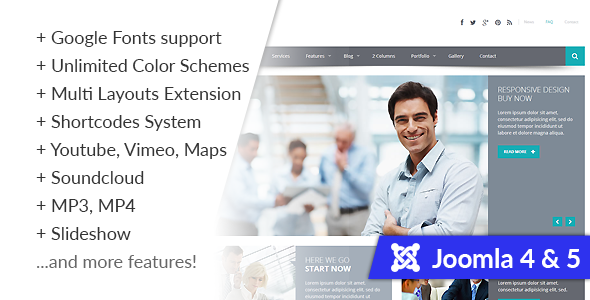
Shortcodes handle embedded media. The template provides a consistent shortcode system for Vimeo, YouTube, Google Maps, SoundCloud, MP3 and MP4 files, and slideshows. The benefit is uniformity: instead of pasting raw embed code into every article and hoping it survives an editor change, the site owner uses one syntax across the whole site. It also keeps non-technical editors away from iframe markup.
Styling options are broad rather than prescriptive. There is an unlimited colour scheme setting, so the palette is not locked to the demo colours, and support for more than 500 Google Fonts. Both are configured from the template settings rather than by editing stylesheets, which reduces the amount of CSS work needed to match a brand.
Under the surface the template is built on HTML5, CSS3 and jQuery, and the vendor tags it for localisation. Documentation is described as detailed, and the listing mentions a dedicated support team, though the vendor does not publish response-time guarantees.
Where this template fits, and where it does not
The strongest fit is a small or medium business site that needs a homepage, a services section, a portfolio or gallery, an events listing and a contact page with a map. The Multi Layouts module covers all of those without extra extensions, which keeps the extension count low and the update burden manageable.
It also suits freelancers and small studios building repeatable Joomla sites. The quick start package installs a working copy of the demo, so a new project starts from a configured baseline instead of a blank template. That shortens the gap between purchase and a presentable draft.
A third fit is an organisation already on Joomla 3 that needs a template which will survive the move to Joomla 4 or 5. Because the same product covers all three branches, the template does not become the blocker during a migration.
There are cases where Cacoon is the wrong choice. If the project is a content-heavy publication with complex taxonomy, multi-author workflows or advanced editorial scheduling, a template built around portfolio and gallery layouts will not address those needs, and the money is better spent on a Joomla extension that solves the editorial problem first. Similarly, anyone who wants a full page builder with drag-and-drop control over every element will find the module-and-shortcode approach more constrained than a builder-led theme. Finally, sites that need e-commerce with checkout, subscriptions and tax handling should treat Cacoon as presentation only and budget separately for a commerce extension.
What setup involves in practice
The prerequisite is a working Joomla installation on a host that meets the platform’s own requirements. The vendor does not state a minimum PHP or MySQL version in the listing, so that should be confirmed against the Joomla release being used. Buyers should also expect to supply their own images, since demo photography is not licensed for reuse.
The recommended path is the quick start package, which installs Joomla, the template and the demo content together. That is the fastest route to a working site and the one to use on a fresh project. On an existing site, the template is installed on its own and the demo content is skipped, which means menus, modules and article layouts have to be rebuilt by hand.
Realistic timing: a fresh install from the quick start package to a browsable site with the demo content replaced by real content is a few hours of work for someone comfortable with Joomla’s administrator panel. Rebuilding an existing site’s structure on the new template is a longer job, typically a day or more depending on how many menus, modules and article overrides are involved. The colour scheme and font settings are quick wins and take minutes, not hours.
One practical note on the shortcode system: because it is specific to this template, content written with Cacoon shortcodes will not render correctly if the site later moves to a different template. That is worth knowing before committing a large archive of articles to it.
Strengths and limitations
Strengths
- One purchase covers Joomla 3, 4 and 5, which removes the template as a migration obstacle.
- Liquid, responsive layout handles both modern devices and older low-resolution screens.
- Multi Layouts module covers events, galleries, portfolios and slideshows without extra extensions.
- Shortcodes standardise video, audio, map and slideshow embeds across the whole site.
- Unlimited colour schemes and 500+ Google Fonts keep rebranding inside the admin panel.
- A quick start package shortens the path from purchase to a working site.
- 794 sales on ThemeForest indicate a product with a real installed base rather than an untested release.
Limitations
- The shortcode system is template-specific, so content does not port cleanly to another template later.
- The vendor does not publish minimum PHP or MySQL requirements in the listing, leaving buyers to verify compatibility themselves.
- There is no page builder. Layout control comes from the Multi Layouts module and predefined styles, which limits granular design changes.
- Demo images are not included for production use, so a stock photography budget should be assumed.
- The listing does not state whether the template is accessibility-tested to WCAG standards, which matters for public-sector and regulated projects.
- Support is described as dedicated but no response-time commitment is published.
How Cacoon compares with the wider Joomla template category
Joomla templates generally fall into three groups. The first is framework-led templates bundled with a proprietary page builder and a large extension suite. These offer the most design flexibility but add weight, a learning curve and a dependency on the vendor’s framework. The second group is minimal starter templates that style Joomla’s native output and leave structure entirely to the site owner.
Cacoon sits between them. It is more opinionated than a bare starter template because it ships content modules and shortcodes, but it does not impose a page builder or a framework the site owner has to learn. For a business site with a handful of content types, that middle position is often the right balance: enough structure to move quickly, not so much that the site becomes hard to hand over.
The multi-version support is the clearest point of difference against older commercial templates, many of which were never updated past Joomla 3. Against newer single-version templates, Cacoon’s advantage is longevity rather than novelty. Buyers comparing on price alone should weigh the $43 against how much of the work the included modules and shortcodes remove, since those are the parts that would otherwise need third-party extensions.
Frequently Asked Questions
Does Cacoon work with Joomla 5?
Yes. The template supports Joomla 3, 4 and 5, so the same purchase covers all three branches. That means a site can be migrated between major Joomla versions without changing template, which is the main reason buyers choose it over older commercial templates that stopped at Joomla 3.
Do I need coding skills to build a site with Cacoon?
No coding is required for standard use. Colour schemes, fonts and article layouts are configured through the Joomla administrator panel, and media embeds use shortcodes rather than raw HTML. Custom CSS is only needed if the site requires design changes beyond the template’s built-in styling options.
What is the Multi Layouts module used for?
Multi Layouts displays articles in predefined formats such as events, galleries, portfolios and slideshows. An editor selects a layout and assigns articles to it, which lets one Joomla installation present several different content types without installing separate extensions for each one.
Can Cacoon be used on an existing Joomla site?
Yes, but the quick start package is only for fresh installations. On an existing site the template is installed on its own, and menus, modules and article layouts need to be rebuilt manually. Budget more time for that route than for a new build.
Verdict
Cacoon is a sensible buy for small businesses, freelancers and agencies building Joomla sites that need a corporate look, a portfolio or gallery section, an events listing and embedded media, particularly where a Joomla 3 to 4 or 5 migration is on the horizon. The 794 sales and the multi-version support suggest a maintained product rather than a one-off release. It is not the right choice for publishers with complex editorial requirements, projects that need a drag-and-drop page builder, or stores requiring full e-commerce functionality, all of which need extensions Cacoon does not provide. Buyers should also accept that the shortcode system ties content to this template, and confirm PHP and MySQL compatibility with their host before purchasing.