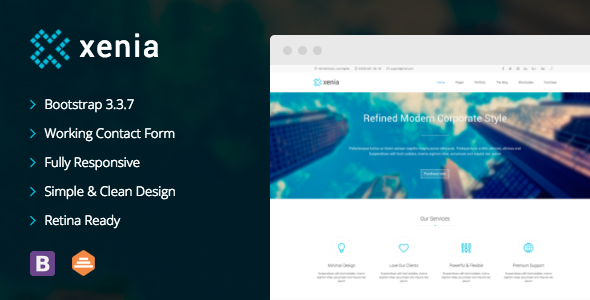
Xenia is a static HTML5 and CSS3 website template for corporate and business sites, sold on ThemeForest by the developer DankovThemes for $99. It ships as 23 pre-built pages styled with Bootstrap and jQuery, so a site owner or freelancer can assemble a company website by editing markup rather than building layouts from scratch. It suits anyone who wants a hand-coded, framework-based starting point for a Xenia business site and is comfortable working in a code editor.
The template has been on sale since early 2014 and has accumulated 496 sales, which places it in the modest but established tier of ThemeForest business templates. Its last update was February 2017.
What the Xenia business template actually gives you
The core of the package is a set of 23 HTML pages. That is a larger page count than many static templates ship with, and it means the common sections of a corporate site — home, about, services, portfolio, blog, contact and the usual supporting pages — are already laid out and styled. The practical benefit is that the design decisions are made. A developer edits text and images rather than deciding how a services grid should behave at three breakpoints.
Responsiveness comes from Bootstrap, specifically version 3.3.7 after the final update. Bootstrap is a front-end framework: a library of pre-written CSS classes and JavaScript components that handle grids, navigation bars, buttons and form styling. Building on it means the responsive behaviour is predictable and the class names follow a convention that most front-end developers already know. The trade-off is that the markup carries Bootstrap’s structural classes throughout, so heavy customisation means working within that system rather than replacing it.
Three features stand out as more than decoration:
- Revolution Slider is bundled for the homepage. It is a well-known slider plugin that supports layered text, images and transition effects, and it is normally a separate purchase. Its inclusion is a genuine cost saving.
- Third-level dropdown menus allow a navigation structure three tiers deep. That matters for sites with a wide service catalogue or a product hierarchy, where two levels are not enough to organise the content.
- A PHP and JavaScript contact form is included, so the site can send enquiries without a third-party form service. It requires a server that can run PHP, which rules out purely static hosting.
Beyond those, the template includes parallax scrolling backgrounds, CSS3 animation effects, a Twitter feed integration, an icon set and a library of shortcodes. Shortcodes here means reusable snippets of pre-styled markup — buttons, columns, tabs, accordions — that can be dropped into a page. For a business site that needs an FAQ accordion or a pricing table, that saves writing the CSS from scratch. The design is described as clean and minimal, and it is built to be retina ready, meaning graphics stay sharp on high-density displays.
Where this template fits, and where it does not
Xenia is a reasonable fit for a small or mid-sized company website that needs to go live quickly: a consultancy, an agency, a professional services firm, or a business that wants a portfolio section alongside its marketing pages. Freelancers building client sites will find the page count useful because it reduces the number of layouts that need to be designed from nothing. It also works for a product marketing site that needs a clean landing page, a features section and a contact form.
It is the wrong choice in two clear situations. The first is any project that needs a content management system. Xenia is a static template — there is no WordPress version included in this listing, despite the vendor’s changelog referencing one elsewhere. If a client needs to log in and publish posts without touching code, a WordPress theme is the correct purchase, not this. The second is any project with strict modern browser or accessibility requirements. Bootstrap 3 predates current CSS layout techniques and current accessibility expectations for components like dropdowns and sliders, and a template last updated in 2017 will not have been built against them.
What setup involves
There is no installation process in the usual sense. The buyer downloads a folder of HTML, CSS, JavaScript and image files and edits them directly. The prerequisites are a code editor, a basic working knowledge of HTML and CSS, and a web server that supports PHP if the contact form is going to be used. Familiarity with Bootstrap’s grid classes helps considerably, though it is not strictly required to swap text and images.
For someone who knows the stack, standing up a working site with the existing pages takes a few hours — mostly replacing placeholder copy and images. Adapting the design to a specific brand, changing colours and typography, and restructuring the navigation takes longer, typically a day or two of work. Building additional page layouts that the template does not cover is a separate project in itself.
Strengths and limitations
Strengths
- 23 ready-made pages cover the standard structure of a corporate site without design work.
- Bootstrap 3.3.7 provides a familiar, well-documented grid and component system.
- Revolution Slider is bundled, which would otherwise be an additional purchase.
- Third-level menu support handles deeper content hierarchies than most templates allow.
- Retina-ready assets and CSS3 effects keep the visual quality current on high-density screens.
- 496 sales give a reasonable signal that the template has been used in production by others.
Limitations
- The last update was February 2017. Bootstrap 3 is no longer the current major version, and the template has not been migrated.
- It is a static template. There is no admin panel, no database and no way for a non-technical client to edit content.
- The contact form depends on PHP, so it will not function on static hosting platforms.
- Customising beyond colours and content means editing Bootstrap-based markup, which is more constrained than working with a modern utility framework or a block-based builder.
- The vendor does not state whether documentation or support is included, so that should be confirmed before purchase.
- Revolution Slider has had a history of security issues across versions; a bundled copy from 2017 should be checked and updated independently.
How it compares with the wider category
The realistic alternatives fall into three groups. The first is a modern static template built on a current framework — Tailwind, Bootstrap 5, or plain modern CSS — which will be cleaner to maintain and more likely to meet current browser and accessibility standards, though it may ship with fewer ready-made pages. The second is a WordPress theme, which costs similar money but adds a content management system and a plugin ecosystem; that is a better fit for any site that will be updated regularly by someone who does not code. The third is a site builder such as Webflow or Squarespace, which removes the need for a developer entirely at the cost of a monthly fee and less control over the markup.
Xenia’s advantage within that field is the combination of page count, price and the bundled slider. Its disadvantage is age. A buyer comparing it against a 2024-era static template is comparing a complete but dated codebase against a leaner but current one. For a project with a short lifespan or a tight budget, the page count may win. For anything intended to last several years, the framework version is the more important consideration.
Frequently Asked Questions
Is Xenia a WordPress theme or an HTML template?
It is an HTML template. The listing supplies static HTML, CSS and JavaScript files, not a WordPress theme, so it cannot be installed through the WordPress dashboard. The vendor’s changelog mentions a WordPress version, but that is a separate product and is not what this listing sells. Buyers expecting a CMS should look elsewhere.
Do I need to know how to code to use this template?
Yes, at least basic HTML and CSS. There is no visual editor and no admin panel, so every change is made by editing files directly. A developer comfortable with Bootstrap will move quickly; someone without coding experience will find the template difficult to use without hiring help, which should be factored into the total cost.
Does the Xenia business template work on mobile devices?
Yes. It is built on Bootstrap 3.3.7, which includes a responsive grid and mobile navigation behaviour, so layouts adapt to smaller screens out of the box. The caveat is that Bootstrap 3 targets older mobile breakpoints and patterns than current frameworks, so the result is functional rather than cutting-edge on modern phones and tablets.
Is the template still maintained?
No. The most recent update recorded in the listing is version 1.1.0 from February 2017, and there is no indication of work since. That does not make the template unusable, but it does mean any bugs, browser compatibility issues or security problems in the bundled scripts are unlikely to be fixed by the vendor, and buyers should plan to maintain the code themselves.
Verdict
Xenia is worth buying for a developer or agency that needs a clean, Bootstrap-based corporate site online quickly and is comfortable owning the code afterwards. The 23 pages, third-level menus and bundled Revolution Slider deliver real value at $99, and 496 sales suggest it has done the job for others. It is not the right purchase for anyone who needs a content management system, a non-technical client to edit content, or a codebase built on current standards. The 2017 last-update date is the deciding factor: treat this as a starting point to be maintained rather than a product still being looked after.