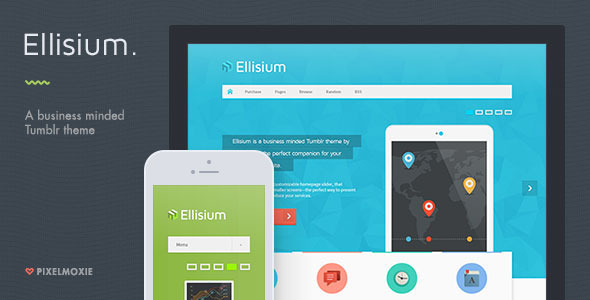
Built by ThemeForest author PixelMoxie, Ellisium is a Tumblr theme for companies that want their blog to read like a corporate website rather than a personal diary. It places a homepage slider, up to four service blocks, call-to-action panels and a sticky sidebar around Tumblr’s normal post feed, and it sells as a one-off $32 purchase. The Ellisium Blogging approach — marketing sections stacked above a chronological stream — fits small service businesses, consultants and agencies running a brand presence on Tumblr; anyone hunting for a stripped-back reading theme should keep looking.
Ellisium Blogging Capabilities That Go Beyond a Standard Tumblr Layout
Tumblr’s built-in themes are essentially reverse-chronological feeds with a header. Ellisium keeps the feed but wraps it in the furniture a business site usually needs, and that framing is where the theme earns its price.
Homepage marketing sections
The slider accepts an image, a short title, a description and a button per slide, which means a business can pitch three or four offers before a visitor reaches a single blog post. Each slide can place its image to the left, to the right, or let it fill the frame, and the slider is built on FlexSlider with touch gestures supported. Slides shrink gracefully on phones instead of cropping headlines into unreadable strips.
Below that sit up to four service blocks. Each block carries an icon, a title, a short description and a clickable button, so a visitor can scan what a company sells without leaving the index page. Icons come either from uploaded bitmap files or from 48 glyphs in the bundled Linecon set, which keeps a site visually consistent without a designer producing new artwork. The count is fixed at four, so businesses with five or six core services have to consolidate or accept an uneven grid.
Two further blocks handle persuasion: a call-to-action panel with its own button sits beneath the slider, and a page hero can greet visitors on individual posts and pages. The most recent release, v1.1.0 from March 2015, added per-page heroes and made the slider, service blocks and call-to-action disappear on tag and search pages, plus optionally on index pages after the first. That last change matters because duplicated marketing panels across paginated archives look careless.
Layout behaviour that adjusts to the screen
A sticky sidebar holds position on the left as a visitor scrolls, then converts into a masonry stack of widgets beneath the main content on narrow screens — a sensible simplification rather than a squeezed column. Site owners who dislike the effect can switch it off entirely. The footer can be pinned so it hides behind the content and reveals itself at the end of the page, and the navigation bar collapses into a multi-level dropdown below a width the site owner defines.
Media, sharing and widgets
Photo and photoset posts can open in a touch-friendly lightbox powered by touchTouch, and photosets render as their own sliders with either dot controls or thumbnail navigation. Every post can carry like, reblog and share buttons, with the share link pointing at Twitter, Facebook, Google+ and, where the post type allows, Pinterest. Comments run through Disqus rather than Tumblr’s native system. The widget set covers search, an about panel, tag browsing, Twitter, Flickr, Dribbble and Instagram feeds, a social row, an ask box and up to three free-text blocks for contact details or custom code; each widget can be moved to the footer and reordered individually.
Which Projects Suit a Business-Minded Tumblr Theme
The clearest fit is a small service company — an agency, consultancy, clinic, studio or trade business — that wants a Tumblr presence but cannot justify building a separate marketing site. Ellisium lets such a company publish news and updates while keeping a services overview and a contact route in permanent view.
A second fit is a campaign or event microsite where a launch needs a hero image, a few selling points and a feed of updates, all on a platform that costs nothing to host. Freelancers building a personal brand around client work also benefit, since the service blocks map neatly onto a list of offerings.
It is the wrong choice for publishers and writers with deep archives. Heavy long-form reading benefits from typography-first themes with wide measure and minimal chrome, and Ellisium’s slider, service blocks and pinned footer compete with the text. The theme is also a poor fit for anyone who needs current platform features, modern accessibility patterns, a translation-ready interface or store functionality — none of which the vendor claims.
What Setting Up Ellisium Involves in Practice
Installation runs through Tumblr’s appearance settings, where a custom theme’s files are added to the blog. Before that, a buyer needs a Tumblr account and blog, the purchased theme package, and a logo image in normal and high-resolution versions — the theme falls back to a text logotype if no image is uploaded, so that step is optional rather than blocking.
Configuration is mostly content work. Slides need images cropped to a consistent ratio plus short headlines; service blocks need icon choices and two or three lines of copy each; widgets need connecting to the relevant Twitter, Instagram, Flickr or Dribbble accounts, and Disqus needs its own registered site shortname before comments appear. Choosing