Tag: mobile

  • inCreate Review: Multipurpose Corporate Theme

    inCreate Review: Multipurpose Corporate Theme

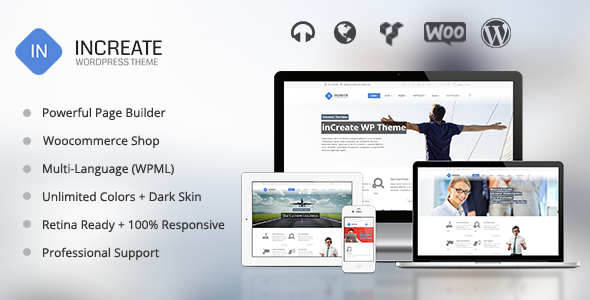
    inCreate is a multipurpose WordPress theme built by HighThemes and sold on ThemeForest for $49, aimed primarily at corporate and business websites. It bundles a drag-and-drop page builder, a slider plugin, WooCommerce templates and a large set of layout controls, so a company site, agency portfolio or small storefront can be assembled without writing code. It has been purchased 575 times and carries a solid rating from buyers.

    The theme’s strongest argument is breadth: rather than buying separate tools for sliders, portfolios and typography control, a buyer gets them in one package. The trade-off is age. The last vendor update landed in October 2021, which matters for anyone running current WordPress and PHP versions, and that context shapes most of the judgements below.

    What the inCreate corporate theme actually gives a site builder

    The headline capability is Visual Composer, a page builder that lets layouts be assembled by dragging rows and modules into place rather than editing templates. For a corporate site with a services page, a team page and a contact page, this removes the usual round of back-and-forth with a developer. Shortcodes extend the same idea to smaller elements such as buttons, tabs and pricing blocks.

    Slider Revolution ships with the theme, which the vendor values at $15 on its own. That plugin handles image and video sliders with layered text, and it is one of the more capable slider tools in the WordPress ecosystem. For a corporate homepage that needs a rotating banner above the fold, this covers the requirement without a second purchase.

    Design control is unusually granular for the price point. The theme exposes unlimited colour options through a backend picker, more than 600 Google Fonts, and separate typography settings for navigation, sidebar headings, body text and headings. Sidebars can be switched to the left or right, or removed entirely, and that choice can be made globally or per page, per post and per portfolio entry. Custom sidebars can also be created for individual pieces of content, which is useful when a services page needs different supporting links to a blog post.

    Content types beyond standard pages include unlimited portfolio pages, a gallery with lightbox behaviour, and WooCommerce templates for selling products. Contact Form 7 is supported for enquiry forms, and the theme is translation ready with mo/po files and declared WPML compatibility, so a multilingual corporate site is a realistic target rather than an afterthought.

    Smaller details round out the package: ten custom widgets, video embeds from major hosting services, a child theme for customisations that survive updates, 15 PSD files for designers who want to mock up changes first, and demo content that can be imported to see the layouts working before building anything real.

    Where inCreate fits, and where it does not

    The clearest fit is a small or mid-sized company that needs a credible brochure site — home, about, services, portfolio or case studies, and contact — delivered on a modest budget. Freelancers building several client sites benefit from the demo content and child theme, since a starting point can be cloned and restyled quickly. Agencies handling corporate clients with straightforward content requirements will find the sidebar and typography controls cover most requests without custom development.

    It also suits a business that wants to sell a handful of products alongside its main content, since WooCommerce templates are included and have been maintained across several releases.

    The wrong choice is a project that depends on current WordPress block editing. inCreate is built around a classic page builder workflow, and the last update was in 2021. A site that needs full site editing, the block editor’s native patterns, or guaranteed compatibility with the newest PHP releases is better served by a theme with active development. The same applies to anyone who needs a highly bespoke design system: a multipurpose theme with this many options will fight against a strict custom design more than a lightweight starter theme would.

    Setting up the inCreate theme in practice

    Installation follows the standard ThemeForest path: purchase, download the theme package, upload the installable zip through the WordPress themes screen, then activate. The package includes the required and recommended plugins — Visual Composer and Slider Revolution — which are installed and activated through a prompt after the theme is live.

    From there, importing the demo content is the fastest route to a working site. That populates pages, menus and widgets so the structure is visible immediately, and it can be stripped back once the real content is ready. Expect the import and initial plugin setup to take under an hour on a clean WordPress install.

    Realistic build time depends on content. A five-page corporate site using the demo layouts as a base is a day’s work for someone comfortable with page builders, longer if the design needs to diverge significantly from the demos. Prerequisites are modest: a WordPress installation, a host running a PHP version the theme supports, and the ability to upload a theme zip. Buyers should confirm their host’s PHP version before starting, since the theme’s compatibility notes stop at PHP 7.3 and WordPress 5.8. The vendor does not state support for later versions. Note also that the demo photographs are licensed for the demo only and are not included with the purchase.

    Strengths and limitations of the inCreate corporate theme

    Strengths

    • Slider Revolution is bundled, saving the cost and setup of a separate slider licence.
    • Typography and colour controls are deep enough to restyle the theme convincingly without touching CSS.
    • Per-page and per-post sidebar control, including custom sidebars, handles irregular corporate layouts well.
    • Translation ready with WPML compatibility and mo/po files, which suits multilingual company sites.
    • Child theme support means customisations survive theme updates.
    • Demo content and 15 PSD files shorten the gap between purchase and a presentable site.
    • WooCommerce templates are included and were maintained across multiple releases.

    Limitations

    • The last update was October 2021. Compatibility notes stop at WordPress 5.8 and PHP 7.3, and the vendor does not state support for anything newer. On a current WordPress install, testing before committing is essential.
    • The page builder is Visual Composer rather than the block editor, so the editing experience differs from modern WordPress and content is stored in shortcodes. Migrating away from the theme later is messier than with block-based content.
    • Demo images are not included, so a new site launches with placeholder gaps that need filling from a stock source.
    • Bundled plugins are updated by the theme author rather than directly, which can leave the slider and builder behind their own release cycles.
    • Multipurpose themes carry more settings and shortcodes than a single-purpose theme, which adds a learning curve for anyone unfamiliar with this style of theme.

    How inCreate compares with other multipurpose corporate themes

    The multipurpose corporate category splits roughly into two groups: themes built on the block editor and themes built on a bundled page builder. inCreate belongs firmly to the second group, alongside the many ThemeForest themes that ship Visual Composer or a similar builder. The advantage of that approach is speed — a buyer can produce a polished corporate layout quickly using pre-built modules and demo pages. The disadvantage is longevity, because the content is tied to a shortcode-based builder.

    Against a lightweight starter theme, inCreate offers far more out of the box: sliders, portfolio types, widgets, typography panels and e-commerce templates. A starter theme would require assembling those pieces separately, which costs time but produces a leaner site. Against a newer multipurpose theme with active development, the deciding factor is support for current WordPress and PHP versions. On capability alone, inCreate’s feature list holds up; on maintenance and future-proofing, it does not.

    For a buyer weighing price, $49 including Slider Revolution is competitive for what is delivered. The question is less about value at purchase and more about how long the site needs to run without issues.

    Frequently Asked Questions

    Is inCreate compatible with the latest WordPress version?

    The vendor’s last compatibility note covers WordPress 5.8, from the October 2021 update. Nothing newer is stated, so compatibility with current WordPress releases is unconfirmed. Buyers should test on a staging site before using it for a live project, and check whether the theme still functions correctly with their host’s PHP version.

    Does inCreate include Visual Composer and Slider Revolution?

    Yes, both plugins are bundled with the theme. Slider Revolution is valued by the vendor at $15, so the $49 price effectively covers the theme plus a slider licence. Both are installed through the theme’s plugin prompt after activation, and both are updated by the theme author rather than through the standard plugin update process.

    Can inCreate be used to build an online store?

    Yes. WooCommerce template files are included and were updated across several theme releases, so a small store can run alongside a corporate site. The theme does not add store-specific features beyond styling and layout, so product management, payments and shipping are handled by WooCommerce itself and its extensions.

    Is inCreate suitable for a multilingual corporate website?

    It is translation ready, shipping with mo/po files, and the vendor states WPML compatibility. That combination supports a multilingual corporate site where content is translated into several languages. The theme provides the framework only; the translation work and the WPML licence are separate from the theme purchase.

    Verdict on the inCreate corporate theme

    inCreate is a reasonable buy for a freelancer or small agency that needs a corporate site delivered quickly on a tight budget, particularly where the design can stay close to the demo layouts. The bundled slider, deep typography controls and per-page sidebar options deliver more than the price suggests, and the 575 sales with a healthy rating indicate the theme has satisfied a meaningful number of buyers.

    It is not the right choice for a business that needs long-term support on current WordPress and PHP versions, or one planning to move to block-based editing. The 2021 update date is the deciding factor, and it should be weighed honestly before purchase rather than discovered after launch.

  • Soonr Review: Modern Flexible Coming Soon Template

    Soonr Review: Modern Flexible Coming Soon Template

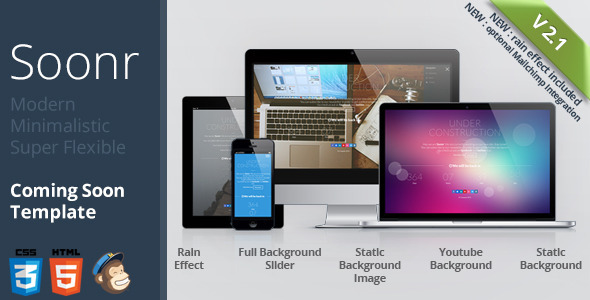
    Soonr is a coming soon template sold on ThemeForest for $7 that gives a website a temporary holding page while the real site is being built. It is a static HTML package rather than a WordPress theme, built on Bootstrap 3 with HTML5 and CSS3, and it ships with more than ten layout variations covering video backgrounds, image sliders, flat colours and animated overlays. It suits freelancers and small studios that want a polished placeholder page live within an afternoon, and it is a poor fit for anyone who needs a page they can edit from a CMS dashboard.

    What Soonr Site Templates Actually Deliver

    The core of the package is a set of ready-made HTML files, each one a different visual arrangement of the same underlying structure. The vendor lists more than ten variations, and the differences between them are meaningful rather than cosmetic. A full-width background slider cycles through images, a YouTube video can sit behind the content instead of a still, and a plain colour background is available for anyone who does not want to source photography at all. Backgrounds can also be layered with a pattern overlay, which is a small detail that makes flat colour pages look less bare.

    Two animated effects sit on top of those backgrounds. The bokeh effect renders soft, drifting circles of light over the page, and its behaviour is configurable through settings for item count, colour, size and speed. The rainday effect adds falling rain, and it can be applied to a static image, a flat colour or the slider itself. Both are jQuery-driven, and the vendor is explicit that the rain script is resource-hungry and will not run in Internet Explorer 8. That is an honest caveat rather than a hidden one, and it matters on shared hosting or on any page that already loads heavy assets.

    Beyond the visuals, the template handles the practical jobs a holding page needs to do. A countdown timer counts down to launch, and the vendor provides a separate file without the counter for projects that have no fixed date. There are over fifty animation effects for text and images, a preloader, and 361 scalable vector icons for social links and contact details. Content such as the newsletter form, the about section and the contact details is stored in off-canvas modals that slide down from the top of the screen, and those modals respond to touch gestures on phones and tablets.

    The newsletter form works in two ways. The default setup is an AJAX form that submits without reloading the page, shows a sending animation and blocks duplicate submissions. The second option connects the form to Mailchimp, which was added in version 2.1. For a coming soon page, capturing email addresses before launch is usually the whole point, so having both a self-contained form and a Mailchimp path is more useful than it first appears.

    Where Soonr Site Templates Fit and Where They Do Not

    The obvious use case is a business or creative studio that has bought a domain, started building a site and needs something credible in place while the work continues. A photographer launching a portfolio, a restaurant waiting on its booking system, or an agency teasing a rebrand can all put Soonr up in an afternoon and collect signups in the meantime. The video background option suits anyone with existing footage, and the flat colour option suits anyone without it.

    The template also works as a pre-launch page for a product or event with a known date, since the countdown gives visitors a reason to return. Because it is plain HTML, it can be dropped onto almost any host without a database, which makes it a reasonable choice for a cheap static hosting account or a subdomain parked in front of a larger project.

    It is the wrong choice in two clear situations. Anyone who wants to edit text, swap images or change the countdown date from a browser-based admin panel should look at a WordPress coming soon plugin instead, because Soonr requires editing the HTML files directly. And anyone building a long-term site should treat this as a stopgap only: it is a single-purpose page, not a foundation to build on, and there is no content management layer to grow into.

    Setting Up Soonr in Practice

    No build tools, package managers or server-side languages are involved. The workflow is to unzip the download, open the HTML file matching the look closest to what is wanted, and edit it in a text editor. Text, social links, the countdown target date and the modal content are all in the markup, and the visual settings for the bokeh and rain effects live in the accompanying JavaScript and CSS files. The documentation is described by the vendor as extensive and detailed, and it covers the Mailchimp setup separately.

    Images are not included in the download, so photography has to be sourced and licensed separately, and the YouTube background requires a video ID. Uploading is a matter of dropping the folder onto the host, either at the domain root or in a subdirectory. Realistically, a straightforward single-variation setup takes one to three hours for someone comfortable editing HTML, and longer if the Mailchimp list needs configuring or the background assets need resizing for mobile. The only hard prerequisite is a text editor and file access to the hosting account.

    Strengths and Limitations of This Coming Soon Template

    Strengths

    • Low cost relative to the amount of pre-built variation included, with more than ten layouts in a single $7 download.
    • Genuinely responsive and touch-ready, so the modals and navigation behave on phones rather than merely shrinking.
    • Two newsletter paths — a self-contained AJAX form and optional Mailchimp integration — cover the main reason to run a holding page.
    • Background flexibility is unusually broad for the price: slider, video, static image, flat colour and pattern overlay, all combinable with the animated effects.
    • No database or server-side stack required, so it can be hosted almost anywhere.
    • The vendor documents known constraints, including the resource cost of the rain effect and the IE8 exclusion, rather than leaving buyers to discover them.

    Limitations

    • The package was last updated in April 2014. It is built on Bootstrap 3, and the underlying libraries — jQuery, Modernizr, Superslides, Owl Carousel and rainday.js — are all at versions that predate current browser behaviour and accessibility expectations.
    • There is no admin panel. Every text change, image swap and countdown adjustment means editing source files, which rules out handing the page to a non-technical client.
    • The rain effect is heavy on resources by the vendor’s own admission, which is a real risk on shared hosting or slow mobile connections.
    • Images are not bundled, so the advertised look cannot be reproduced without buying or licensing photography separately.
    • There is no WordPress version and no page builder support, so the template cannot be extended into a full site later.
    • Accessibility support is not addressed anywhere in the listing, and a modal-driven layout built in 2014 is unlikely to meet current standards without rework.

    How Soonr Site Templates Compare With the Wider Category

    Coming soon pages generally fall into three groups: hosted services that generate a page for a monthly fee, WordPress plugins that add a holding screen to an existing install, and standalone HTML templates like this one. Hosted services are quicker to set up and easier to edit, but they carry an ongoing cost and keep the page on someone else’s infrastructure. Plugins make sense only if WordPress is already the destination, and they add weight to an install that may not be finished yet.

    Soonr competes on control and one-off cost. A single payment buys a self-hosted page with no subscription, no dependency on a third-party dashboard and no database. The trade-off is that everything is manual, and the codebase reflects its age. Against a modern HTML template in the same category, the visual effects here are more elaborate than most, but the underlying stack is older and the maintenance burden sits entirely with the buyer. The 684 sales recorded on ThemeForest indicate the template found a real audience, though the vendor’s own listing carries no rating figure to weigh alongside that number.

    Frequently Asked Questions

    Is Soonr a WordPress theme?

    No. Soonr is a standalone HTML template, not a WordPress theme or plugin. It consists of static HTML, CSS and JavaScript files that are uploaded directly to a hosting account. That means it works without a database or PHP, but it also means there is no admin dashboard, and any content change has to be made by editing the files themselves.

    Does Soonr still work in current browsers?

    It generally renders, but it was last updated in April 2014 and is built on Bootstrap 3 with older jQuery libraries. Nothing in the listing guarantees compatibility with current browser versions or accessibility standards. The vendor states support for IE9 and above, Firefox, Safari, Opera and Chrome as they existed at the time of release, so buyers should test thoroughly before relying on it.

    Can Soonr collect email addresses before launch?

    Yes. The template includes a working AJAX newsletter form that submits without reloading the page, shows a sending animation and prevents duplicate submissions. Version 2.1 added optional Mailchimp integration, with a separate demo file and updated documentation. The Mailchimp route requires an account and some configuration, while the built-in form needs a server endpoint to receive the submissions.

    Are the background images and video included?

    No. The vendor states plainly that images are not included in the download, so any photography used in the background slider or static layouts must be sourced and licensed separately. The YouTube video background requires a video ID of your own choosing. The demo video referenced in the credits belongs to its original creator and is not part of the package.

    Verdict

    Soonr Site Templates remain a sensible buy for a freelancer or small studio that needs a self-hosted holding page live quickly, wants elaborate background effects without building them from scratch, and is comfortable editing HTML directly. At $7 with 684 sales behind it, the cost of trying it is minimal. Buyers who need to update content from a browser, who want a page that will grow into a full website, or who need current accessibility and browser support should choose a maintained alternative instead. The 2014 codebase is the deciding factor: it does what it was built to do, but it has not moved with the web since.

  • Quickshop Review: Fast Shopify Sections Theme

    Quickshop Review: Fast Shopify Sections Theme

    Quickshop is a Shopify storefront theme built by roartheme that combines a responsive Bootstrap layout with Shopify’s section-based drag-and-drop editor. It is aimed at small and mid-sized merchants who want a ready-made shop front for fashion, gadgets, furniture or general retail, and who prefer configuring sections over writing Liquid code. The theme sells on ThemeForest for $56 and has accumulated roughly 1,400 sales.

    Because Quickshop Ecommerce sits in a crowded field of paid Shopify themes, the interesting question is not whether it looks acceptable — the demo is clean and modern — but whether its feature set and its maintenance history still make sense for a store launching now.

    What Quickshop Ecommerce Actually Gives a Store Owner

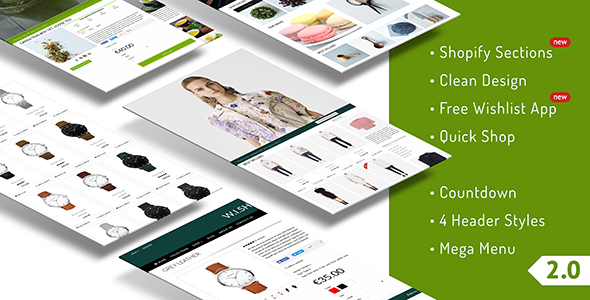
    The headline capability is Shopify section support. Sections let a merchant rearrange, hide or duplicate blocks of the homepage — slider, featured products, latest news, sidebar widgets — from the theme editor without touching code. Quickshop shipped this in version 2.0, and it is the single feature that keeps the theme relevant to how Shopify stores are assembled today.

    Around that core, the theme bundles a fairly long list of storefront tools:

    • Merchandising controls. A countdown offer on the slider, a “limited offers” block, a single-product selling layout, and recently viewed and notification product widgets. These are the pieces that let a store run a promotion without installing a third-party app.
    • Conversion extras. A “tweet to get a discount code” mechanic, a Mailchimp signup popup, a newsletter form, and a shipping calculator on the cart. Each one replaces a small paid app, which matters for merchants trying to keep monthly costs down.
    • Product discovery. AJAX search that returns results without a page reload, AJAX add to cart, zoom and lightbox on product images, colour swatches, and a choice of 12, 24 or 48 products per collection page.
    • Social and content integration. Instagram and Facebook widgets, Twitter embeds, Flickr images, and sharing buttons covering Facebook, Twitter, Pinterest, Google+, YouTube, Flickr, Instagram, Tumblr and RSS.
    • Storefront polish. Custom-styled checkout, customer account area, blog, FAQ page and 404 page, plus a sticky header, drop-down and mega menu support, and three colour presets (green, red, violet).
    • Technical foundations. HTML5 and CSS3 markup on Bootstrap, retina-ready assets, Google rich product snippets for search listings, a translation panel for common strings, and a wishlist that the vendor notes works without a third-party app.

    The wishlist detail is worth pausing on. Most Shopify wishlists require a monthly app subscription, so a non-app implementation is a genuine differentiator for a store with tight margins.

    Where Quickshop Fits and Where It Does Not

    Quickshop Ecommerce suits a merchant who is comfortable inside the Shopify admin but not inside a code editor. A boutique clothing store that needs colour swatches, a promotional countdown and an Instagram feed on the homepage can assemble all of that from the theme settings. A furniture or electronics retailer with a broad catalogue benefits from the mega menu and the adjustable products-per-page setting, which keeps long category pages manageable.

    Freelancers and small agencies building client stores on a fixed budget are another natural fit. At $56 for a single licence, the theme undercuts the cost of stacking five or six separate apps to cover wishlists, popups, countdowns and social feeds.

    It is the wrong choice for a store that depends on heavy custom functionality. If the roadmap includes subscriptions, complex bundle logic, multi-currency checkout beyond what Shopify offers natively, or a headless storefront, a section theme from 2018 will fight that work rather than support it. Merchants who want Shopify’s Online Store 2.0 JSON templates with app blocks should also look carefully, because the vendor does not state whether the theme has been migrated to that format.

    Setting Up a Quickshop Store in Practice

    Installation follows the standard Shopify path: purchase the theme files, upload the zip through the admin’s theme library, and publish. No build tools, package managers or server access are required, and the theme installs as a complete package rather than a starter skeleton.

    The real work is configuration. Expect to spend an afternoon on a first build. The sequence most merchants follow is to upload a logo, pick one of the three colour presets, then rebuild the homepage by adding and arranging sections. Product images need to be prepared at consistent dimensions because the theme supports custom width and height values for product items — inconsistent source images will show up as an uneven grid.

    Third-party connections come next: a Mailchimp list for the signup popup and newsletter form, Instagram and Facebook accounts for the widgets, and the Shopify Product Reviews app if customer reviews are wanted. The translation panel handles the common storefront strings, but it is a convenience for a handful of labels rather than a full localisation system.

    Support runs through the developer’s own ticket desk at roartheme.ticksy.com, with a stated response window of up to 24 hours. The vendor’s support scope is narrow by design: it covers errors in the product and advice on using its features, not general Shopify configuration or custom development.

    Strengths and Limitations

    Strengths

    • Section-based homepage editing, so layout changes do not require code.
    • An unusually broad built-in feature set for the price, including a non-app wishlist, countdown offers and AJAX search.
    • Custom-styled checkout, account area, blog, FAQ and 404 pages, which keeps the whole storefront visually consistent.
    • Rich product snippets and clean HTML5 markup give search engines structured data out of the box.
    • Roughly 1,400 sales on ThemeForest indicate a reasonably tested codebase with a real user base.

    Limitations

    • The last update recorded by the vendor is version 2.1.2 in December 2019, with the previous release in March 2018. That is a long gap, and it raises fair questions about compatibility with Shopify features introduced since.
    • No Online Store 2.0 support is stated. Merchants who want JSON templates and app blocks cannot confirm that capability from the listing.
    • Multi-currency support was added in version 1.0.2, well before Shopify Markets existed, so its behaviour alongside modern multi-currency selling is unverified.
    • Support is limited to product errors and feature guidance, so any customisation beyond the settings panel is the buyer’s problem.
    • Only three colour presets are included, which is thin compared with themes offering full palette controls.

    How Quickshop Compares With Other Shopify Themes

    The paid Shopify theme market splits roughly into two groups. One group is actively maintained, built on Online Store 2.0, and priced between $100 and $400 with regular release notes. The other group is older, cheaper, and packed with features that were novel when they shipped. Quickshop Ecommerce sits in the second group.

    On raw capability per dollar, it competes well. Few themes at this price include a shipping calculator, a tweet-for-discount mechanic, a Mailchimp popup and a non-app wishlist in one package. A merchant comparing total cost of ownership against a newer theme plus four or five apps may find Quickshop cheaper in year one.

    On longevity, the comparison flips. A newer theme will receive updates as Shopify changes its platform, will support app blocks, and will have a support channel that is actively staffed. Buyers weighing the two should decide which risk matters more: paying more upfront, or owning a theme whose update history stopped in 2019.

    Frequently Asked Questions

    Is Quickshop compatible with the latest Shopify themes system?

    The vendor does not state Online Store 2.0 compatibility. Quickshop supports Shopify sections with drag-and-drop editing, which was added in version 2.0, but that predates JSON templates and app blocks. Buyers who need the newest theme architecture should confirm directly with roartheme before purchasing, since the listing does not address it.

    Does Quickshop require paid apps for its features?

    Most features are built in. The wishlist is explicitly described as working without an app, and the countdown offers, social widgets, AJAX search and shipping calculator are all part of the theme. The Shopify Product Reviews app is integrated but optional, and Mailchimp is needed only if the newsletter and popup forms are used.

    How much does Quickshop cost and what licence is included?

    Quickshop sells for $56 on ThemeForest under the standard regular licence. That licence covers a single end product, which in practice means one Shopify store. Agencies building several client stores will need a separate licence for each one, and the vendor does not publish extended licence pricing in the listing.

    Can Quickshop be customised without knowing how to code?

    Yes, within limits. The theme editor handles layout, colours, sections, menus and the translation panel, and the three presets can be swapped in a click. Anything beyond those settings — new templates, altered Liquid logic, custom checkout behaviour — requires development work that falls outside the vendor’s stated support scope.

    Verdict

    Quickshop Ecommerce is a sensible purchase for a merchant launching a straightforward retail store on a tight budget, particularly one who wants wishlists, countdown promotions and social feeds without stacking monthly app subscriptions. The section editor makes it approachable for anyone comfortable in the Shopify admin, and the feature list is generous for $56.

    It is not the right theme for stores with custom functionality on the roadmap, for merchants who need confirmed Online Store 2.0 support, or for anyone who expects a vendor to keep pace with platform changes. The gap between the 2019 release and today is the deciding factor: buyers are effectively purchasing a finished product rather than a maintained one, and should price that risk into the decision.

  • Codeus — Multi-Purpose Responsive WordPress Theme

    Codeus — Multi-Purpose Responsive WordPress Theme

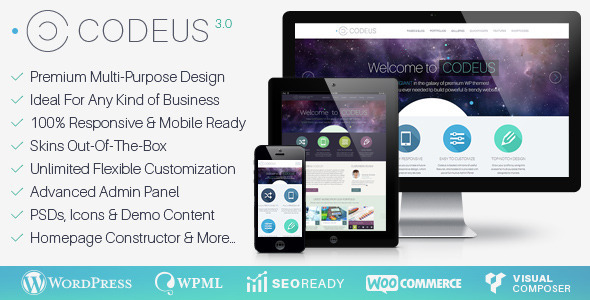
    Building a professional online presence demands a theme that balances striking aesthetics with robust functionality. The Codeus — Multi-Purpose Responsive WordPress Theme by CodexThemes is engineered to meet these demands head-on. This is not a niche template; it is a comprehensive toolkit designed for corporate websites, creative portfolios, and modern business hubs. With over 2,530 sales on ThemeForest, Codeus has established itself as a reliable foundation for web developers and business owners who need a site that is both visually impressive and highly customizable. This theme bridges the gap between a ready-to-launch solution and a blank canvas, offering a level of control that empowers you to create a unique brand experience without writing a line of code.

    Key Features

    The strength of Codeus — Multi-Purpose Responsive WordPress Theme lies in its extensive feature set. It is packed with premium tools and flexible modules that cover every aspect of modern web design. Below is a breakdown of its most impactful features:

    • Award-Winning Design Framework: The visual layout was crafted in collaboration with the award-winning designer Kontramax. This ensures a fresh, modern flat look paired with a strict, clean content presentation suitable for high-end corporate and creative projects.
    • Homepage Constructor: You are not locked into a rigid layout. The drag-and-drop homepage constructor lets you organize content blocks in under a minute. Combine any post types and content modules to build a unique landing page that converts visitors into customers.
    • Premium Slider Integrations: Create spectacular slideshows with the bundled LayerSlider plugin and the effect-rich Nivo Slider. Use them for header showcases or product presentations, managed easily via the admin panel or shortcodes.
    • Extensive Portfolio System: Display your work with multiple layout options including grids, sliders, and lists. The portfolios are filterable with smooth animations, and support video/image lightboxes and internal/external pages, giving you total control over your showcases.
    • Versatile Quickfinders: Highlight your unique selling points with icon-based navigation or photo quickfinders. With over 200 flat icons included, you can guide users to specific areas of your site and emphasize your business advantages.
    • Powerful Style Manager: The CodeXTuner framework powers the admin panel, allowing you to customize almost every aspect of the appearance. From unlimited colors and custom backgrounds to typography, you can adjust the theme to match your brand identity perfectly.
    • WooCommerce Ready: Transform your website into a fully functional online store. The theme includes integrated design templates for all WooCommerce shop pages, ensuring a seamless, responsive shopping experience for your customers.
    • Built-in Visual Composer: Design complex layouts with the intuitive frontend and backend editors. All Codeus shortcodes are included, giving you a true WYSIWYG experience when building your pages.

    Who Is This For? Use Cases

    This theme’s versatility makes it a valuable asset for various professionals. Whether you are a freelancer or a growing enterprise, the flexible modules adapt to your specific requirements.

    Corporate Business and Consulting Firms

    For companies in the B2B sector, presenting a professional and trustworthy image is non-negotiable. Codeus offers the structure needed to display company profiles, client testimonials, and service diagrams. The inclusion of interactive diagrams and pricing tables allows you to present complex data and service packages in a clear, digestible format. The responsive news timelines keep your audience updated with company milestones or industry insights, while the premium slideshows help you make a strong first impression on your homepage.

    Creative Agencies and Photographers

    Visual professionals need a portfolio that showcases their work without clutter. The extensive portfolio and gallery modules are perfect for this. With grid, slider, and list overviews, you can curate your work elegantly. The filterable portfolio system enables potential clients to browse by category, such as branding or web design. Photographers will appreciate the gallery shortcodes and lightbox features, which allow for full-screen image presentations with captions, ensuring their photography takes center stage.

    E-commerce Entrepreneurs

    Selling products online requires a theme that looks good and converts well. Since Codeus is fully WooCommerce compatible, you can build an online store that matches the quality of your products. The theme integrates all shop templates, from product pages to the cart, with the overall design. Combined with the flat icon quickfinders and custom sidebars, you can guide customers through your store and highlight specific promotions, creating a shopping environment that feels both modern and intuitive.

    Technical Details & Compatibility

    Understanding the technical backbone is crucial for ensuring smooth installation and long-term maintenance. The Codeus — Multi-Purpose Responsive WordPress Theme is built with modern web standards and undergoes rigorous testing for compatibility. The theme is fully responsive, adapting seamlessly to mobile devices and tablets. The developers have carefully tested it across all modern browsers and operating systems, ensuring a consistent experience for all your visitors regardless of how they access your site.

    Regarding WordPress compatibility, the theme includes fixes for compatibility with WordPress 5.5, demonstrating a commitment to keeping the product up-to-date with the core CMS. The update log also highlights significant improvements for WooCommerce templates, ensuring your store remains functional with the latest versions of that plugin. Furthermore, the integration of WPML in Version 1.2.1 means the theme is ready for multilingual websites, a vital feature for businesses targeting global audiences. The bundled Visual Composer is also regularly updated, allowing you to build layouts with the most current tools available.

    Pros and Cons

    To provide a balanced view to help you decide, let’s examine the strengths and potential limitations of this theme based on the information provided.

    Pros

    • Exceptional Versatility: The ability to construct unique homepages and use multiple portfolio and gallery layouts makes this theme suitable for virtually any niche.
    • Premium Extensions Included: You get access to the powerful LayerSlider and Visual Composer plugins without additional costs, which adds significant value compared to purchasing these tools separately.
    • Deep Customization: The CodeXTuner options panel is incredibly deep, allowing for color changes, custom backgrounds, and extensive typography options (including 300+ Google Fonts).
    • E-commerce Integration: With dedicated WooCommerce template updates, you can build an online shop that functions flawlessly and matches the aesthetics of your main website.
    • Strong Social Proof: With over 2,530 sales and regular updates, the theme has a proven track record of reliability and community trust.

    Cons

    • Learning Curve for Beginners: The sheer number of options and modules can be overwhelming for absolute beginners who are not used to complex theme panels.
    • Dependency on Plugins: The functionality relies heavily on integrated plugins like Visual Composer. While powerful, this can add to the page load time if not optimized properly.
    • Demo Images Not Included: The striking photos used in the demo website are not part of the package. You will need to source or purchase your own images to replicate the exact look of the demo.

    Frequently Asked Questions

    Is Codeus compatible with WooCommerce?

    Yes, absolutely. The update log specifically details multiple versions dedicated to updating and refining the WooCommerce templates. This ensures that your shop pages, product listings, and cart are fully integrated with the theme’s design and remain responsive and functional with the latest WooCommerce plugin updates.

    Does Codeus include premium slider plugins?

    Yes, the theme includes the premium LayerSlider plugin and the Nivo Slider. LayerSlider is a powerful tool for creating spectacular, animated slideshows, while Nivo Slider offers beautiful transition effects. Both are fully integrated into the theme’s shortcodes and page settings, allowing you to add them to any page with ease.

    Can I build a multilingual website with this theme?

    Yes, you can. Version 1.2.1 introduced full compatibility with the WPML plugin. This means the theme’s core files, custom post types, and navigation are designed to work seamlessly with WPML, allowing you to efficiently create and manage translations of your website content to reach a broader audience.

    Final Verdict

    The Codeus — Multi-Purpose Responsive WordPress Theme is a robust and dependable choice for anyone serious about creating a distinctive web presence. Its main strength is the balance between out-of-the-box functionality and deep customization. You are not forced to use a template; instead, you are equipped with a comprehensive kit of tools—from the homepage constructor and portfolio systems to pre-configured skins and a powerful admin panel. The integration of premium plugins like Visual Composer and LayerSlider, often costing over $100 combined, makes the $49.00 price point an exceptional value for the capabilities you gain.

    CodexThemes has demonstrated a commitment to quality through careful testing and a consistent update schedule, even addressing compatibility with WordPress 5.5 and WooCommerce. This continuous development ensures that your website remains secure and functional in the long run. While it may take some time to master the extensive options panel, the effort is rewarded with a website that is uniquely yours. If you are searching for a tool that offers both creative freedom and commercial reliability, start building your project with Codeus today and experience why it remains a popular choice among thousands of web creators.

  • SMS Gateway – Use Android Phone as Bulk Messaging Provider (SaaS)

    SMS Gateway – Use Android Phone as Bulk Messaging Provider (SaaS)

    Businesses and developers are constantly searching for cost-effective ways to send bulk SMS without the high overhead of dedicated SMS providers. The SMS Gateway – Use Android Phone as Bulk Messaging Provider (SaaS) script offers a compelling solution by transforming a standard Android device into a fully functional SMS gateway. Developed by rbsoft, this CodeCanyon PHP script allows you to leverage the SIM card already in your phone to send bulk SMS, MMS, and even USSD requests directly from your web application. This approach eliminates the need for expensive hardware or third-party API fees, putting the power of a messaging server in your pocket. Whether you are a startup looking to launch an SMS service or an enterprise seeking internal messaging autonomy, this script provides the infrastructure to manage it all from a unified admin panel.

    Key Features

    The SMS Gateway script is packed with features that rival commercial messaging platforms. Here is a breakdown of the core functionalities that make this tool stand out:

    • Bulk Messaging via Spreadsheets: Send messages in bulk by simply uploading a CSV or Excel file. The system supports spintax using column headers, allowing you to create highly personalized messages for each recipient based on the data in your spreadsheet.
    • Multi-Media Messaging (MMS) Support: Go beyond text. Attach image files to your messages and send them as MMS. This feature is backed by a dedicated API, enabling programmatic MMS dispatch.
    • USSD Pull Requests: Trigger USSD sessions directly from the web panel or API. This is ideal for checking mobile money balances or interacting with other USSD-based services. Please note: This requires Android 8.0 or higher. Responses from these requests are visible in the dashboard.
    • SaaS-Ready Architecture: Turn this script into a revenue-generating platform. Create subscription plans that limit credits, contacts, devices, and more. It includes integrations for Stripe, PayPal, Paystack, Razorpay, and Crypto.com to automate payments.
    • Queue-Based & Resource Friendly: Unlike competitors that use long polling, this script uses Firebase Push Notifications to conserve phone battery and reduce server load. This ensures message queues are processed smoothly without blocking your server’s resources.
    • White-Label Android App: Rebrand the entire application. Change the logo, app name, package name, and server URL to create up to 3 custom APKs per version for your clients.
    • Automated Campaign Manager: Create one-off or recurring campaigns. Set restrictions for specific days and times, and utilize auto-retry logic to switch SIMs or Sender IDs for failed messages.
    • Two-Factor Authentication (2FA): Add an extra layer of security for user accounts to protect your platform from unauthorized access.
    • Webhooks for Events: Create multiple webhooks to trigger on specific events like incoming messages or status changes, each with detailed delivery logs for debugging.

    Who Is This For? Use Cases

    This tool is versatile enough to serve a wide range of users—from solo entrepreneurs to large-scale service providers. If your operation involves time-sensitive communication, this gateway offers a direct line.

    For SaaS Startups and Entrepreneurs

    If you want to launch your own SMS marketing agency or bulk messaging platform, this is your foundation. The SaaS features allow you to manage clients, set credit limits, and handle billing automatically. You can start by offering a small number of plans and scale up as you grow.

    For SMEs and Corporate Internal Tools

    E-commerce stores can use the API to send order notifications or promotional codes directly from an Android device rather than paying per-message fees to Twilio or Textlocal. The Email to Message and Message to Email features make it easy for support teams to communicate with customers without switching between software.

    For Developers and System Integrators

    With a robust API and support for webhooks, this script is ideal for developers creating bespoke solutions. You can use it to trigger OTPs (One-Time Passwords), schedule reminders, or sync communication with your CRM. The ability to impersonate users in the admin panel also helps you troubleshoot client issues effectively without needing their login details.

    Technical Details & Compatibility

    Before diving in, it’s crucial to understand the technical ecosystem of this product. The script is written in PHP and requires a web server with a database (like MySQL). The Android app needs a device running Android 5.0 or higher, though the USSD feature specifically requires 8.0+. The software uses Firebase Cloud Messaging for instant notifications to the app, but can function standalone if Firebase is not available. Browser support is standard for modern web apps (Chrome, Firefox, Safari). It is worth noting that Google removed SMS permission apps from the Play Store in 2019; therefore, the Android app is distributed via APK file directly, which means you will install it manually as per the provided documentation.

    Pros and Cons

    Pros

    • Cost-Effective: Eliminates recurring API charges per message. You only pay for your existing phone plan.
    • Monetization Ready: Includes billing integrations (Stripe, PayPal, etc.) and a built-in landing page to sell the service immediately.
    • Personalization: The CSV/Excel spintax feature is robust, allowing for grand-scale personalized messaging without extra coding.
    • Multi-SIM Management: Supports dual-SIM devices and allows you to set quotas per SIM to balance the load or manage costs.
    • White-Label Options: Perfect for agencies that want to rebrand the product fully.

    Cons

    • Hardware Dependency: The phone must remain powered on and connected to the internet to send messages. While it works in the background, a dead battery will stop the queue.
    • Carrier Limitations: Sending speed is dependent on your mobile network operator. The system cannot bypass carrier rate limits.
    • Play Store Availability: The APK must be installed manually since it is not available on the Google Play Store.

    Frequently Asked Questions

    Do I need a dedicated server to run this script?

    No, you don’t need a dedicated or VPS server. However, you need to install it on a web host that supports PHP and MySQL. Because it uses a queue-based architecture, even shared hosting can handle moderate volumes, though a VPS is recommended if you are sending millions of messages or using the SaaS features heavily.

    Can I use this to bypass SMS character limits?

    Yes, the script supports “very long messages.” It splits the text automatically and sends it as multiple SMS parts without binding you to the 160-character limit of a standard SMS. This is handled natively by the system.

    Is it possible to send messages without exposing my phone number?

    Yes, you can use the “Sender ID” feature. If your carrier supports custom Sender IDs (often related to business messaging registration), you can use those. Additionally, the Third-Party SMS Gateways integration allows you to route messages through providers like Twilio or Textlocal, which lets you use their Sender IDs instead of your SIM number.

    Final Verdict

    The SMS Gateway – Use Android Phone as Bulk Messaging Provider (SaaS) bridges the gap between high-cost commercial APIs and manual phone messaging. With 4,382 sales and a history of successful deployments, rbsoft has demonstrated the reliability and demand for this system. At $89.00, the price point is remarkably low for the array of features included—especially when you consider the potential to white-label and resell the service. It effectively deprioritizes the need for dedicated hardware while maximizing the utility of devices you already own. Although it requires a bit of technical setup and a willingness to manage the Android APK installation, the benefits far outweigh the initial hassle for those serious about bulk messaging. If you are ready to take control of your messaging infrastructure and avoid those per-message transaction costs, this script is a solid, future-proof investment worth making today.

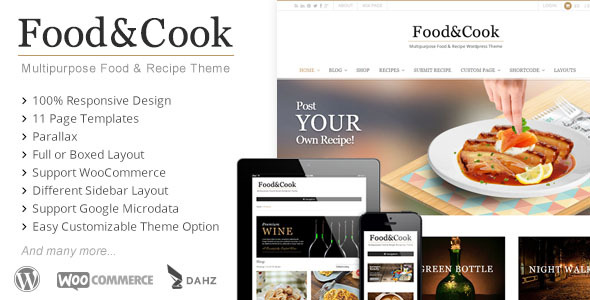
  • Food & Cook – Multipurpose Recipe WP Theme

    Food & Cook – Multipurpose Recipe WP Theme

    Building a successful food blog or recipe website requires more than just stunning photography and delicious content; it demands a platform that presents your culinary creations in an organized, visually appealing, and user-friendly way. Enter the Food & Cook – Multipurpose Recipe WP Theme, a robust and flexible WordPress solution designed specifically for food bloggers, chefs, and culinary entrepreneurs. This theme, crafted by the reputable developer Dahz, goes beyond the standard blog template, offering a comprehensive suite of tools to display recipes, manage an online shop, and build a thriving community around your brand.

    Whether you are a passionate home cook looking to share family secrets or a professional restaurant aiming to expand your digital footprint, this theme provides the canvas to turn your vision into reality. With over 2,699 sales on ThemeForest, it has proven its value to a wide audience. This detailed review explores why the Food & Cook – Multipurpose Recipe WP Theme stands out in a crowded market and how it can help you achieve your online goals.

    Key Features

    The true strength of this theme lies in its extensive feature set. It is not just a template; it is a complete toolkit for content creation and site management. Here are some of the most compelling features that make it a top-tier choice for food-related websites:

    • Multiple Layout Options: With 6 distinct home layouts and 3 recipe layouts, you can completely change the look and feel of your site. Whether you prefer a traditional grid, a minimalist list, or a dynamic slider, you have the creative freedom to select the presentation that best fits your content.
    • Advanced Recipe Management: The theme supports custom post types specifically for recipes. You can display them in a grid or list view, ensuring that your culinary index is both beautiful and easy to navigate. This structure is perfect for creating an extensive recipe database.
    • User Submission Capability: One of the standout features is the ability to allow your readers to submit their own recipes. This fosters a sense of community and can significantly grow your content library without extra work from you, making your site a collaborative hub for food lovers.
    • E-Commerce Ready with WooCommerce: Turn your passion into profit. The theme is fully compatible with WooCommerce, supporting standard, variable, grouped, external, and virtual product types. This means you can sell kitchen tools, eBooks, or even your own line of spices directly from your blog.
    • Custom Page Templates: Efficiently build every corner of your site with over 10 custom templates. This includes dedicated layouts for blogs, archives, timelines, author pages, a contact page, and even a fully customizable 404 page, ensuring a cohesive user experience throughout.
    • Comprehensive Design Control: A powerful theme options panel gives you control over the finer details. Choose between a boxed or wide layout, customize your background, and select from 6 different sidebar layouts to perfectly balance your content and widgets.
    • Modern Visual Elements: Engage your visitors with dynamic elements like a product slider and recipe slider. The theme also supports parallax scrolling for a modern, immersive feel, and integrates with the popular Revolution Slider for advanced slideshow creation.
    • Clean and Minimalist Aesthetic: The design philosophy here is one of cleanliness. The front-end is uncluttered, allowing your high-quality food photography to take center stage. This minimalist approach is not only stylish but also improves readability and overall user engagement.
    • Extensive Customization Toolkit: Beyond the layout, you get access to more than 50 theme shortcodes, a sidebar manager, and Google Web Fonts support. This level of detail allows you to craft a truly unique site that aligns perfectly with your brand identity.
    • Built-in Social and Integration Tools: Seamlessly connect with your audience through integrated social networks and Google Maps. The inclusion of Google Microdata is a crucial SEO benefit, as it helps search engines better understand and display your recipe content in rich snippets.

    Notably, the theme also includes an AdSense support structure, allowing you to monetize your traffic effortlessly. The footer includes a space for a Twitter stream, keeping your content fresh and engaging even at the bottom of the page.

    Who Is This For? Use Cases

    The versatility of the Food & Cook – Multipurpose Recipe WP Theme makes it suitable for a variety of users. Its “Multipurpose” tagline is accurate, as it can be adapted to fit several distinct niches within the culinary world.

    For the Solo Food Blogger

    If you are just starting your journey, this theme provides everything you need to launch a professional-looking site. The multiple home layouts allow you to choose a style that fits your personality, whether that is a minimalist single-column blog for storytelling or a dynamic grid for quick recipes. The built-in submission feature can even help you generate content if you decide to open your platform to guest posts later on. You don’t need to be a developer to get started; the intuitive theme options panel makes setup straightforward.

    For the Culinary Entrepreneur

    Do you want to monetize your content? This theme is a powerful launchpad for a food business. The deep integration with WooCommerce is a game-changer. You can easily transform your blog into a fully functional online store to sell physical goods like merchandise or digital products like personalized meal plans. The professional design elements, such as the product sliders, ensure that your shop pages look as good as your recipe pages, helping to drive conversions.

    For Restaurants and Cafés

    A modern restaurant needs a modern website. This theme is an excellent choice for a restaurant looking to showcase its menu, share news, and attract new customers. The clean design allows you to present your dishes in a gallery-like format, making viewers hungry just by browsing. By using the shop feature, you could even offer gift cards for purchase online. The integration of Google Maps helps potential customers easily find your physical location, and the contact page template ensures they can make reservations or inquiries effortlessly.

    For Food Magazine or Review Sites

    If you plan to run a multi-author publication focusing on food reviews or culinary news, the theme’s architecture supports your needs. The variety of blog and archive templates allows you to organize content by author, category, or date. The timeline page is particularly useful for a news-style feed, while the author page template helps build credibility for your writers. The ability to manage submissions makes it perfect for a community-driven review platform where readers can share their own experiences at local eateries.

    Technical Details & Compatibility

    Understanding the technical backbone of a theme is crucial before making a purchase. The Food & Cook – Multipurpose Recipe WP Theme is built with modern standards in mind, ensuring that your website performs well across all devices and browsers.

    • WordPress Compatibility: This theme is developed for the WordPress platform. It is designed to work with the standard WordPress core, as well as popular plugins, with WooCommerce being a key highlight for e-commerce functionality.
    • Responsive Design: In an era where mobile traffic often exceeds desktop, this theme is fully responsive. The layouts and sliders are designed to adapt fluidly to tablets and smartphones, offering a seamless user experience regardless of screen size.
    • Typography and Performance: With support for Google Web Fonts, you have access to hundreds of high-quality typefaces to enhance your design. The theme is optimized to include the necessary scripts and libraries without being overly bloated, contributing to faster load times.
    • Data and SEO: The inclusion of Google Microdata is a technical highlight. This implementation helps search engines index your recipes more accurately, increasing the likelihood of appearing in rich snippets with star ratings and cooking times, which are proven to boost click-through rates.
    • Browser Support: While not explicitly listed in the description, themes like this from Dahz are typically developed and tested for compatibility with major modern browsers including Chrome, Firefox, Safari, and Edge. The use of standard HTML and CSS ensures broad support.

    The theme also comes with a practical notice regarding demo content: the images shown in the demo are copyrighted and will appear with a watermark when imported. This is standard practice on Envato and ensures that users replace the placeholder media with their own original photography, avoiding copyright issues.

    Pros and Cons

    To give you a balanced perspective, here is a look at the strengths and potential drawbacks of the theme. This honest assessment can help you decide if it aligns with your specific requirements.

    Pros

    • Incredible Value for Money: At just $49.00, the Food & Cook – Multipurpose Recipe WP Theme offers a staggering amount of features. You are getting a full e-commerce solution, a robust recipe management system, and numerous layout options for the price of a single premium plugin, not to mention a standalone theme.
    • Great Flexibility: The variety of layouts and page templates means your website won’t look like a generic template. The ability to customize the background and layout system provides a level of control usually found only in much more expensive themes.
    • User-Engagement Focus: The “Submit Your Own Recipe” feature is a brilliant addition for building a community. It transforms your site from a static blog into an interactive platform, which can significantly increase return visits and user loyalty.
    • Strong E-commerce Integration: Supporting all main WooCommerce product types means you are not limited in what you can sell. This makes scaling your business model much easier.
    • Proven Track Record: With 2,699 sales, the theme has a substantial user base. This history suggests it has been tested in real-world scenarios and that the developer, Dahz, has a history of delivering reliable products.

    Cons

    • Potential for Feature Overload: For a beginner who just wants a simple blog to share a few recipes, the sheer number of options and settings might feel overwhelming. The admin panel is packed with features, which requires a bit of a learning curve to fully master.
    • Dependency on Plugins: Like many themes of this caliber, you will need to install additional plugins (like WooCommerce and Revolution Slider) to unlock its full potential. While these are often free or included, it does add a step to the setup process.
    • Demo Content Watermark: The fact that demo images come with a watermark means you cannot quickly launch your site without sourcing your own high-quality images. This is expected, but
  • PDF To FlipBook Extension

    PDF To FlipBook Extension

    Key Features

    Turning a static PDF into an interactive, page-flipping publication is one of the smartest ways to elevate your digital content. The PDF To FlipBook Extension by developer mpc streamlines this process, transforming the core Responsive FlipBook Plugin into a complete document-publishing solution. Instead of manually uploading page images, this WordPress extension automates the heavy lifting, converting multi-page PDFs into high-quality FlipBooks with minimal effort. Here are the standout features that make this add-on an essential purchase:

    • One-Click PDF Wizard: The intuitive conversion wizard guides you through the process, allowing you to upload a PDF and generate a fully functional FlipBook within minutes. No technical knowledge is required, making it accessible for beginners and advanced users alike.
    • Automatic High-Resolution Zoom: The tool automatically creates high-resolution images for each page. This ensures that when readers use the zoom function, the text and graphics remain crystal clear, preserving the quality of your original document.
    • Fully Responsive & Mobile-Ready: Because it integrates with the Responsive FlipBook WordPress Plugin, your publications will automatically adapt to any screen size. Whether your audience is on a tablet, smartphone, or desktop, the reading experience remains smooth and intuitive.
    • Visual Bookshelf & Hard Cover Options: You can display multiple FlipBooks in an attractive bookshelf layout or give your publication a realistic hard cover. These design elements enhance the aesthetic appeal and make your content look premium and professional.
    • Advanced Lazy Load Functionality: Instead of loading every page at once, the extension uses lazy loading to improve performance. This means faster initial page load times and a smoother browsing experience, even for large documents.
    • Browser-Based Conversion (PDF.js): The extension utilizes the PDF.js library, allowing the conversion process to happen on the user’s browser and server. This ensures that your original PDF file is not stored on third-party servers, offering enhanced privacy and control.
    • Robust Server Error Handling: If a book creation fails due to server limitations (e.g., low max_input_vars), the plugin now displays clear server error messages, helping you diagnose and fix the issue quickly.

    Who Is This For? Use Cases

    The PDF To FlipBook Extension is a versatile tool designed for anyone who needs to present static documents in a dynamic, engaging format. It bridges the gap between traditional PDF distribution and modern web interactivity. Whether you run a business, manage a blog, or work in education, this tool provides a polished way to showcase your content.

    Digital Publishers & Magazine Creators

    If you publish digital magazines, brochures, or catalogs, this extension is a game-changer. Instead of asking visitors to download a PDF file, you can present the content directly in the browser with realistic page-flip animations. The hard cover feature and bookshelf layout allow you to create a digital library that looks impressive and functions like a native app, increasing the time readers spend on your site.

    E-Learning Platforms & Educators

    Educators often need to share manuals, textbooks, or course materials. Converting these materials into a FlipBook makes them more accessible and enjoyable to read. Students can zoom in on diagrams, navigate chapters easily, and access the content on any device. The extension’s ability to handle high-resolution images ensures that charts and graphs remain legible, which is critical for academic success.

    Corporate Professionals & Marketers

    For sales teams and marketers, creating compelling pitch decks and product presentations is part of daily life. The PDF To FlipBook Extension transforms these standard business documents into impressive digital experiences. By embedding a FlipBook on your landing page, you can increase engagement and provide a unique, memorable experience for potential clients, setting yourself apart from competitors who rely on standard PDF downloads.

    Real Estate & Portfolio Showcases

    Real estate agents can turn property brochures into interactive tours, while photographers and designers can create stunning visual portfolios. The zoom feature is particularly useful here, allowing potential clients to examine details up close. The responsive design ensures that these high-quality visuals look perfect on any device, making it easy to share your work with a wider audience.

    Technical Details & Compatibility

    Before making a purchase, it is crucial to understand the technical requirements and environment of this add-on. The PDF To FlipBook Extension is not a standalone plugin; it explicitly requires the Responsive FlipBook Plugin to function. It acts as an extension to that base plugin, adding the PDF conversion capability.

    • Required Base Plugin: This extension is 100% dependent on the Responsive FlipBook WordPress Plugin. Ensure you have version 2.4.6 or higher installed to utilize the automatic update feature.
    • WordPress Compatibility: The latest update (Version 3.2) explicitly supports WordPress 5.3. Previous versions added support for WordPress 5.2.2 and 4.9.8. While it likely functions on newer versions, testing is recommended.
    • PHP Support: The change log indicates support for PHP 7.3.9, ensuring compatibility with modern hosting environments.
    • Core Library: The extension leverages PDF.js version 2.3.200 to process files directly in the browser, reducing server load and enhancing privacy.
    • File Size Limits: Since version 3.0, the previous 100MB file size limit was removed. The conversion quality is now tied to the original PDF resolution, meaning you get the highest fidelity images without compression artifacts.
    • Conversion Process: The plugin utilizes a client-side conversion process (via PDF.js), which means the entire operation is performed on the user’s browser and server. This ensures uploaded files are not sent to external servers, addressing privacy concerns.

    Pros and Cons

    No product is perfect, and understanding the strengths and weaknesses of the PDF To FlipBook Extension will help you decide if it fits your workflow. We have analyzed the feature set and support model to provide a balanced view.

    Pros

    • Exceptional Value: At just $16.00, this extension is a low-cost addition that significantly expands the functionality of your existing FlipBook setup.
    • Frictionless User Experience: The wizard-driven interface eliminates the complexity of converting PDFs. You do not need to touch code or understand image processing to create professional results.
    • Privacy-Centric Design: Since conversion happens locally, your PDFs are not stored on the developer’s servers. This is a major plus for handling sensitive business or client documents.
    • High-Resolution Output: Unlike other converters that compress images, this tool preserves the original resolution. This makes the zoom feature genuinely useful for reading fine print or examining details.
    • Proven Track Record: Developed by mpc, a reputable author with over 18,000 happy customers and a history of top-selling items on Envato, you are purchasing from a credible source. The plugin itself has 5,490 sales, indicating widespread adoption.

    Cons

    • Dependent on Base Plugin: This is a significant con for new users—you cannot use this extension independently. You must purchase the separate Responsive FlipBook Plugin, which is a prerequisite.
    • Server Limitation Risks: While the browser-based conversion is great for privacy, it relies on the user’s server configuration. If your server has strict limits (like low max_input_vars), conversion may fail. While the plugin now provides error messages, you may still need to tweak your hosting settings.
    • Feature Overlap: If you already own a high-end PDF viewer that supports HTML5, you might find this overkill. However, if you specifically want the “FlipBook” aesthetic and behavior, this remains the best solution.

    Frequently Asked Questions

    Potential buyers often have specific questions about how the PDF To FlipBook Extension works in practice. Here we answer the most common queries to help you make an informed decision.

    Is this plugin compatible with WooCommerce?

    While this specific extension does not list WooCommerce integration as a feature, it works seamlessly with the Responsive FlipBook Plugin. This means you can embed a FlipBook into any post, page, or widget area using a shortcode. If you are building a WooCommerce site, you could technically place the FlipBook on a product page to showcase a digital preview, but there is no automated sync between the plugin and WooCommerce product downloads. The compatibility is primarily at the theme level; as long as your theme supports standard WordPress embeds, you are good to go.

    How does the PDF conversion actually work?

    Since version 3.0, the conversion process has been upgraded to run directly in your browser using the PDF.js library. When you upload a PDF through the wizard, the browser parses the file and generates images of each page locally on your server. This ensures that your document does not have to be uploaded to an external server for processing. This is a major improvement in both speed and security. The original PDF is not stored by the developer (mpc), and you retain full copyright ownership of your file.

    Do I need to pay for support or updates?

    No. The purchase price of $16.00 includes lifetime usage of the plugin as per Envato’s standard licensing for this item. While the developer offers support only for the first six months as a standard Envato rule, you can extend that support period if you wish. Updates, however, are included for life. The developer pushes updates regularly to ensure compatibility with the latest WordPress versions, as evidenced by the changelog showing updates for WordPress 5.3 and PHP 7.3.9. You can activate automatic updates through the Flipbook plugin settings panel by adding your purchase code.

    Final Verdict

    In a digital landscape where user engagement is king, interactive content consistently outperforms static downloads. The PDF To FlipBook Extension is a powerful, cost-effective solution that transforms plain PDF files into immersive, responsive FlipBooks. It is not a standalone plugin, but for those who already own or plan to purchase the Responsive FlipBook Plugin, it is an indispensable addition. The seamless PDF wizard, the visual fidelity, and the privacy-focused conversion process make it a technical standout.

    With over 5,490 sales and a developer like mpc who boasts a strong track record on CodeCanyon

  • Slider Revolution Responsive Magento Extension

    Slider Revolution Responsive Magento Extension

    For Magento store owners, the challenge has never been about having great products, but about presenting them in a way that captures attention and drives conversions. Static images and basic carousels simply don’t cut it anymore. The Slider Revolution Responsive Magento Extension, developed by nwdthemes, brings the industry-standard visual storytelling powerhouse directly into your Magento ecosystem. This is not a stripped-down port; it is a full integration of the acclaimed Slider Revolution 6 engine, allowing you to build rich, dynamic, and high-converting sliders, hero headers, and even full webpage modules without writing a single line of code. For merchants on Magento 1.x or 2.x who want to elevate their storefront design to a premium level, this extension is the definitive tool for creating immersive brand experiences that keep shoppers engaged from the first second.

    Key Features

    This extension is packed with professional-grade features designed to give you complete creative control. Here are the standout capabilities that make it a must-have for any serious Magento store:

    • Powerful Visual Editor: Build complex slider layouts with an intuitive, eye-friendly dark interface. The editor is optimized for speed and categorizes all options logically, letting you work faster and more efficiently than ever before.
    • Advanced Keyframe Animations: Move beyond simple slide-in effects. The engine supports multiple animation steps per layer, offering in-depth settings, new easing types, and presets to create the “animator’s dream” experience.
    • 200+ Premium Templates: Jumpstart your design process with the online template library. From simple headers to full websites and special FX templates, these cutting-edge designs are easily customizable to fit your brand.
    • 2000+ Element Object Library: Access a royalty-free library of assorted background images, HTML5 videos, object PNGs, font icons, SVGs, and premade layer groups. Just point, click, and publish.
    • 20+ Powerful Add-Ons: Unlock unparalleled possibilities with a library of add-ons that add special effects and optional plugins to the core slider, expanding functionality for unique interactive experiences.
    • Carousel Engine with Physics: Create stunning carousels with a new physics engine for smooth dragging, vertical orientation, 2D/3D spin, overshoot bounce effects, and skew options based on real-time speed.
    • Live Help & Support Center: The in-editor directory explains every option in detail with search and highlight features. The revamped support center includes a comprehensive FAQ, structured documentation, and video tutorials.
    • Dynamic Content Solutions: Create modules that pull in dynamic data, making it easy to showcase products, posts, or other custom content in visually rich ways.
    • Instant One-Click Updates: Keep your extension current with the latest features, security patches, and system requirement analysis directly from the update servers.

    Who Is This For? Use Cases

    The Slider Revolution Responsive Magento Extension is a versatile tool that serves a wide range of e-commerce professionals. It is ideal for anyone seeking to transform their storefront from a standard catalog into an engaging, media-rich experience.

    E-commerce Marketing Managers & Store Owners

    Your primary goal is to drive sales and promote key campaigns. This extension allows you to create stunning hero headers for seasonal sales, product launches, or special promotions. Use the carousel engine to feature best-selling items or new arrivals in an interactive format that encourages browsing and clicks, directly boosting conversion rates without needing to hire a developer.

    Web Designers & Freelancers

    If you build Magento stores for clients, this tool is an absolute game-changer. You can deliver high-end, custom-looking websites in a fraction of the time. The 200+ templates and intuitive visual editor allow you to prototype and build complex layouts quickly. It empowers you to offer “full website” designs using sliders as content modules, significantly increasing your project value and client satisfaction.

    Digital Agencies

    For agencies managing multiple client stores, consistency, speed, and reliability are key. The Slider Revolution engine ensures a professional standard across all projects. The included template library provides a solid starting point for various industries, while the easy-to-use editor ensures that even junior team members can maintain high-quality outputs. The fast, competent support from nwdthemes reduces downtime and ensures client projects stay on schedule.

    DIY Store Owners with a Keen Eye for Design

    You know your products and your brand, but coding is not your forte. This extension is specifically designed for you. The visual editor eliminates the need to touch a line of code. You can easily customize templates to match your brand colors and fonts, add your product images, and publish a professional-looking slider within minutes. The “No coding experience required” promise makes enterprise-level design accessible to everyone.

    Technical Details & Compatibility

    Before making a purchase, it is crucial to verify technical compatibility with your server environment. The Slider Revolution Responsive Magento Extension is a robust solution that supports a wide range of setups.

    This bundle includes support for both Magento 1.x and Magento 2.x, making it a versatile investment for legacy and modern stores. It is strictly a Magento extension and will not work with WordPress or other CMS platforms. The extension is tested and compatible with the latest Magento versions, including Magento 2.4.8, 2.4.7, 2.4.6, 2.4.5, 2.4.4, and 2.4.3-p2. On the server-side, it is compatible with PHP 7.1–7.4 and PHP 8.1–8.4. The developer has actively fixed PHP 8.2 and 8.3 compatibility issues in recent updates. Please note that Internet Explorer 11 support has been dropped in favor of modern browser capabilities. The extension supports modern image formats like .webp and incorporates fixes for performance issues, such as reducing CLS (Cumulative Layout Shift) penalties for better Core Web Vitals scores.

    Pros and Cons

    To help you make a balanced decision, here is a breakdown of the strengths and potential drawbacks of this extension.

    Pros

    • Comprehensive Design Freedom: The visual editor is powerful and flexible, allowing you to create anything from simple sliders to full-page designs with complex animations and interactions.
    • Extensive Resource Library & Templates: Access to over 200 templates and 2000+ elements means you have a head start on any project and rarely need to source external assets.
    • Future-Proof & Actively Maintained: The developer, nwdthemes, is dedicated to keeping the extension up-to-date. The changelog shows frequent updates, including new features, bug fixes, and compatibility with the latest PHP and Magento versions.
    • No Coding Required: You can achieve professional results without knowing HTML, CSS, or JavaScript, democratizing high-end web design.
    • Improves Core Performance Metrics: Updates have specifically targeted CLS and loading times, which are vital for SEO and user experience in the current e-commerce landscape.
    • Proven Track Record: With over 5,565 sales, it is a popular and trusted solution within the Magento community.

    Cons

    • Cost Barrier: At $99.00, it is a premium-priced extension compared to basic sliders. However, the feature set and included assets offer significant value for that price.
    • Potential Learning Curve: While easy to use for basic tasks, mastering the full suite of animation options, add-ons, and dynamic features may take some time to learn.
    • Magento Only: The tool is not a universal solution; it is specifically for Magento. If you support multiple CMS platforms, you will need to purchase separate versions for those platforms (e.g., WordPress, PrestaShop).
    • Can Be Overkill: For stores that only need a simple, static banner rotation, this extension’s vast feature set is unnecessary. It is best suited for businesses that aim to create truly dynamic and immersive storefronts.

    Frequently Asked Questions

    Is the Slider Revolution Responsive Magento Extension compatible with third-party Magento themes?

    Yes, the extension is designed to work as an independent module. It generates its own CSS and JavaScript to render the sliders, so it generally works seamlessly with most custom and third-party Magento themes. The developer has also added a compatibility module for the popular Hyvä theme in recent updates, ensuring that even niche, performance-focused themes are supported. As with any extension, it is always good practice to test it on a staging environment first to ensure there are no conflicts with your specific theme’s scripts.

    Will this extension work with my version of PHP and Magento?

    The extension boasts broad compatibility. The bundle includes support for both Magento 1.x and 2.x. It has been specifically tested with Magento 2.4.x versions up to 2.4.8. On the server side, it supports PHP versions 7.1 through 7.4 and 8.1 through 8.4. The developer is proactive in fixing compatibility issues, as shown in the change history for PHP 8.2 and 8.3 environments. Before purchasing, verify your server’s PHP version and your Magento edition against this list to ensure a smooth installation.

    Can I use videos from YouTube or Vimeo in my sliders?

    Absolutely. The extension supports various media types for layers and backgrounds. You can embed videos from third-party platforms like YouTube and Vimeo. There are options for autoplay, audio control, and handling CORS errors when using third-party video as backgrounds. Additionally, the extension supports HTML5 video backgrounds, providing you with a flexible range of options to create engaging, media-rich content for your shoppers.

    Final Verdict

    The Slider Revolution Responsive Magento Extension by nwdthemes stands as a monumental resource for any Magento store owner serious about their design and user engagement. It successfully bridges the gap between complex, expensive custom development and simple, effective visual building. The sheer depth of features—from the powerful keyframe animation system to the expansive template and asset library—is rarely found in a single package at this price point. When you consider the $99.00 investment against the time saved on development and the potential uplift in conversion rates, the value is undeniable.

  • Mobilekit – Bootstrap 5 Based HTML Template

    Mobilekit – Bootstrap 5 Based HTML Template

    Mobile development has a notoriously fragmented workflow. You design a UI, code it responsively, argue with CSS frameworks, and then hope the final product feels native on a smartphone. The Mobilekit – Bootstrap 5 Based HTML Template by Bragher cuts through that complexity entirely. This is a mobile-first UI kit and HTML template engineered for building mobile websites, application interfaces, and Progressive Web Apps (PWAs) without starting from a blank canvas. For developers, freelancers, and startup founders who need a polished, app-style interface delivered with lightning speed, Mobilekit provides the structural foundation and design language to move from concept to working prototype in a single session. It’s not just a theme; it’s a comprehensive toolkit that anticipates the mobile ecosystem’s demands—from dark mode preferences to offline capabilities.

    Key Features

    The value of Mobilekit – Bootstrap 5 Based HTML Template lies in its arsenal of developer-friendly utilities. Rather than a single static layout, this template operates as a modular system. Some of the standout capabilities include:

    • PWA Ready Architecture: The template functions as a Progressive Web App out of the box. Users can “Add to Home Screen” and experience the site like a native application, complete with offline detection through a service worker.
    • Bootstrap 5 Core: Built on the latest stable version of Bootstrap v5.1.3, it eliminates jQuery dependencies entirely, utilizing pure Vanilla JS for faster load times and modern performance standards.
    • Dark/Light Mode with Auto-Detect: A single switch toggles between light and dark themes. More impressively, it includes night mode scheduling and an auto-detect feature that respects the user’s OS-level preference.
    • RTL Support: The template is fully RTL-ready, allowing developers to enable right-to-left layouts for Arabic, Hebrew, and other languages via the template settings.
    • Advanced Template Settings Panel: A dedicated configuration interface lets you enable or disable PWA features, dark mode, RTL, and a test mode to quickly preview the template’s current status.
    • Sketch File Included: Designers receive the original Sketch source file, enabling them to modify the UI kit visuals before a single line of code is touched.
    • Sass Powered Customization: All CSS is generated from organized, commented Sass files. Developers can change global colors, fonts, and sizes by editing a single variable file (_theme-settings.scss).
    • App-Style Component Library: With over 50 unique components—ranging from animated headers and story viewers to action sheets and steppers—the template mimics the feel of a true iOS or Android application.
    • Valid HTML5 & CSS3: The codebase adheres to strict web standards, ensuring cross-browser compatibility and a smooth rendering experience across devices.
    • Google Fonts Optimization: Typography is flexible, supporting Google Fonts for easy brand alignment.

    Who Is This For? Use Cases

    Because of its breadth of features, Mobilekit – Bootstrap 5 Based HTML Template serves a wide spectrum of digital projects. It is particularly effective for teams that lack dedicated design resources but still require a premium mobile presence.

    Freelance Developers and Agencies

    When a client requests a “mobile app” but the budget only allows for a web-based solution, Mobilekit is the bridge. Instead of spending weeks on UI architecture, developers can utilize the pre-built components—such as the Bottom Menu, Sidebar, and Tabs—to assemble a functional prototype. The included documentation and commented code reduce the learning curve, allowing agencies to deliver mobile-optimized web experiences for clients in hospitality, e-commerce, or SaaS without hiring a specialized mobile developer.

    Startups Building MVPs

    Time-to-market is critical for startups. With this template, you can create a login system, an onboarding slider, a product catalog, and a profile page in a fraction of the time it would take to code from scratch. The PWA capability is a game-changer here; it allows a startup to deploy a “lite” version of their platform that users can install on their phones, bypassing the App Store approval process entirely. The e-commerce pages (Cart, Product, Invoice) make it viable for small retail startups to launch a shopping experience immediately.

    UI/UX Designers

    Designers moving into front-end development will appreciate the organized Sass files and the included Sketch file. You can design high-fidelity mockups in Sketch, then use the template’s code as the production baseline. The UI Kit’s diverse components—like Chips, Tooltips, and Action Sheets—serve as a visual dictionary for implementing Material Design or iOS guidelines correctly.

    Web App Prototypers

    Product managers and UX researchers can use the template to run usability tests. Because the template is static HTML, you can quickly wire up multiple pages (FAQ, Blog Post, Contact) and simulate a full user journey without needing a backend. The “Online/Offline Detection” and “Connection Loss” pages also make it perfect for prototyping offline-first applications.

    Technical Details & Compatibility

    For developers, the technical specifics matter more than visual appeal. Mobilekit – Bootstrap 5 Based HTML Template is built for modern browsers and mobile operating systems.

    • Framework Version: Bootstrap v5.1.3 (last updated February 2022), ensuring compatibility with the latest CSS Grid and Flexbox utilities.
    • JavaScript Logic: 100% Vanilla JS. There is no jQuery dependency, which significantly reduces the server load and improves page responsiveness on mobile hardware.
    • Icon Sets: Includes Bootstrap Icons v1.8.1 and Ionicons v5.5.2, offering over a thousand vector icons to choose from.
    • Component Architecture: Elements like the Sidebar, Panels, and Action Sheets are powered by Bootstrap’s Offcanvas component, ensuring smooth slide-in animations.
    • Device Optimization: Tested for both phones and tablets, with specific attention to viewport scaling and touch-friendly hit areas.
    • File Structure: Organized with separate directories for CSS, JS, and Sass, making it easy to isolate changes and maintain the codebase over time.
    • Browser Support: Optimized for the evergreen versions of Chrome, Safari, Firefox, and Edge, particularly their mobile equivalents.

    Pros and Cons

    While the feature list is dense, a balanced evaluation helps set the right expectations. Here is an honest look at the strengths and potential drawbacks of this toolkit.

    Pros

    • Comprehensive Component Library: With over 50 components, it covers nearly every UI pattern found in mobile apps, saving hours of CSS work.
    • Advanced Dark Mode Options: The inclusion of auto-detect and night-time scheduling is a feature rarely found in standard HTML templates, giving it a significant edge.
    • PWA Implementation: Very few HTML templates offer a reliable service worker setup. This one includes it by default, making it a rare find.
    • No jQuery Bloat: The vanilla JavaScript approach ensures fast loading, which is critical for SEO and mobile user retention.
    • Designer-Friendly: The inclusion of a Sketch file bridges the gap between visual design and code, streamlining the handoff process.
    • Value for Money: Priced at $24.00, the cost is far lower than a single hour of custom development, yet it provides a foundation that could take weeks to build manually.

    Cons

    • Demo Images Excluded: The package does not include the stock photos used in the demo. You will need to source and replace them with your own assets to avoid broken links.
    • Not a CMS: This is a static HTML template. It is not a WordPress theme, and it does not include a backend CMS. To make it dynamic, you must integrate it with a custom backend or API.
    • Periodic Update Cadence: While the template is updated regularly, some users may find that they need to manually manage the Bootstrap version upgrades to keep up with the latest framework releases.

    Frequently Asked Questions

    Is the Mobilekit HTML Template compatible with WordPress or other CMS platforms?

    No, this is strictly a static HTML template. It is not a WordPress theme. However, because it is built on Bootstrap 5 with clean, commented code, you can integrate it into a CMS platform by converting the HTML into a custom theme or using it as a front-end framework for a headless CMS setup. For those seeking a purely code-based solution without a database, it works perfectly as a standalone website.

    Does Mobilekit require jQuery to run its components?

    No. As of version 2.6, all jQuery dependencies were completely removed. The template now runs entirely on Vanilla JavaScript. This is a significant performance advantage, as it reduces the number of HTTP requests and the overall file size, leading to faster loading times on 3G and 4G networks.

    Does the template actually function as a Progressive Web App out of the box?

    Yes. The Mobilekit – Bootstrap 5 Based HTML Template includes a service worker JS file and a web manifest file. This allows users to install the website on their mobile home screen, enable offline modes (with the included connection loss detection page), and receive push notifications if you configure them. However, for the PWA to function on a live domain, you will need to host the files on an HTTPS-enabled server.

    Final Verdict

    In a crowded market of Bootstrap templates, Mobilekit – Bootstrap 5 Based HTML Template distinguishes itself through sheer comprehensiveness. Developer Bragher has crafted a product that understands the nuances of mobile UX—from the micro-interactions of toasts and dialogs to the macro-structure of full page flows. With over 2,907 sales, it has proven reliable for a community of developers who require a rapid yet robust mobile solution. It eliminates the formidable barrier of starting a mobile project from scratch, offering a slick, app-like interface that your users will immediately recognize and trust.

    When you factor in the PWA readiness, the advanced dark mode customization, and the structured Sass architecture, the $24.00 price tag becomes a negligible investment compared to the potential development hours it saves. If you are building anything with a mobile-first strategy—whether it’s a startup MVP, a client project, or an internal web app—this template is the head start you need. Stop wrestling with empty divs and breakpoints. Get Mobilekit today, and transform your mobile web concept into a polished, installable application experience that stands out from the