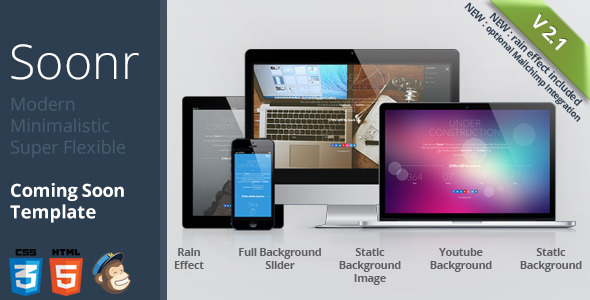
Soonr is a coming soon template sold on ThemeForest for $7 that gives a website a temporary holding page while the real site is being built. It is a static HTML package rather than a WordPress theme, built on Bootstrap 3 with HTML5 and CSS3, and it ships with more than ten layout variations covering video backgrounds, image sliders, flat colours and animated overlays. It suits freelancers and small studios that want a polished placeholder page live within an afternoon, and it is a poor fit for anyone who needs a page they can edit from a CMS dashboard.
What Soonr Site Templates Actually Deliver
The core of the package is a set of ready-made HTML files, each one a different visual arrangement of the same underlying structure. The vendor lists more than ten variations, and the differences between them are meaningful rather than cosmetic. A full-width background slider cycles through images, a YouTube video can sit behind the content instead of a still, and a plain colour background is available for anyone who does not want to source photography at all. Backgrounds can also be layered with a pattern overlay, which is a small detail that makes flat colour pages look less bare.
Two animated effects sit on top of those backgrounds. The bokeh effect renders soft, drifting circles of light over the page, and its behaviour is configurable through settings for item count, colour, size and speed. The rainday effect adds falling rain, and it can be applied to a static image, a flat colour or the slider itself. Both are jQuery-driven, and the vendor is explicit that the rain script is resource-hungry and will not run in Internet Explorer 8. That is an honest caveat rather than a hidden one, and it matters on shared hosting or on any page that already loads heavy assets.
Beyond the visuals, the template handles the practical jobs a holding page needs to do. A countdown timer counts down to launch, and the vendor provides a separate file without the counter for projects that have no fixed date. There are over fifty animation effects for text and images, a preloader, and 361 scalable vector icons for social links and contact details. Content such as the newsletter form, the about section and the contact details is stored in off-canvas modals that slide down from the top of the screen, and those modals respond to touch gestures on phones and tablets.
The newsletter form works in two ways. The default setup is an AJAX form that submits without reloading the page, shows a sending animation and blocks duplicate submissions. The second option connects the form to Mailchimp, which was added in version 2.1. For a coming soon page, capturing email addresses before launch is usually the whole point, so having both a self-contained form and a Mailchimp path is more useful than it first appears.
Where Soonr Site Templates Fit and Where They Do Not
The obvious use case is a business or creative studio that has bought a domain, started building a site and needs something credible in place while the work continues. A photographer launching a portfolio, a restaurant waiting on its booking system, or an agency teasing a rebrand can all put Soonr up in an afternoon and collect signups in the meantime. The video background option suits anyone with existing footage, and the flat colour option suits anyone without it.
The template also works as a pre-launch page for a product or event with a known date, since the countdown gives visitors a reason to return. Because it is plain HTML, it can be dropped onto almost any host without a database, which makes it a reasonable choice for a cheap static hosting account or a subdomain parked in front of a larger project.
It is the wrong choice in two clear situations. Anyone who wants to edit text, swap images or change the countdown date from a browser-based admin panel should look at a WordPress coming soon plugin instead, because Soonr requires editing the HTML files directly. And anyone building a long-term site should treat this as a stopgap only: it is a single-purpose page, not a foundation to build on, and there is no content management layer to grow into.
Setting Up Soonr in Practice
No build tools, package managers or server-side languages are involved. The workflow is to unzip the download, open the HTML file matching the look closest to what is wanted, and edit it in a text editor. Text, social links, the countdown target date and the modal content are all in the markup, and the visual settings for the bokeh and rain effects live in the accompanying JavaScript and CSS files. The documentation is described by the vendor as extensive and detailed, and it covers the Mailchimp setup separately.
Images are not included in the download, so photography has to be sourced and licensed separately, and the YouTube background requires a video ID. Uploading is a matter of dropping the folder onto the host, either at the domain root or in a subdirectory. Realistically, a straightforward single-variation setup takes one to three hours for someone comfortable editing HTML, and longer if the Mailchimp list needs configuring or the background assets need resizing for mobile. The only hard prerequisite is a text editor and file access to the hosting account.
Strengths and Limitations of This Coming Soon Template
Strengths
- Low cost relative to the amount of pre-built variation included, with more than ten layouts in a single $7 download.
- Genuinely responsive and touch-ready, so the modals and navigation behave on phones rather than merely shrinking.
- Two newsletter paths — a self-contained AJAX form and optional Mailchimp integration — cover the main reason to run a holding page.
- Background flexibility is unusually broad for the price: slider, video, static image, flat colour and pattern overlay, all combinable with the animated effects.
- No database or server-side stack required, so it can be hosted almost anywhere.
- The vendor documents known constraints, including the resource cost of the rain effect and the IE8 exclusion, rather than leaving buyers to discover them.
Limitations
- The package was last updated in April 2014. It is built on Bootstrap 3, and the underlying libraries — jQuery, Modernizr, Superslides, Owl Carousel and rainday.js — are all at versions that predate current browser behaviour and accessibility expectations.
- There is no admin panel. Every text change, image swap and countdown adjustment means editing source files, which rules out handing the page to a non-technical client.
- The rain effect is heavy on resources by the vendor’s own admission, which is a real risk on shared hosting or slow mobile connections.
- Images are not bundled, so the advertised look cannot be reproduced without buying or licensing photography separately.
- There is no WordPress version and no page builder support, so the template cannot be extended into a full site later.
- Accessibility support is not addressed anywhere in the listing, and a modal-driven layout built in 2014 is unlikely to meet current standards without rework.
How Soonr Site Templates Compare With the Wider Category
Coming soon pages generally fall into three groups: hosted services that generate a page for a monthly fee, WordPress plugins that add a holding screen to an existing install, and standalone HTML templates like this one. Hosted services are quicker to set up and easier to edit, but they carry an ongoing cost and keep the page on someone else’s infrastructure. Plugins make sense only if WordPress is already the destination, and they add weight to an install that may not be finished yet.
Soonr competes on control and one-off cost. A single payment buys a self-hosted page with no subscription, no dependency on a third-party dashboard and no database. The trade-off is that everything is manual, and the codebase reflects its age. Against a modern HTML template in the same category, the visual effects here are more elaborate than most, but the underlying stack is older and the maintenance burden sits entirely with the buyer. The 684 sales recorded on ThemeForest indicate the template found a real audience, though the vendor’s own listing carries no rating figure to weigh alongside that number.
Frequently Asked Questions
Is Soonr a WordPress theme?
No. Soonr is a standalone HTML template, not a WordPress theme or plugin. It consists of static HTML, CSS and JavaScript files that are uploaded directly to a hosting account. That means it works without a database or PHP, but it also means there is no admin dashboard, and any content change has to be made by editing the files themselves.
Does Soonr still work in current browsers?
It generally renders, but it was last updated in April 2014 and is built on Bootstrap 3 with older jQuery libraries. Nothing in the listing guarantees compatibility with current browser versions or accessibility standards. The vendor states support for IE9 and above, Firefox, Safari, Opera and Chrome as they existed at the time of release, so buyers should test thoroughly before relying on it.
Can Soonr collect email addresses before launch?
Yes. The template includes a working AJAX newsletter form that submits without reloading the page, shows a sending animation and prevents duplicate submissions. Version 2.1 added optional Mailchimp integration, with a separate demo file and updated documentation. The Mailchimp route requires an account and some configuration, while the built-in form needs a server endpoint to receive the submissions.
Are the background images and video included?
No. The vendor states plainly that images are not included in the download, so any photography used in the background slider or static layouts must be sourced and licensed separately. The YouTube video background requires a video ID of your own choosing. The demo video referenced in the credits belongs to its original creator and is not part of the package.
Verdict
Soonr Site Templates remain a sensible buy for a freelancer or small studio that needs a self-hosted holding page live quickly, wants elaborate background effects without building them from scratch, and is comfortable editing HTML directly. At $7 with 684 sales behind it, the cost of trying it is minimal. Buyers who need to update content from a browser, who want a page that will grow into a full website, or who need current accessibility and browser support should choose a maintained alternative instead. The 2014 codebase is the deciding factor: it does what it was built to do, but it has not moved with the web since.