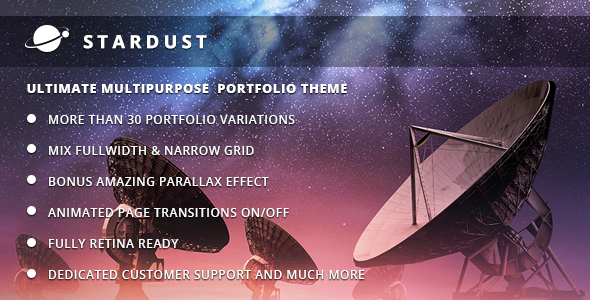
Stardust is a multi-purpose portfolio theme for WordPress, sold on ThemeForest by the developer QODE for $39. It gives designers, studios and agencies a drag-and-drop-style toolkit for building image-led portfolio sites, with full-width layouts, AJAX page transitions, parallax sections and a bundled copy of the Slider Revolution plugin. Anyone whose work is visual and who wants a template that can be reshaped page by page should put it on a shortlist; anyone who needs a lightweight, block-first theme should look elsewhere.
What Stardust Creative Actually Gives a Site Owner
The defining idea behind Stardust creative is modularity. Almost every structural decision — header, footer, content area — can be set to either a standard boxed grid or a full-width canvas, and those choices are made independently. That means a photographer can run a full-bleed header above a boxed text column, while a design studio can do the opposite on the same site. Pages do not have to match each other, which is unusual in this price bracket.
Headers are handled per page rather than globally. Each page can carry its own header height, background image or slider, and the fixed-header behaviour can be switched on or off. For a portfolio with distinct project categories, that flexibility removes the need to hack template files just to vary the top of a page.
The AJAX layer is the most visible feature. With AJAX enabled, moving between pages swaps content without a full browser reload, and the vendor provides four predefined animated transitions. Individual pages can be assigned their own transition type, so a site can mix a slide-in for case studies with a fade for the blog. AJAX can also be switched off entirely for a conventional browsing experience — worth knowing, because animated transitions are a taste decision and not every audience enjoys them.
Parallax pages are positioned as a bonus rather than a core feature. In practice they suit presentation-style pages: a scrolling narrative for a single campaign, a microsite for a product launch, or an alternative homepage where background layers move at different speeds as the visitor scrolls. Building one does not require code, since parallax sections can be added to any page through the admin interface.
Interactive elements round out the presentation toolkit. Counters, horizontal and vertical graphs, charts, and animated service blocks are all available as shortcodes. These are the kinds of components an agency reaches for on an “about” or “capabilities” page to break up long stretches of text.
Slider Revolution is bundled and licensed with the theme, which the vendor values at $26. It handles responsive and full-width sliders, and its markup keeps slide content readable to search engines rather than locking text inside images. On a $39 purchase, that inclusion is a meaningful part of the value calculation.
Under the hood, the theme ships with a child theme to start from, WPML compatibility for multilingual builds, and translation-ready .po and .mo files for anyone localising by hand. It is coded in HTML5, CSS3 and jQuery, includes retina-ready icons, offers smooth scroll as a toggle, supports unlimited custom sidebars assignable globally or per post, and provides two dropdown menu styles — a conventional one and a wide “mega” style. Meta keywords and descriptions can be set per page, and the contact page can combine Google Maps, a form and free content in any arrangement.
Where Stardust Fits and Where It Does Not
The strongest fit is a visual portfolio that needs to feel custom without a custom budget. Freelance photographers, illustrators, motion designers and small studios all sit squarely in range, particularly when the site has to present several distinct bodies of work with different layouts. Agencies building client sites will also find the per-page header and transition controls useful, because they shorten the feedback loop — a client can be shown two header treatments on the same page without a rebuild.
It also suits presentation-led microsites. A parallax page built around a single campaign or launch is exactly the scenario the feature list describes, and the theme handles it without extra plugins.
Multilingual projects are a reasonable fit thanks to WPML readiness, though the translation itself is still work the site owner has to do.
The wrong choice is a content-heavy site. Stardust is built around imagery and motion, and a blog with hundreds of long articles, a documentation hub, or a news publication will get little from AJAX transitions or parallax layers while still carrying the theme’s overhead. The same applies to anyone committed to the WordPress block editor as their primary build method: this is a shortcode-and-options-panel theme, and the editing experience reflects that. Finally, the vendor does not state that the demo photography is included — the listing says explicitly that the images are presentational only and must be licensed separately, so a buyer should budget for stock imagery.
Setting Up Stardust in Practice
The prerequisites are ordinary: a WordPress installation, an administrator account, and the theme ZIP file from ThemeForest. Installation follows the standard appearance menu route, after which the bundled Stardust Core plugin needs to be activated — the theme’s own update notes show that core functionality was moved into that plugin, so skipping it will leave features missing.
From there, the realistic path is to import a demo layout and edit it rather than build from a blank canvas. The vendor describes a demo layout as the starting point, with modular shortcodes used to diverge from it. Expect to spend a couple of hours on a first pass: importing a demo, replacing the logo and colours, wiring up menus and sidebars, and setting per-page headers. A full multi-page portfolio with real content and a parallax homepage is more like a day’s work for someone comfortable in WordPress, longer for a first-timer learning the options panel.
Two setup details are worth flagging before purchase. The theme was last updated in April 2023, which added WordPress 6.2 compatibility, so a site running a much newer WordPress release should be tested on a staging copy first. And the bundled Slider Revolution plugin updates on the vendor’s schedule rather than through the standard WordPress plugin updater, which is normal for ThemeForest bundles but does mean plugin version tracking is the site owner’s responsibility.
Strengths and Limitations of Stardust Creative
Strengths
- Genuine per-page layout control, including independent header, footer and content grid settings.
- Four AJAX page transitions with per-page assignment, plus a global off switch.
- Slider Revolution included and licensed, which offsets a large part of the $39 price.
- Parallax sections can be added to any page without touching code.
- WPML compatibility, translation-ready files and a dummy child theme are all present.
- 973 sales on ThemeForest indicate a reasonably established user base for support questions.
Limitations
- The last vendor update was April 2023. Buyers on current WordPress versions should verify compatibility rather than assume it.
- Demo images are not licensed for use. Every image on a finished site has to be sourced and paid for separately.
- The build model is shortcodes plus a theme options panel, not the block editor. Sites that depend on core blocks will feel friction.
- AJAX transitions and parallax add page weight and motion. There is no stated performance budget, and sites with heavy imagery will need their own optimisation work.
- Per-page header and transition settings multiply as a site grows, so a large site needs a documented convention or it becomes inconsistent.
How Stardust Compares With Other Portfolio Themes
Most portfolio themes at this price compete on demo count. Stardust competes on configuration depth instead: the ability to set header, footer and content widths independently, and to give individual pages their own transition, is the differentiator rather than the number of prebuilt homepages.
Against block-based themes, Stardust is the more controlled option and the less flexible one. A block theme hands layout decisions to the site editor and tends to age better as WordPress evolves; Stardust hands them to a bespoke options panel that is faster to configure but tied to the vendor’s update cycle. Against minimal, typography-led portfolio themes, Stardust offers far more visual machinery — sliders, charts, counters, parallax — which is an advantage for agencies and a distraction for a photographer who wants images and nothing else. Against multipurpose themes that try to cover ecommerce, directories and portfolios at once, Stardust is narrower and therefore less cluttered, but it will not stretch to a shop without additional plugins.
Frequently Asked Questions
Does Stardust require any paid plugins to work?
No. Slider Revolution is bundled and licensed with the theme, and the Stardust Core plugin ships alongside it at no extra cost. WPML is supported but is not included, so a multilingual site needs that licence purchased separately. The vendor does not state any other mandatory paid dependency.
Can the AJAX page transitions be turned off?
Yes. AJAX animations can be disabled globally to produce a conventional page-load experience, and individual pages can be assigned their own transition type when AJAX is active. That combination means a site can use motion selectively rather than everywhere, which is useful when part of the audience prefers predictable navigation.
Is Stardust compatible with the latest WordPress version?
The vendor’s most recent update added WordPress 6.2 compatibility, and earlier releases covered WordPress 5.x. The listing does not claim compatibility with versions released after April 2023. Testing on a staging site before deploying to a live installation is the sensible approach for anyone running a current release.
Are the images shown in the Stardust demos included?
No. The vendor states plainly that it does not own the copyright to the demo images and that they are used for presentation only. They cannot be used on a live site unless a licence is purchased from a stock image provider. Budget for imagery separately from the $39 theme price.
Verdict
Stardust creative is worth buying for freelancers, studios and agencies that need a portfolio site with real layout variation and are comfortable working inside a theme options panel and shortcode system. The per-page header controls, AJAX transitions and bundled slider deliver more configuration than most themes at $39, and the 973 sales suggest a user base large enough that common questions have already been answered. It is the wrong purchase for content-heavy publications, for anyone committed to block-based editing, and for buyers who need assurance of compatibility with the very latest WordPress releases given the April 2023 update date. Buyers should also plan and budget for stock imagery, since none of the demo photography is licensed for reuse.