Author: NWP

  • Condio 1.0.0 – Real Estate Landing Page Review

    Condio 1.0.0 – Real Estate Landing Page Review

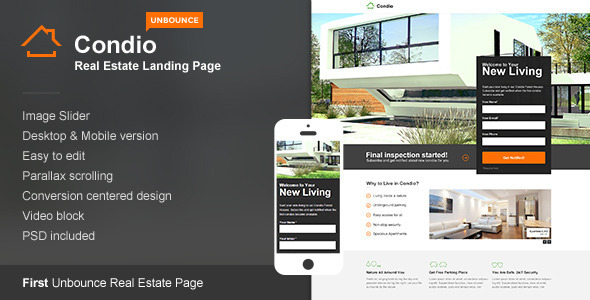
    Condio is a landing page template built specifically for Unbounce, the drag-and-drop page builder used for marketing campaigns. It packages a real estate project promotion layout — image slider, video block, parallax scrolling and a lead capture form area — into a file that can be imported into an Unbounce account and edited without touching code. It suits property developers, real estate agents and small agencies running a single-project campaign who already use Unbounce and want a head start on design.

    What Condio Marketing Actually Delivers

    The template’s core proposition is narrow and clear: it is a pre-designed page for promoting one real estate development and collecting visitor details. That focus shapes everything included.

    A conversion-oriented layout. The page is structured around a single action — getting a visitor to submit their information. Sections are arranged so that imagery and project details build interest before the form appears. For anyone who has built landing pages from scratch, this structure saves the most time, because deciding section order and form placement is usually the slow part.

    Image slider and video block. Property marketing depends on visuals, and the template provides a slider for renderings or photography plus a dedicated block for embedded video. A developer can show exterior shots, interiors and a walkthrough clip on one page without custom development.

    Parallax scrolling. Background images move at a different speed to the foreground as the page scrolls. It is a presentational touch rather than a functional one, and it dates the design somewhat, but it does add depth to architectural imagery.

    Separate desktop and mobile versions. The package includes a mobile layout alongside the desktop one. This matters because Unbounce pages are frequently viewed on phones, and a desktop layout squeezed onto a small screen undermines the form submission the page exists to generate.

    PSD source files. The Photoshop files are bundled, so a designer can adjust the visual design outside Unbounce before or after import. This is useful for agencies that need to match a developer’s brand guidelines precisely.

    Editability without code. Because the page lives inside Unbounce, text, images and form fields are changed through the builder’s interface. The vendor describes it as easy to edit, and in practice that means the editing experience is Unbounce’s rather than anything Condio adds.

    Where Condio Marketing Fits, and Where It Does Not

    The strongest fit is a property developer or agency launching a single residential or commercial project — a new apartment block, a housing estate, a conversion — that needs a focused campaign page rather than a full website. Paired with paid search or social traffic, the page’s job is to capture names and contact details from people interested in the development. Freelancers building such pages for property clients will also find it a reasonable starting point, since the PSD files allow rebranding.

    It also suits teams already paying for Unbounce. The template assumes that subscription exists; it is not a standalone page builder and cannot be used without an Unbounce account.

    It is the wrong choice in several common situations. Anyone not on Unbounce should stop here — the files are for that platform, and the same money spent on a standalone HTML template or a WordPress theme would serve better. Projects needing a multi-page property website with listings, search filters and individual property pages will outgrow a single landing page quickly. And anyone wanting a current, contemporary aesthetic should look carefully: the template was last updated in March 2014, and both the parallax treatment and the general visual style reflect design conventions from that period.

    Setting Up Condio Marketing in Practice

    Setup requires an active Unbounce subscription first. Without it, the template cannot be opened or edited, so the $19 price is only part of the real cost.

    The process is straightforward: import the template into an Unbounce account, replace the placeholder imagery with the project’s own renderings and photography, swap in the developer’s logo and brand colours, connect the form to whatever email or CRM system will receive leads, then publish to a custom domain. The vendor’s documentation link points to Unbounce’s own guide to creating a landing page, which is a sensible sign — the workflow is Unbounce’s standard one rather than a bespoke process.

    Two practical notes. First, the vendor states plainly that all photographs in the preview are for display only and are not included, so a full set of project imagery must be supplied. Second, because the template predates Unbounce’s more recent builder features, some elements may need rebuilding or adjusting after import. A realistic estimate is two to four hours for someone comfortable with Unbounce, and closer to a day for a first-timer including imagery selection and form testing.

    Strengths and Limitations

    Strengths

    • Purpose-built for real estate promotion, so section order and form placement already reflect the campaign goal.
    • Includes both desktop and mobile layouts, which removes a common source of lost conversions.
    • PSD files allow visual customisation beyond what the Unbounce editor permits.
    • Low price relative to the design time saved, particularly for agencies producing pages repeatedly.
    • 246 sales and an established author, ThemeStarz, provide some reassurance about the file’s integrity.

    Limitations

    • Requires a paid Unbounce subscription; the template has no value without one.
    • Last updated in March 2014, so it has not tracked a decade of changes in Unbounce’s builder or in landing page design conventions.
    • No project photography is included, despite imagery being central to property marketing.
    • Parallax scrolling can hurt performance on older mobile devices, working against the conversion goal.
    • Single-page scope only — no listings, search or multi-property structure.
    • The vendor does not state ongoing support terms or compatibility with current Unbounce features.

    How Condio Marketing Compares With the Wider Category

    Real estate landing pages generally come in three forms: standalone HTML templates, WordPress themes with page builder support, and templates tied to a specific marketing platform like Unbounce. Condio sits firmly in the third group, and that is its defining advantage and its main constraint.

    Against standalone HTML templates, Condio offers less flexibility — the code is not the deliverable, the Unbounce page is — but far more convenience for marketers who do not write code. Against WordPress real estate themes, it is much narrower: a theme provides listings, property search and ongoing content management, while Condio provides one campaign page. They solve different problems, and a developer wanting a permanent project website should choose the theme.

    Within its own group, the template’s differentiator is specialisation. Generic Unbounce templates can be adapted to property marketing, but they require more restructuring to reach the same result. Condio starts closer to the finish line. The trade-off is age: newer platform-specific templates will generally look more current and align better with present-day builder features.

    Frequently Asked Questions

    Do I need an Unbounce account to use Condio?

    Yes. Condio is a template for Unbounce and cannot be opened, edited or published without an active Unbounce subscription. The $19 purchase covers the template files only, not the platform. Budget for the subscription separately, and confirm the plan supports the traffic volume the campaign is expected to receive.

    Can Condio be used for more than one property project?

    Yes, the template can be reused across projects by duplicating the page in Unbounce and swapping the imagery, copy and form settings. Each project would typically need its own published page and domain or subdomain. There is no licence restriction stated beyond the standard ThemeForest terms, which permit use on a single end product.

    Is Condio still compatible with the current Unbounce builder?

    The vendor does not state current compatibility, and the last update was in March 2014. Unbounce has changed substantially since then, so some elements may need adjustment after import. Testing the import on a draft page before committing to a live campaign is the sensible approach, and Unbounce support can assist with import issues.

    Are the property photos shown in the preview included?

    No. The vendor explicitly notes that all photographs are for preview purposes only and are not part of the package. Buyers must supply their own project renderings, photography and video. This is normal for templates, but it means the finished page will look different from the demo until suitable imagery is sourced.

    Verdict

    Condio Marketing is a sensible buy for one specific profile: a property developer, agent or agency already subscribed to Unbounce that needs a focused lead capture page for a single project and wants to skip the layout work. At $19, the design time saved justifies the cost for that audience. It is a poor fit for anyone without an Unbounce subscription, for projects needing a multi-page property website, or for teams wanting a design that looks current rather than reflective of 2014 conventions. The template does one job competently and has not been maintained since; buyers should treat it as a starting point to be refreshed, not a finished product.

  • Teacher- Education One Page Responsive Template 1.0.0

    Teacher- Education One Page Responsive Template 1.0.0

    Teacher- Education One Page Responsive Template is a static HTML landing page kit built on Bootstrap 3, sold on ThemeForest by CoralixThemes for $22. It bundles five separate one-page layouts aimed at schools, course sellers and training providers who need a single lead-capture page with a working enquiry form and newsletter signup. It suits freelancers and small agencies building a campaign page quickly, and it is a poor fit for anyone who needs a content-managed site or modern front-end standards.

    The product has sold 248 copies since its first release in February 2014, which places it in the low-volume, long-tail end of the ThemeForest catalogue. That sales figure is worth keeping in mind: this is a niche template that has been maintained sporadically, not a flagship item with an active development roadmap.

    What the Teacher- Education One Page Responsive Template corporate package actually contains

    The headline claim is five landing pages for the price of one. In practice that means five distinct one-page layouts sharing a single Bootstrap 3 grid, each aimed at a slightly different pitch: an online university or degree programme, a career or college recruitment page, a general education landing page, and variants built around requesting information. Buying the pack gives a choice of starting points rather than five unrelated designs, so the visual language stays consistent if a client wants to A/B test two versions of the same campaign.

    The two forms are the functional core. One collects request-information submissions, the other handles newsletter registration, and the listing describes both as working rather than decorative. For a lead-generation page that matters more than any visual flourish, because a form that silently fails is worse than no form at all. The newsletter form is presented as Mailchimp-compatible, which in a static HTML template normally means the markup is pre-wired to a Mailchimp action URL that the buyer substitutes with their own list endpoint.

    Supporting elements include a responsive pricing table for course tiers, a modal lightbox for video or image content, and a library of more than 390 icons. Colour handling is described as unlimited, which in Bootstrap 3 terms usually means a LESS or CSS variable layer rather than a settings panel. Typography runs on Google Fonts, interactions are jQuery-driven, and the markup is presented as valid HTML with documentation. Two PSD files ship with the download, which the vendor values at $10 and which are useful if a designer needs to adapt the mockup imagery before slicing it back into the layout.

    Where this template fits, and where it does not

    The obvious use case is a short-lived recruitment or enrolment campaign: a single page promoting a course intake, a bootcamp, a tutoring service or an open-day event, with one call to action and one form. Freelancers who are handed a small education client and a two-day deadline will find the pre-built sections and pricing table remove most of the layout work. Agencies running paid traffic to a landing page also benefit from having five layouts to test without commissioning new design each time.

    It is also reasonable for a non-profit or training arm inside a larger business that needs a standalone page outside its main CMS, hosted on a subdomain or a separate marketing stack.

    It is the wrong choice in several common situations. Anyone who expects to edit copy, swap images and publish without touching code should look at a WordPress theme or a page builder instead, because this is plain HTML, CSS and JavaScript with no admin interface. Projects with accessibility requirements or a need to support current browsers and assistive technology should be cautious: a Bootstrap 3 codebase from 2014 predates most modern accessibility expectations. And any client who wants a blog, multiple pages or ongoing content will outgrow a one-page static template within weeks.

    Setting it up in practice

    Deployment is a file upload rather than an installation. The buyer unzips the package, opens the chosen layout in an editor, replaces the demo text and imagery, and uploads the folder to any static host or conventional shared server. There is no database, no build step and no server-side runtime, so the prerequisites are simply a text editor, an FTP or file manager, and a host that serves static files. A local development environment helps but is not required.

    The work that takes real time is the configuration, not the upload. Pointing the request-information form at a live recipient usually means editing a PHP mail script or swapping in a third-party form endpoint, and the newsletter form needs a Mailchimp list ID and action URL pasted into the markup. Replacing the colour scheme across five layouts takes longer than on a single-page template because the change has to be repeated or propagated through the shared stylesheet. Realistically, a developer familiar with Bootstrap can have one layout live in half a day; a first-time buyer working through the documentation should budget a full day, plus whatever time the client takes to supply copy and images.

    Strengths and limitations

    Strengths

    • Five layouts in one purchase at $22, which is competitive for a multi-layout landing pack.
    • Two functioning form patterns already wired up, saving the fiddliest part of a lead-capture build.
    • Bootstrap 3 grid means predictable responsive behaviour and a structure most front-end developers already understand.
    • Pricing table and modal lightbox cover the two components education campaigns most often need.
    • Two PSD source files included, which is unusual at this price point.
    • Documented and cleanly organised markup, per the listing, which shortens the handover to a client’s in-house team.

    Limitations

    • The last update was October 2017, and that release fixed a single Chrome menu bug. The template has effectively been frozen for years, so no expectation of future browser fixes is reasonable.
    • Bootstrap 3 is end-of-life. Its grid and JavaScript plugins are not maintained, and some behaviours differ from Bootstrap 4 and 5 conventions that newer developers expect.
    • No CMS, no page builder and no visual editing. Every text change is a code edit.
    • Static HTML mail forms depend on the host’s PHP mail configuration, which frequently lands in spam or fails silently on modern hosting; a third-party form service is usually the safer route.
    • Accessibility provisions are not stated by the vendor, and a 2014-era codebase rarely meets current contrast, focus and ARIA expectations out of the box.
    • The demo imagery is licensed to its respective owners, so all photography must be replaced before launch.

    How it compares with the wider landing page category

    Landing page templates split roughly into three groups: static HTML kits like this one, CMS themes that plug into WordPress or a similar platform, and hosted builders such as Unbounce or Leadpages that charge monthly and handle hosting, testing and form routing. This product sits firmly in the first group, and the vendor even points buyers toward an Unbounce version of the same design, which is a fair signal of where the two options diverge.

    Against CMS themes, the trade-off is control versus convenience. A static kit loads fast, has no plugin surface to maintain and can be hosted almost anywhere for almost nothing, but every content change is a developer task. Against hosted builders, the trade-off is cost structure and feature depth. A one-off $22 purchase beats a monthly subscription for a single campaign, but it comes without built-in A/B testing, analytics dashboards, CRM integrations or automatic form delivery. The Teacher- Education One Page Responsive Template corporate pack wins on price and on the number of layouts included; it loses on longevity, accessibility and the absence of any editing layer.

    Frequently Asked Questions

    Is this a WordPress theme?

    No. It is a static HTML template built on Bootstrap 3, with no PHP theme files, no WordPress hooks and no admin panel. It cannot be installed through the WordPress dashboard. It can be hosted alongside a WordPress site on the same server, but it runs as an independent set of files.

    Can the contact and newsletter forms send email without extra services?

    The request-information form is designed to submit through a server-side mail script, which requires a host that permits PHP mail. Reliability varies widely by host, and deliverability is often poor. The newsletter form is built for Mailchimp, so a Mailchimp account and list are needed regardless.

    Does the template still work in current browsers?

    Largely yes, because the underlying HTML, CSS and jQuery are standard and browsers remain backward compatible. The last vendor update in October 2017 addressed a Chrome menu fault, and nothing has shipped since. Minor visual drift on very new browser features is possible and would need to be fixed by the buyer.

    How much customisation is possible without a developer?

    Very little beyond swapping images and text in a code editor. Colours, fonts, section order and form destinations all live in the source files. A user comfortable editing HTML and CSS can reshape it substantially; someone expecting drag-and-drop controls will not find them here.

    Verdict

    Buy this if a developer or confident tinkerer needs a cheap, fast, self-hosted landing page for an education campaign and is comfortable working directly in HTML. The five layouts, working forms and included PSDs represent solid value at $22, and the Bootstrap 3 foundation is familiar enough that most front-end freelancers can move quickly. Do not buy it if the page will be edited by a non-technical client, if accessibility compliance is a requirement, or if the project needs to live and grow for years. The 2017 freeze date is the deciding factor: treat this as a finished artefact to adapt, not a platform to build on.

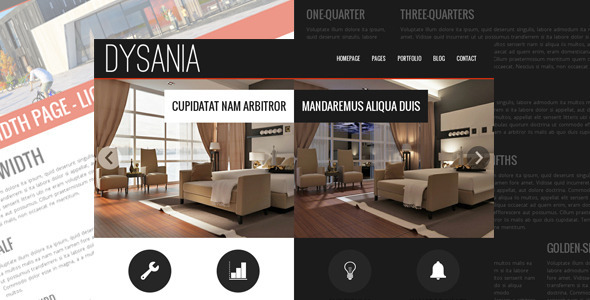
  • Dysania HTML Template 1.0.0 – Business Review

    Dysania HTML Template 1.0.0 – Business Review

    Dysania is a static HTML5 and CSS3 template built for small business and corporate websites, sold on ThemeForest by developer egemenerd for $9. It packages 18 pre-built pages in two colour schemes — a light set and a dark set — aimed at agencies, interior and architecture studios, beauty and health businesses, and similar service firms that want a finished site without a CMS. It is the right buy for a freelancer or small studio that needs a fast, cheap, hand-coded brochure site and is comfortable editing HTML directly.

    The template has recorded 248 sales on the marketplace, which is modest but not trivial for a niche static template, and it puts the product in the low-cost end of the business template category. That price and sales history shape how it should be judged: not against flagship multipurpose themes, but against what a buyer can realistically expect from a nine-dollar HTML download.

    What the Dysania- Responsive Multi-Purpose HTML Template actually delivers

    The core offer is a set of finished pages rather than a page builder. Buyers get 18 layouts covering the usual business site furniture — home, about, services, portfolio, blog and contact — and each page exists in both a light and a dark variant, which the vendor markets as a “2 in 1” package. In practice that means a site can be skinned either way without hunting for a second template.

    Colour and typography are handled through a separate CSS file, so the palette and font choices can be swapped without opening Photoshop or rebuilding the layout. The vendor states that all colours sit in that one file, which is the single most useful structural decision in the package for anyone who needs to match an existing brand.

    Two sliders ship with it: Flexslider and a premium slider called Zeus Slider, which the vendor values at $7 on its own — close to the price of the whole template. A custom portfolio page, an under-construction page, a Flickr feed, a working contact form, and ready-made components (accordion, tabs, quote rotator, galleries) round out the build. jQuery and CSS3 animations are used throughout for movement on scroll and hover.

    Browser support is listed as cross-browser, and the markup is valid HTML5 and CSS3. The demo images come from Flickr and are explicitly not included in the download, so any buyer will need to source their own photography before the site looks finished.

    Where this template fits, and where it does not

    The strongest fit is a service business that needs a compact marketing site — an interior design studio, an architecture practice, a beauty salon, a small clinic, or a boutique agency. These are exactly the verticals the vendor names, and the light/dark pairing suits businesses that want a moodier, image-led look without paying for custom design work.

    It also suits freelancers building a client site on a tight budget and a tight timeline. At $9, the template costs less than an hour of most freelancers’ time, and the pre-built pages remove the layout work that eats into small projects.

    It is the wrong choice for anyone who needs a blog with real content management, e-commerce, multi-language support, or a client who will want to edit pages themselves. This is a static template: there is no admin panel, no database, and no WordPress behind it. A business that expects to publish weekly posts or change copy without a developer should be looking at a CMS theme instead. It is also a poor fit for projects that need modern accessibility standards or current framework conventions, for reasons covered below.

    What setup involves in practice

    There is no installation process in the CMS sense. A buyer downloads a ZIP, unzips it, and opens the HTML files in an editor. From there the work is: replace the placeholder copy and demo images, edit the colour and font variables in the separate stylesheet, adjust the logo, and point the contact form at a mail handler. The contact form is described as working, but any static form still needs a server-side script or a form service to actually send mail — the vendor does not state which handler is assumed, so that step should be planned for.

    The prerequisites are basic HTML and CSS literacy, plus access to web hosting that serves static files. No build tools, package managers, or command line are required. For someone comfortable with markup, a straightforward site can be assembled in a few hours; a less experienced buyer should budget a full day or more, mostly for image sourcing and copywriting rather than code.

    One practical caveat: the vendor’s last recorded update is November 2016, and the update history in the listing only goes back to early 2014. The template has not been refreshed in a long time, so buyers should expect to modernise details themselves.

    Strengths and limitations

    Strengths

    • Very low price relative to the number of finished pages included.
    • Light and dark variants double the design options without a second purchase.
    • Colours and fonts are centralised in one CSS file, making rebranding quick.
    • Two sliders included, one of them a paid premium plugin bundled at no extra cost.
    • Useful extras — under-construction page, portfolio layout, working form — reduce the number of separate pieces a freelancer has to assemble.
    • Clean, flat visual style that still reads as contemporary for service businesses.

    Limitations

    • Static HTML only: no CMS, so content updates require editing files by hand.
    • Last updated in 2016, meaning the code predates current accessibility expectations and modern CSS layout practices; buyers may need to retrofit improvements.
    • Demo images are not included, so the site will look unfinished until photography is sourced and licensed.
    • No documentation is described in the listing beyond the feature list, so troubleshooting falls to the buyer.
    • The bundled slider and gallery scripts are older jQuery plugins, which adds maintenance overhead if the site is kept long-term.

    How it compares with the wider category

    Multipurpose HTML templates generally compete on page count, design polish, and how easily the buyer can rebrand them. Dysania’s edge is the light/dark pairing and the centralised colour file, which is more than many budget templates offer. Its weakness is age: newer templates in the same category typically ship with modern CSS grids, updated slider libraries, and clearer documentation.

    Against CMS-based business themes, the trade-off is control versus convenience. A static template gives full control of the markup and no plugin bloat, but it hands all content editing to a developer. For a one-off brochure site that will rarely change, that is a reasonable trade. For a site that will grow, it is not.

    Frequently Asked Questions

    Is Dysania a WordPress theme?

    No, Dysania is a static HTML5 and CSS3 template, not a WordPress theme. It consists of plain HTML pages with linked stylesheets and JavaScript, and it cannot be installed through a WordPress dashboard. Buyers who need a CMS-driven site should choose a WordPress theme instead, or expect to convert the markup into a theme themselves.

    Can the Dysania template be rebranded with my own colours and fonts?

    Yes. The vendor keeps all colours in a separate CSS file, so the palette and typography can be changed by editing that one stylesheet. No Photoshop work is required for colour changes. Fonts used in the demo are Oswald and Open Sans, and swapping them means updating the font references alongside the stylesheet.

    Does the template include the images shown in the demo?

    No, the demo images are not included in the download. They are sourced from Flickr and remain the property of their original photographers. Buyers must supply their own licensed photography, which is a real cost to budget for — stock licences can easily exceed the price of the template itself.

    Is Dysania still maintained or updated?

    No recent updates are recorded. The vendor’s last listed update is November 2016, and the visible update history stops in early 2014. The template still works as static markup, but buyers should assume no ongoing support for modern browser quirks or accessibility fixes and plan to handle those themselves.

    Verdict

    Dysania- Responsive Multi-Purpose HTML Template business buyers should consider it if they need a cheap, good-looking static site for a service business and are comfortable editing HTML and CSS. Freelancers building compact brochure sites on tight budgets will get solid value from the 18 pages and dual colour schemes. Buyers who need a CMS, regular content updates, or modern accessibility out of the box should look elsewhere. At $9 it is a low-risk purchase, provided the buyer understands they are getting a 2016-era static template, not a maintained product.

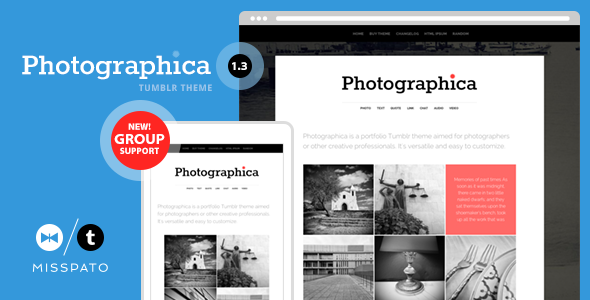
  • Photographica 1.7 – Portfolio Tumblr Theme – Review

    Photographica 1.7 – Portfolio Tumblr Theme – Review

    Photographica is a Tumblr theme built for photographers and visual creatives who want a gallery-first portfolio rather than a text-led blog. It turns a Tumblr account into a thumbnail grid of work, with tag-based navigation, lightbox image viewing and support for every Tumblr post type. It suits photographers, illustrators and design studios already committed to Tumblr; anyone running a self-hosted WordPress site should look elsewhere. Photographica Blogging sits in an unusual niche, because Tumblr themes are a small and ageing corner of the commercial template market.

    What Photographica actually does well

    The core idea is a homepage or tag page that shows posts as thumbnails, so a visitor sees a wall of images before reading a single caption. That is the right structure for portfolio work, and it is the feature most buyers will judge the theme on.

    Around that grid, the theme layers a set of practical controls:

    • Tag-driven navigation. Two separate menu areas can be filled with tags and pages, so a photographer can split work into categories such as weddings, portraits or editorial without building a custom site structure. The vendor added extra tag slots and an option to swap or relocate the secondary menu in later updates.
    • Photoset handling. Tumblr’s multi-image posts can be arranged in a flexible grid, with an optional layout choice and an option to fall back to Tumblr’s native photoset arrangement. Images tagged for Instagram can display at full size rather than being cropped.
    • Full-screen image viewing. A lightbox script lets visitors open a photo into the whole browser window, which matters when the work itself is the product.
    • Every post type, not just photos. Text, quote, link, chat, audio, video and answer posts are all styled. Audio and video entries can show cover or preview thumbnails where Tumblr supplies them, so a mixed feed still looks consistent in the grid.
    • Branding controls. Custom colours, Google WebFonts, a text or image logo, and font size options for headings and body copy give a reasonable amount of visual control without touching code.
    • Comments and analytics. Disqus can be switched on for post comments, Google Analytics is supported, and a footer code field accepts any additional script.
    • Sharing and social links. Posts carry Facebook, Twitter, Google+ and Pinterest share buttons, and the theme can display profile links for a long list of networks including Behance, Dribbble, Flickr and Instagram.
    • Responsive layout and localisation. The design adapts to phones and tablets, and interface strings can be translated.

    Group blogging is also supported as an option, which is useful for a studio where several people publish to one account.

    Who Photographica fits, and where it does not

    The strongest fit is a working photographer who already posts to Tumblr and wants that feed to look like a portfolio rather than a diary. Wedding and event photographers, illustrators, and visual artists who publish frequently and casually benefit most, because the theme rewards a steady stream of image posts. A small studio using Tumblr’s group posting to share one account across a team is another good match, as is anyone who wants a portfolio that updates from a phone without a separate publishing workflow.

    It is a poor choice for a business that needs a self-hosted site with plugins, e-commerce or detailed on-page SEO control. Tumblr’s platform limits apply regardless of the theme, and a premium WordPress theme will serve those needs better. It is also a weak fit for a text-heavy blog or a publication with long articles, since the design is optimised around images. Finally, anyone who needs a theme under active development should note that the last update was in April 2019.

    Setting Photographica up in practice

    Installation is a theme file upload through Tumblr’s appearance settings, followed by configuration in the theme options panel. There is no server, hosting or database work involved, which keeps the technical barrier low.

    The prerequisites are simple: a Tumblr account, some published posts to populate the grid, and a logo image if the image logo option is used. Beyond that, the work is mostly editorial. The buyer needs to decide which tags become navigation categories, which pages belong in the secondary menu, and whether Disqus, analytics and the footer code field will be used. Colour and font choices come next.

    A basic setup with existing content takes roughly half an hour to an hour. A careful build, with tag structure planned, custom colours matched to a brand, social links filled in and a test pass on mobile, is more like two to three hours. Buyers should test the lightbox and photoset layouts on a phone before going live, because those are the elements most likely to need adjustment.

    Strengths and limitations

    Strengths

    • Gallery-first layout that puts images ahead of text, which is the correct priority for portfolio work.
    • Broad post type coverage, so a mixed Tumblr feed does not break the design.
    • Two configurable navigation areas driven by tags, giving structure without custom coding.
    • Lightbox viewing and responsive photoset grids suited to showing photographs at size.
    • Disqus, analytics, social sharing and a footer code hook cover the common integration needs.
    • 251 sales on ThemeForest indicate a reasonable base of buyers for a niche Tumblr product.

    Limitations

    • The last release was version 1.7 in April 2019. Tumblr has changed ownership and platform behaviour since then, and the vendor does not state that the theme has been retested against current Tumblr.
    • Google+ appears in the social sharing options. The network no longer exists, so that button is dead weight.
    • The theme depends on Tumblr’s own post and tag system. There is no drag-and-drop page builder and no way to restructure content beyond what tags and pages allow.
    • SEO is constrained by the platform. The theme cannot deliver the title, schema and redirect control a self-hosted CMS offers.
    • Customisation is option-based. Deeper layout changes require editing the theme’s HTML and CSS directly.
    • The bundled libraries are old, including an Internet Explorer compatibility script, which signals the codebase has not been modernised.

    How Photographica compares with the wider category

    Against premium portfolio themes for WordPress, Squarespace or Webflow, Photographica trades flexibility for simplicity. Those platforms offer page builders, richer SEO controls, e-commerce and ongoing updates. Photographica offers none of that, but it also requires no hosting, no maintenance and no separate publishing routine. For someone already posting to Tumblr, that is a real advantage.

    Against free Tumblr themes, the difference is polish and control. Free themes often handle one post type well and fall apart on the rest; Photographica styles all of them and adds options for navigation, fonts, colours and comments. Against other premium Tumblr themes, the differentiator is the thumbnail grid and the tag-based menu system, which are more developed here than in a typical minimal Tumblr theme. The trade-off is age: a newer Tumblr theme is more likely to have been tested against the platform as it stands now.

    Frequently Asked Questions

    Is Photographica a WordPress theme or a Tumblr theme?

    It is a Tumblr theme, installed through Tumblr’s appearance settings rather than a WordPress dashboard. That means it cannot be used on a self-hosted WordPress site, and it does not support WordPress plugins. Buyers searching for a WordPress portfolio theme should treat Photographica Blogging as a different category of product entirely.

    Can Photographica be used for a photography portfolio?

    Yes. The thumbnail grid, tag-based navigation and full-screen lightbox are built for exactly that purpose. Photographers can organise work into categories using tags and present images at full size. The main caveat is that the theme has not been updated since 2019, so it is worth testing on a live Tumblr account before committing.

    Does Photographica support video and audio posts?

    Yes. All Tumblr post types are styled, including audio and video, and the theme can display cover or preview thumbnails for those posts where Tumblr provides them. Video embeds are resized fluidly so they fit the layout. This keeps a mixed feed visually consistent alongside photo posts.

    How much does Photographica cost?

    It is listed at $24 on ThemeForest as a one-off purchase. There is no subscription. Support is handled by the developer, themelantic, through the email address given in the listing. Buyers should factor in that updates have been infrequent, so ongoing support expectations should be modest.

    Verdict

    Photographica is a sensible buy for a photographer or visual creative who already publishes on Tumblr and wants that feed to read as a portfolio. The grid layout, tag navigation and lightbox are well matched to the job, and the price is low enough to justify a single-project purchase. It is not the right choice for a business needing a self-hosted site, e-commerce or strong SEO control, nor for anyone who requires a theme under active development. The 2019 update date is the main reason to hesitate, and buyers should verify current behaviour on a live Tumblr account before relying on it.

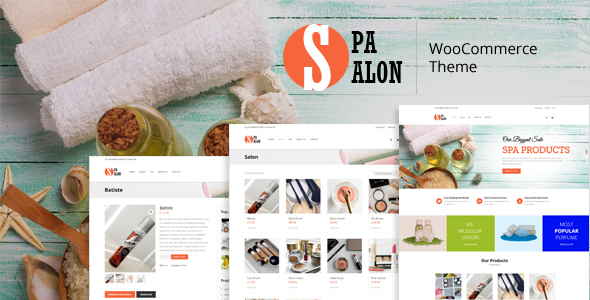
  • SPASALON 1.0.0 – WooCommerce WordPress Theme – Review

    SPASALON 1.0.0 – WooCommerce WordPress Theme – Review

    SPASALON Ecommerce is a WooCommerce WordPress theme sold on ThemeForest for $59, built by the developer kayapati for spa, salon, massage, beauty and healthcare businesses that sell online. It pairs the WooCommerce shop system with Elementor, the drag-and-drop page builder, and adds custom-built Elementor blocks aimed at treatment menus, service listings and booking-style layouts. It suits small salon and spa operators who want a ready-made storefront they can restyle without writing code, and it has drawn 256 sales since its last update in July 2019.

    What SPASALON Ecommerce actually gives a salon or spa site

    The theme’s core proposition is that a beauty or wellness business should not have to assemble a shop from a generic multipurpose template. The vendor has designed the demo pages around the visual language of the sector — soft palettes, large treatment imagery, service cards — and then handed control of those pages to Elementor.

    The most consequential capability is the Elementor integration. Elementor is a visual editor that lets a site owner drag rows, columns and widgets onto a page and see the result live, rather than working inside the WordPress block editor or a shortcode system. Because SPASALON ships with custom Elementor widgets written specifically for it, common salon page components — treatment price lists, staff or therapist profiles, service grids, opening-hours blocks — can be dropped in and edited rather than rebuilt from scratch. That is the difference between a theme that merely looks like a spa site and one that lets a non-developer maintain one.

    The WooCommerce layer is what turns the site into a store. WooCommerce is the free WordPress plugin that handles products, variations, cart, checkout and payment gateways. In practice this means a spa can sell physical goods (retail skincare, oils, gift sets) and, with the right add-on plugins, sell bookable services or vouchers as products. The theme provides the presentation layer for those product pages; it does not itself add booking logic, calendar availability or staff scheduling. Anyone expecting the theme to manage appointments out of the box will need a separate booking plugin such as a WooCommerce bookings extension.

    Beyond that, the vendor claims every element on the theme is editable, which in Elementor terms means global colours, typography and spacing can be changed once and inherited across the site. For a salon that rebrands seasonally or runs promotions, that is a meaningful time saver. The vendor does not publish a detailed list of bundled plugins, layout counts or supported page-builder alternatives in the listing, so those specifics should be confirmed before purchase.

    Where this theme fits, and where it does not

    The clearest fit is a single-location salon, day spa or massage studio that wants a brochure-plus-shop website — treatment pages, an about section, a small product catalogue and a contact or enquiry form — and has someone comfortable with Elementor. It also works for a beauty clinic or wellness centre that sells retail products alongside services and wants those products presented in a coherent, sector-appropriate design rather than a generic storefront template.

    Freelancers and small agencies building for salon clients are a second natural audience. The Elementor base means handover is straightforward: a client can be taught to edit text and swap images without touching code, and the custom widgets reduce the build time on repeated salon projects.

    The theme is a poor choice in three situations. First, if the site must handle real appointment booking with staff calendars, deposits and rescheduling, the theme contributes nothing to that problem and the budget should go to a dedicated booking platform instead. Second, if the project needs to run on Gutenberg blocks or a different builder such as WPBakery, the Elementor dependency becomes a constraint rather than a convenience. Third, if the client expects long-term platform support and compatibility with current WordPress and WooCommerce releases, the 2019 last-updated date is a genuine warning sign — more on that below.

    What setup involves in practice

    Installation follows the standard WordPress route: a working WordPress installation on hosting that meets WooCommerce’s requirements (PHP 7.4 or newer is the practical floor, with a recent MySQL or MariaDB version), then the theme uploaded through Appearance → Themes or the ThemeForest installer. WooCommerce is installed as a separate plugin and its setup wizard walks through store address, currency, shipping and payment.

    Elementor is the other prerequisite. The theme’s demo pages are Elementor layouts, so without the free Elementor plugin the design does not render as intended. Importing the demo content — usually a one-click step in themes of this type — gives a populated site to work from, which is faster than building pages from a blank canvas.

    Realistic timing: a competent WordPress user can have the demo imported, colours and fonts swapped and the logo in place within a few hours. Replacing demo copy and imagery with real treatment descriptions, prices and photography is the bulk of the work and typically takes a day or two depending on catalogue size. Connecting a payment gateway and testing a live transaction adds an hour or so. A developer building custom Elementor templates on top of the theme should budget closer to a week.

    Strengths and limitations

    Strengths

    • Sector-specific design: the demo layouts are built for spa, salon and wellness content, so treatment menus and service cards look intentional rather than adapted from a corporate template.
    • Custom Elementor widgets reduce build time for the page components salon sites use most.
    • WooCommerce integration means retail products, vouchers and gift cards can be sold without a separate storefront.
    • Global styling controls make rebrands and seasonal promotions quick to apply.
    • At $59 it is inexpensive relative to a custom build, and 256 sales indicate a real, if modest, user base.

    Limitations

    • The theme was last updated in July 2019. WordPress, WooCommerce and Elementor have all changed substantially since then, and a theme that has not tracked those releases carries real risk of styling conflicts, deprecated function warnings or breakage on current PHP versions. Confirm current compatibility with the vendor before buying.
    • No booking or appointment functionality is included. Scheduling, staff availability and deposits require a separate plugin and additional cost.
    • Elementor is a hard dependency. Teams standardised on Gutenberg or another builder cannot use the theme’s layouts without switching tools.
    • The vendor listing does not document the number of demo layouts, bundled plugins or support terms, which makes pre-purchase comparison harder than with better-documented themes.
    • Design trends in beauty and wellness web design have moved since 2019; some buyers will want to restyle more heavily than the demo suggests.

    How SPASALON Ecommerce compares with the wider theme market

    Against general multipurpose WooCommerce themes, SPASALON trades flexibility for fit. A multipurpose theme can be bent into any sector and usually ships with more demos, more frequent updates and larger support teams, but a salon owner then spends hours removing corporate layouts and rebuilding service pages. SPASALON starts closer to the finished result, which is worth more to a small operator than raw configurability.

    Against dedicated salon and spa themes, the comparison turns on maintenance and booking. Several competitors in this niche bundle or integrate booking plugins directly; SPASALON does not, so its total cost of ownership includes a booking add-on. The more important differentiator is update cadence — a theme actively maintained through 2024 and beyond is safer for a client site than one frozen in 2019, even if the older design is more attractive.

    Against a custom build, the theme wins on cost and speed by a wide margin and loses on uniqueness and long-term control. For a single salon with a modest budget, that trade is usually correct; for a multi-location spa group with complex booking and membership needs, it is not.

    Frequently Asked Questions

    Does SPASALON include appointment booking?

    No. SPASALON provides the design and the WooCommerce shop, but it does not include scheduling, staff calendars or deposit handling. Appointment functionality must come from a separate booking plugin, either a WooCommerce bookings extension or a standalone salon booking plugin. Budget for that plugin and for the time to configure it when assessing the total cost.

    Is SPASALON compatible with the current version of WordPress?

    That is unconfirmed. The vendor’s last recorded update was July 2019, and the listing does not state compatibility with recent WordPress, WooCommerce or PHP releases. Buyers should ask the developer directly before purchase, and should test on a staging copy of the site rather than a live store, since theme conflicts typically surface in checkout and product templates.

    Do I need to know how to code to use this theme?

    No coding is required for ordinary editing. Pages are built with Elementor, a visual drag-and-drop editor, and the theme’s custom widgets are configured through settings panels. Basic WordPress familiarity — installing plugins, creating pages, adding products in WooCommerce — is enough. Custom functionality beyond what the widgets offer would still need a developer.

    Can SPASALON sell physical products as well as services?

    Yes, for physical products. WooCommerce handles product listings, variations, stock, shipping and payment gateways, and the theme styles those pages. Services can be listed as products too, but without a booking plugin they behave like simple purchasable items rather than scheduled appointments, so the practical distinction matters for how the catalogue is structured.

    Verdict

    SPASALON Ecommerce is a sensible buy for a single salon, spa or massage studio with a limited budget, an existing WordPress host and someone comfortable in Elementor who wants a sector-appropriate storefront quickly. It is also a reasonable starting point for freelancers who build salon sites repeatedly and want a familiar base. It is not the right choice for projects that need built-in booking, for teams committed to a different page builder, or for client sites where long-term vendor maintenance is a hard requirement — the 2019 update date makes that last point decisive. Buyers in that final group should either confirm current compatibility in writing with the developer or look at actively maintained alternatives in the same niche.

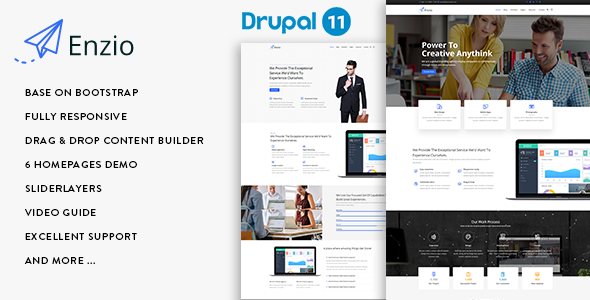
  • Enzio 1.0.0 – Multipurpose Business Drupal 11 Theme

    Enzio 1.0.0 – Multipurpose Business Drupal 11 Theme

    Enzio is a commercial Drupal theme from the developer gavias, sold on ThemeForest for $48, aimed at corporate, agency and portfolio sites. It ships six pre-built homepage layouts, a drag-and-drop content builder, a slider module and a set of custom content types, and it is kept current for Drupal 11. The Enzio business theme suits freelancers and small agencies that want a designed Drupal starting point without building page templates from scratch, and it is a poor fit for anyone who needs a lightweight, code-first theme with no bundled modules.

    What the Enzio business theme actually gives a site builder

    The headline capability is the page construction layer. Enzio bundles Gavias Content Builder, a module that lets a site builder assemble pages by dragging rows and elements into place rather than writing Twig templates. Rows and sections can be exported from one page and imported into another, which matters on multi-page corporate sites where a footer block, a call-to-action strip or a pricing table repeats. Without that import/export step, every repeated block would be rebuilt by hand.

    Content is organised through custom entity types rather than generic articles. The theme registers Article, Portfolio, Gallery and Testimonial types, and the portfolio and gallery entries support image, gallery and video formats. In practice this means a design studio can publish project case studies with filtered grids and carousels without installing a separate portfolio plugin or configuring a field suite. Gavias View Format supplies the filtered portfolio grid and responsive carousel displays that render those entries.

    Visual control sits in a theme panel rather than in stylesheets. Enzio ships 12 colour schemes with an unlimited custom skin, boxed and full-width layout modes, four header styles and white or black footer variants. Colours, backgrounds and typography are adjustable, and Google Fonts can be selected through a real-time customizer, so a site can be re-skinned to match a client brand without a child theme and a CSS rebuild.

    The slider is handled by Gavias SliderLayer, a separate module with per-object transitions and animations configured through a drag-and-drop backend. For a business homepage that leads with a hero banner, this replaces the need to hand-code a carousel or license a third-party slider.

    On the integration side, the theme is built for Bootstrap 3 with SASS, HTML5 and CSS3, and it declares compatibility with the Webform and Simplenews modules — the standard Drupal choices for contact forms and email newsletters. Demo content is included for both fresh installations and existing sites, and the vendor provides written documentation alongside HD video walkthroughs.

    Where Enzio fits, and where it does not

    The strongest fit is a small-to-medium corporate site on Drupal 11: a consultancy, a professional services firm, a startup landing page, or an agency portfolio. The six homepage variants cover the common shapes of those projects — a service-led layout, a portfolio-led layout, a landing page — and the testimonial and portfolio content types are already modelled, which removes a day or two of configuration on a typical build.

    It also suits freelancers who inherit a Drupal site and need to add marketing pages quickly. The content builder is approachable for someone comfortable with Drupal’s administration interface but not with theme development, and the import/export of rows means a page pattern can be reused across a client’s site or even across projects.

    Enzio is the wrong choice in a few clear cases. If the project is a blog, a news publication or a documentation site, the portfolio and gallery machinery is dead weight and a leaner theme would be easier to maintain. If the team writes its own Twig templates and wants full control of markup, a bundled page builder adds an abstraction layer that will fight the development workflow. And if the site must run on Drupal 9 or earlier, this theme is not the answer — the vendor’s changelog shows the codebase moving to Drupal 10 in 2023 and Drupal 11 in late 2024, so older core versions are not the target.

    What setup involves in practice

    Installation assumes a working Drupal 11 site, either fresh or existing, plus the ability to install contributed modules and run database updates. The theme depends on its companion modules — Gavias Builder Content, Gavias SliderLayer and Gavias View Format — so the setup is not a single theme upload; those modules need to be enabled and their configuration imported.

    The vendor provides demo content for both fresh and existing installations, with a video guide for each path. On a fresh install, importing the demo content is the fastest route: it populates the homepages, menus and sample portfolio entries so the structure can be inspected and edited rather than built from zero. Expect roughly an hour to get a demo site running and a further half day to a day to strip the sample content, apply brand colours and fonts, and rebuild the homepage rows for a real client. Existing installations take longer, because demo import has to be done selectively to avoid overwriting live content.

    Two prerequisites are worth flagging. First, the theme is built on Bootstrap 3, which is an older front-end framework; sites that already standardise on a newer Bootstrap version will need to reconcile the two or accept the theme’s markup as-is. Second, the support channel is email, listed in the listing as a Gmail address, so buyers should expect ticket-style response rather than a formal helpdesk with SLAs.

    Strengths and limitations of the Enzio business theme

    Strengths

    • Six distinct homepage designs and 12 colour schemes give a real head start on a corporate build without custom design work.
    • The drag-and-drop content builder with row import and export is genuinely useful on multi-page sites where blocks repeat.
    • Portfolio, gallery and testimonial content types are pre-modelled, including video and gallery formats, which saves configuration time.
    • Current for Drupal 11, with a changelog showing the vendor has tracked major core releases.
    • Demo content for both fresh and existing installations, backed by written documentation and video walkthroughs.
    • 258 sales on ThemeForest at $48 indicates a modest but established install base rather than an untested release.

    Limitations

    • Bootstrap 3 is the front-end foundation. That is an ageing framework, and teams on newer Bootstrap versions face integration work or a compromise.
    • The page builder and slider are Gavias-proprietary modules. Content built with them is tied to those modules, so migrating away from the theme later means rebuilding pages rather than porting them.
    • Support is by email only, with no stated response time or support policy detail beyond the contact address.
    • The listing does not state accessibility conformance, performance benchmarks or a browser support matrix, so those need to be verified on a staging site before committing.
    • No rating is displayed on the listing, so there is no public satisfaction signal to weigh alongside the sales count.

    How Enzio compares with the wider Drupal theme market

    Drupal themes broadly fall into three camps: base themes that provide markup and regions for developers, distribution-style themes that bundle a page builder and demo content, and niche themes for a single vertical. Enzio sits firmly in the second camp. Against base themes, it offers far more out of the box — homepages, content types, a slider, a builder — but less control and a heavier dependency footprint. Against niche vertical themes, it is more general: the six homepages cover several business shapes rather than one, which is an advantage for agencies with varied clients and a disadvantage for a single-purpose site that would benefit from deeper vertical features.

    The closest comparison is with other multipurpose Drupal themes that ship a builder. The differentiator there is usually the builder’s maturity and the vendor’s update cadence. Enzio’s changelog shows updates tracking Drupal 10 and then Drupal 11, which is the signal that matters most in this category — a theme that lags a major core release becomes a liability. Buyers comparing options should weight that cadence heavily, and should check whether a competing theme’s builder supports the same row-level import and export, since that feature has an outsized effect on build time.

    Frequently Asked Questions

    Is Enzio compatible with Drupal 11?

    Yes. The vendor’s changelog records an update to Drupal 11.x in November 2024, following an earlier move to Drupal 10.x in 2023. Sites on Drupal 9 or earlier are not the target, and buyers on older core versions should confirm compatibility with the developer before purchase.

    Does the Enzio theme require coding to build a page?

    No. Pages are assembled with Gavias Content Builder, a drag-and-drop interface for rows and elements, and colours and fonts are set through a theme panel and real-time customizer. Some CSS knowledge helps for fine-tuning, and the listing notes CSS development support, but a standard corporate page can be built without writing code.

    What modules does the Enzio business theme depend on?

    It relies on three Gavias modules: Builder Content for page assembly, SliderLayer for the hero slider, and View Format for portfolio filters, responsive grids and carousels. It also declares integration with the Webform and Simplenews contributed modules for forms and newsletters. All of these must be installed and enabled alongside the theme.

    Can the Enzio theme be used on an existing Drupal site?

    Yes. The vendor supplies demo content for both fresh installations and existing installations, each with a video guide. On a live site the import has to be applied selectively, since importing full demo content would overwrite existing pages, so allow extra time and take a backup first.

    Verdict on the Enzio business theme

    Enzio is a sensible buy for a freelancer or small agency that needs a designed Drupal 11 corporate site quickly and is happy to work inside a bundled page builder. The six homepages, pre-modelled portfolio and testimonial content, and row-level import and export justify the $48 for that audience. It is a weaker choice for development teams that write their own templates, for blog or documentation projects, and for anyone unwilling to accept Bootstrap 3 as the front-end base. Buyers should treat the proprietary builder as a long-term commitment, not a temporary convenience, and test performance and accessibility on staging before committing a client project to it.

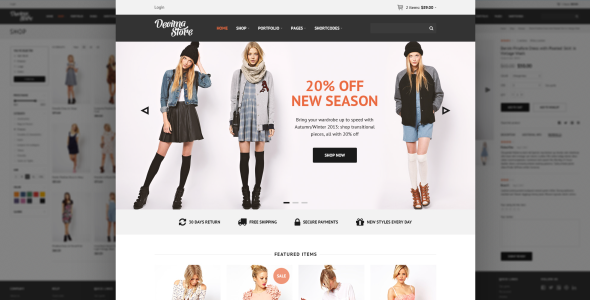
  • Decima eCommerce HTML Template 1.0.0 – Review

    Decima eCommerce HTML Template 1.0.0 – Review

    Decima is a static HTML5 and CSS3 template for online shops, sold on ThemeForest for $16 by the developer ThemeWoodmen. It provides 30 pre-built pages covering product catalogues, carts, blogs and portfolios, plus 37 Photoshop files for designers who want to rework the visuals before coding. It suits freelancers and small agencies building a lightweight storefront or a catalogue-style retail site that does not need a database-driven platform. The Decima eCommerce HTML Template retail package is a front-end starting point, not a full shopping system, and that distinction shapes almost everything below.

    What the Decima eCommerce HTML Template actually delivers

    The template is built on Bootstrap 3, the widely used front-end framework that supplies a responsive grid and a library of interface components. That foundation means layouts reflow from desktop to tablet to phone without extra work, and anyone familiar with Bootstrap classes can adjust spacing and structure quickly.

    The 30 pages cover the usual retail journey: category listings, individual product pages, a cart, checkout, plus supporting pages such as about, contact and blog templates. Product widgets and several image hover effects give merchandising options out of the box, so a catalogue can show alternate angles or a second colour on mouseover without custom JavaScript.

    Two features deserve particular attention because they are less common in templates at this price. The first is an AJAX-driven portfolio that loads additional items without a page refresh, with no stated cap on the number of works. The second is a Twitter feed integration that pulls a live stream of tweets into the page. Both depend on server-side code: the Twitter module requires PHP and the vendor notes it uses the current Twitter API at the time of writing.

    The contact and newsletter forms are also functional rather than decorative, again requiring PHP on the host. The vendor specifically mentions Gmail account support for outgoing mail, which removes one common configuration headache for small sites. A Flexslider component handles image and video slideshows and accepts arbitrary HTML inside slides, and a lightbox handles image previews. Font Awesome supplies more than 250 icons, and colour values are described as unlimited, meaning the palette is controlled through stylesheets rather than fixed presets.

    Where this template fits and where it does not

    The strongest fit is a small retail brand that wants a fast, hand-coded storefront with a distinctive look and no CMS overhead. A boutique clothing label, a furniture maker or a photographer selling prints could take the product and portfolio pages, drop in their own imagery, and have a presentable catalogue in a short time. Agencies will find the 37 PSD files useful for pitching visual concepts before any code is written, and freelancers can use the template as a base for client mockups that need to feel finished.

    It is also a reasonable choice for a marketing or catalogue site where purchases happen elsewhere — a lookbook that links out to a marketplace listing, for instance, or a wholesale enquiry site where the cart is presentational.

    It is the wrong choice for anyone who needs a working shop. There is no payment gateway integration, no inventory management, no customer accounts and no order database. A business that expects to process transactions needs a platform such as WooCommerce, Shopify or a custom application, and Decima would only serve as the visual layer in front of it. The template is also a poor fit for teams that cannot run PHP, since the forms and Twitter feed simply will not function on static hosting. Finally, the last vendor update was in January 2017, so anyone requiring current accessibility patterns, modern CSS architecture or ongoing security patches should look at actively maintained alternatives.

    What setup involves in practice

    Installation is a file-copy job rather than a guided process. The buyer downloads a package containing the HTML pages, stylesheets, scripts, PSDs and documentation, then uploads the HTML portion to a web host. There is no installer and no admin panel, so every change — swapping a logo, editing prices, adding a product — happens directly in the HTML files. A code editor and basic comfort with markup are prerequisites; this is not a drag-and-drop builder.

    To activate the contact form, newsletter signup and Twitter stream, the host must support PHP and the relevant files need mail credentials configured. The vendor states Gmail accounts work, which usually means an SMTP setup rather than the server’s default mail function. Expect to spend time on this if the host restricts outgoing mail.

    For a developer working steadily, replacing demo content with real copy and imagery across the core retail pages is a day’s work, perhaps two if the design needs recolouring and the PSDs are used to regenerate assets. A non-technical site owner should budget for hired help, because the template assumes code-level editing throughout.

    Strengths and limitations

    Strengths

    • Thirty pages and 37 PSDs for $16 is unusually generous coverage for the price, and the source files make rebranding practical.
    • Bootstrap 3 provides a predictable, well-documented responsive base that most front-end developers already understand.
    • Working forms and a live Twitter feed add real function rather than placeholder markup, provided PHP is available.
    • The AJAX portfolio and multiple product image effects give a small catalogue a more polished feel than a flat grid.
    • 259 sales on ThemeForest indicate a product that buyers have taken a chance on, though the figure is modest for the category.

    Limitations

    • No commerce engine of any kind. The cart and checkout pages are static layouts with no payment processing, stock tracking or order storage behind them.
    • The PHP dependencies mean forms and the Twitter module break silently on static hosts, and the Twitter integration relies on an API that has changed substantially since 2017.
    • Bootstrap 3 is legacy. It predates modern flexbox and grid layout, so customising beyond the supplied components means working within older conventions.
    • No content management. Every product, price and blog post is edited in code, which does not scale past a small catalogue or a non-technical team.
    • The template has not been updated by the vendor since January 2017, and the listing gives no indication of compatibility with current browsers or accessibility standards.

    How it compares with the wider template category

    Retail templates generally fall into two groups: front-end HTML packages like this one, and CMS themes that plug into WordPress, Shopify or similar platforms. The CMS route costs more and carries hosting and plugin overhead, but it gives non-technical staff the ability to add products, process payments and manage orders. Decima sits firmly in the first group, competing on price, design quality and the inclusion of source files rather than on features.

    Against other static HTML retail templates, its differentiators are the PSD bundle, the AJAX portfolio and the working form integrations. Against modern front-end templates built on current frameworks, it loses on code age and long-term maintainability. The honest framing is that Decima is a design asset with functional extras, and buyers should compare it to buying a design system rather than to buying a store.

    Frequently Asked Questions

    Can the Decima eCommerce HTML Template process payments?

    No. The cart and checkout pages are static HTML layouts with no payment gateway, order database or inventory logic attached. Any transaction handling must be added by a developer or handled by a separate platform. Buyers wanting a shop that takes money on day one should choose a CMS-based ecommerce theme instead.

    Does the template require PHP to work?

    Only for specific features. The pages themselves are plain HTML and render on any host, but the contact form, newsletter signup and Twitter feed rely on PHP scripts. On static hosting those three elements will not function. The vendor notes Gmail accounts are supported for outgoing mail, which helps with form delivery.

    Is Decima suitable for a large product catalogue?

    Not comfortably. Every product page is a separate HTML file edited by hand, so a catalogue of dozens of items becomes laborious to maintain. It works best for a curated range of a few dozen products at most, or as a design layer in front of a proper ecommerce system that handles the catalogue data.

    What do the 37 PSD files include?

    The vendor supplies Photoshop source files alongside the coded pages, covering the template’s layouts so designers can adjust colours, typography and imagery before exporting assets. The listing does not break down exactly which pages are represented, so buyers needing a specific screen should confirm with the developer before purchasing.

    Verdict

    Buy Decima if the goal is a visually finished, lightweight retail or catalogue site built by someone comfortable editing HTML, and if $16 for 30 pages plus 37 PSDs represents good value for that work. It is a sensible pick for freelancers producing mockups and for small brands whose storefront is presentational rather than transactional. Do not buy it expecting a functioning shop, a content management system, or code that has kept pace with the last several years of web standards. Teams without PHP hosting or front-end skills should put the budget toward a maintained CMS theme instead.

  • Launching Soon 1.0.0 – Premium Coming Soon Template – Review

    Launching Soon 1.0.0 – Premium Coming Soon Template – Review

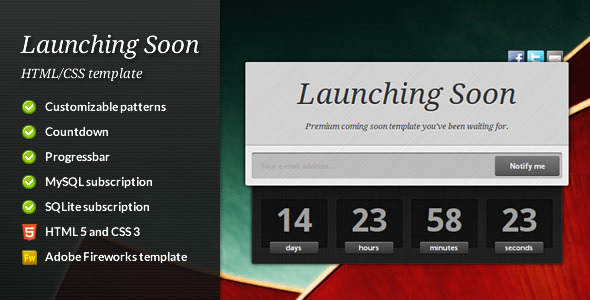
    Launching Soon is a pre-launch “coming soon” page template sold on ThemeForest for $5. It gives a site owner a single ready-made HTML5 page with a countdown timer, a progress bar, an email signup form and space to describe an upcoming product, so visitors have something to look at before the real site goes live. It suits small projects on a tight budget — a personal site, a side project or a simple business launch — where the goal is to start collecting emails rather than to build a full marketing funnel. The template was built by Equiet and has sold 260 copies.

    What the Launching Soon Site Templates package actually contains

    The template is a single-page design rather than a multi-page theme. Everything a visitor sees fits on one screen or one short scroll, which is the right shape for a holding page. The vendor bundles four functional elements that matter in practice.

    The countdown timer is the centrepiece. It runs on a jQuery plugin and counts down to a date set in the code, giving visitors a concrete reason to come back. The progress bar communicates how far along the project is in percentage terms; it is a visual device rather than something connected to real build data, so the value has to be updated by hand.

    The subscription form is the part with actual utility. It submits over AJAX, meaning the page does not reload when someone signs up, and it stores addresses in either MySQL or SQLite. That choice of two database backends is unusual for a template at this price and means the page can run on cheap shared hosting without a separate mailing-list service. A note of caution: the vendor does not state that the form includes spam protection or double opt-in confirmation, and those are normally expected for any public email capture form.

    On the presentation side, the template uses HTML5 and CSS3, with a background pattern system and swappable imagery. The vendor ships an Adobe Fireworks source file, which matters if the buyer wants to redesign the layout rather than just change text and colours. Documentation is included. The bundled assets — background photographs, Subtle Patterns Volume 1 textures, Classy Social Media Icons, the Droid Sans and Droid Serif fonts, the CountDown jQuery plugin and Fancybox — are third-party items with their own licences, and several of the credited images are Creative Commons photographs from Flickr. Anyone reusing those images commercially should check each licence rather than assume the ThemeForest purchase covers them.

    Where these Launching Soon Site Templates fit, and where they do not

    The strongest fit is a solo developer or small team with a domain registered and a launch date roughly set. A holding page with a countdown and an email field is enough to stop the domain looking abandoned and to build a list before day one. It also works for event pages, product pre-orders and portfolio sites that are being rebuilt.

    A second good fit is a freelancer who needs to stand up several holding pages quickly for different clients. At $5 a licence, the cost per project is trivial, and the database-backed form means each client can own their subscriber list outright.

    The template is a poor choice in three situations. First, if the launch needs a multi-step signup, referral tracking, A/B testing or integration with a CRM, a single static page with a basic form will not carry it. Second, if the site is being built on WordPress, Squarespace or another CMS, a standalone HTML template adds a separate deployment to maintain; a coming-soon plugin inside the existing CMS is simpler. Third, if the project needs to look current, the design vocabulary here — background patterns, Fancybox lightboxes, Droid fonts — reads as early-2010s web design, and the vendor has not updated the files since August 2011.

    Setting up a coming soon page from this template

    Setup assumes some comfort with editing HTML and CSS by hand. There is no admin panel and no installer. The practical sequence is: upload the template folder to the web root or a subdirectory, open the main HTML file, replace the placeholder copy and logo, set the countdown target date in the script configuration, adjust the progress bar value, and point the form at a database.

    The database step is the one that trips people up. The buyer needs to create a MySQL database and user through their host’s control panel, or confirm that SQLite is available, then enter those credentials in the form’s server-side configuration file. The vendor’s documentation covers this, but it is a server-side task, not a drag-and-drop one. Testing the form end to end — submitting an address and confirming it lands in the table — should be part of the process before the page goes public.

    For someone who already works with HTML, PHP and a database, the whole job is realistically an afternoon including testing. For someone who has only ever used a website builder, expect a day or more, or budget for a developer’s time. The Fireworks file is only useful if that software is installed; buyers without it can still change colours and images through the CSS.

    Strengths and limitations of this coming soon template

    Strengths

    • Very low price for a page that includes a working email capture form, not just a static graphic.
    • Choice of MySQL or SQLite storage means the subscriber list belongs to the site owner, with no third-party mailing service in the loop.
    • The countdown and progress bar give visitors two different signals about timing, which is more than most budget holding pages offer.
    • Fireworks source file and documented customisation give a designer room to restyle rather than rebuild.
    • 260 sales is a modest but real track record for a template in this niche.

    Limitations

    • The last vendor update was August 2011. Browsers, PHP versions and hosting environments have moved on considerably since then, and the vendor does not state compatibility with current PHP releases.
    • No spam protection or double opt-in is described, which is a genuine risk for any public email form.
    • The design is dated: patterned backgrounds, lightbox scripts and Droid fonts place it firmly in its era.
    • No WordPress version, no page builder support and no admin interface — every change is a code edit.
    • Third-party images and icons carry separate licences that the buyer must verify independently.
    • Single-page scope only; there is no supporting content structure if the launch needs more than a holding screen.

    How it compares with the wider coming soon template category

    Coming soon templates generally fall into three groups: static HTML pages like this one, CMS plugins that add a holding screen to an existing site, and hosted landing-page services with built-in email marketing. This product sits firmly in the first group, and that position defines both its appeal and its ceiling.

    Against CMS plugins, the trade-off is control versus convenience. A plugin installs in minutes and inherits the site’s existing theme and user system, but it ties the holding page to that platform and often to a subscription. A standalone template deploys anywhere, including a bare hosting account with no CMS, and the buyer owns every file. Against hosted landing-page services, the template wins on cost and data ownership but loses on deliverability, automation and analytics, which those services bundle in.

    Within the static template group, the differentiator here is the database-backed form. Many cheap coming soon templates are purely visual and leave the buyer to bolt on a Mailchimp embed or similar. Having storage built in removes a dependency, at the cost of some server configuration. Buyers who want a modern aesthetic, responsive layouts and ongoing updates will find better-fitting options elsewhere in the category; buyers who want a cheap, self-contained page they fully control will find this one does the job.

    Frequently Asked Questions

    Does Launching Soon work with WordPress?

    No. It is a standalone HTML template, not a WordPress theme or plugin, so it cannot be installed through the WordPress dashboard. It runs as its own page on a hosting account, either at the domain root or in a subfolder while the main site is built elsewhere. Sites already on WordPress are usually better served by a coming-soon plugin.

    Can the countdown timer be set to a specific date?

    Yes. The countdown runs on a jQuery plugin and the target date is configured in the page’s script, so it can be set to any future date and time. The vendor does not document a visual date picker, so the value is edited directly in the code. The progress bar percentage is set the same way.

    Where are the email addresses from the signup form stored?

    They are stored in a database on the buyer’s own hosting, using either MySQL or SQLite depending on configuration. Nothing is sent to a third-party service by default. That means the site owner is responsible for exporting the list, backing it up and handling any privacy obligations that apply in their jurisdiction.

    Is the template responsive on mobile phones?

    The vendor does not state that it is responsive, and given the 2011 release date it should not be assumed. Buyers who need a layout that adapts cleanly to phones and tablets should test it on real devices before committing, or plan to add media queries to the CSS themselves. This is the single biggest practical caveat.

    Verdict on Launching Soon

    This template is worth buying for a developer or technically confident site owner who needs a cheap, self-hosted holding page with a working email capture form and does not mind editing code. The database-backed subscription form and the Fireworks source file are real, practical assets at $5. It is not the right purchase for anyone who needs a responsive, contemporary design out of the box, WordPress integration, or a form with spam protection and confirmation emails built in. The 2011 last-update date is the deciding factor: treat this as a starting point to be adapted, not a finished product to be deployed as-is. Buyers who accept that framing will get fair value; those expecting a modern, maintained template should keep looking.

  • Gemiz 1.0.0 – Portfolio HTML Template – Review

    Gemiz 1.0.0 – Portfolio HTML Template – Review

    Gemiz is a static HTML portfolio template sold on ThemeForest for $17. It provides a set of pre-built, responsive pages for showing creative work — photography, design, illustration, video — along with a blog, a gallery with filtering, and a working contact form, all in matching light and dark versions. It is aimed at freelancers, small studios and agencies who want a ready-made site they can rebrand quickly rather than build from scratch, and it is most relevant to buyers who are comfortable editing HTML directly. The template comes from developer pophonic and has been purchased 268 times.

    What the Gemiz creative template actually gives a buyer

    The package is built on standard front-end technology: HTML5 markup, CSS3 styling and jQuery for interaction. Nothing here requires a build tool, a package manager or a server-side framework, which keeps the learning curve low for anyone who has hand-edited a web page before.

    The most practical inclusion is the pair of complete colour schemes. Every page exists in a light and a dark variant, so a studio with an existing brand palette can pick whichever base is closer and adjust colours in the stylesheet rather than restyling from zero. For portfolios where images are the main content, a dark canvas often flatters photography, and having that option pre-built saves a meaningful amount of work.

    Two homepage slider setups ship with the template. One uses LayerSlider, a premium jQuery slider plugin that supports layered animation and is licensed for use inside the template; the other is a lighter synchronised slider. Both let a site owner lead with a small number of hero images or a showreel without writing animation code.

    The portfolio and gallery pages use a responsive media grid plugin, which means the item grid reflows to fit the screen rather than breaking on tablets and phones. The grid can be arranged to suit the work, and visitors can filter items by category — useful when a single page has to hold weddings, product shots and editorial commissions side by side. Individual portfolio entries accept embedded video and SoundCloud audio, which matters for musicians, videographers and anyone whose work is not a still image.

    Beyond the portfolio itself, the template includes a blog, a PHP-based contact form that processes submissions without a third-party service, Font Awesome icons, lightbox scripts for enlarging images, a social sharing script, and a full set of PSD source files. The PSDs are the detail that separates a template like this from a bare page kit: a designer can adjust a layout or produce a matching graphic asset in Photoshop before touching the code.

    The vendor also notes that the HTML is commented panel by panel, which is a small thing that pays off during editing — a buyer can see where a section starts and ends instead of hunting through unlabelled markup.

    Where Gemiz fits, and where it does not

    The clearest fit is a solo creative professional or a two- or three-person studio that needs a credible portfolio site live quickly and has someone on hand who can edit HTML and CSS. Photographers, illustrators, motion designers and small agencies all map onto the page types included. Because the blog and social sharing are part of the package, it also suits people who want to publish written work alongside images without bolting on a second system.

    It is a reasonable choice for a freelance developer building a client site on a tight budget, too. At $17 with a full PSD set, the template can be rebranded and handed over, and the light and dark variants mean one purchase can serve two different client briefs.

    The wrong choice is a buyer who wants a content-managed site. Gemiz is static HTML: there is no admin panel, no database and no way for a non-technical owner to add a project without editing files and re-uploading them. Anyone planning to publish frequently, or handing the site to a client who expects to log in and post, should be looking at a WordPress portfolio theme instead. The same applies to anyone who needs e-commerce, multi-language support or membership features — none of that is in scope here.

    What setup involves in practice

    The prerequisites are modest but real. A buyer needs a text editor, an FTP client or hosting control panel to upload files, and enough HTML and CSS knowledge to swap demo text, images and links for their own. The included documentation covers the structure, and the commented markup helps, but this is not a drag-and-drop builder.

    The contact form is the one piece that needs server configuration. Because it is PHP, it requires hosting with PHP enabled and a working mail setup; on hosts that restrict mail sending, the form may need an SMTP adjustment before messages arrive reliably. That is a hosting question rather than a template flaw, but it is worth confirming before purchase.

    For someone comfortable with HTML, replacing the demo content across the main pages is a matter of a few hours. A full rebrand — new colours, new typography, custom slider artwork and a reworked portfolio grid — is realistically a day or two of work. Buyers should also budget time to source their own imagery, since the vendor states plainly that the people and product photos in the demo are for preview only and are not included in the download.

    Strengths and limitations of the Gemiz portfolio template

    Strengths

    • Light and dark versions of every page ship together, so one purchase covers two distinct design directions.
    • A premium slider plugin (LayerSlider) is bundled and licensed, which offsets part of the price on its own.
    • Portfolio entries support video and SoundCloud embeds, extending the template beyond still-image work.
    • Category filtering on the portfolio and gallery makes a large body of work navigable on a single page.
    • Full PSD files are included, so layouts and graphics can be adjusted in Photoshop before coding.
    • The PHP contact form works without a third-party form service.
    • Commented markup and step-by-step documentation lower the cost of customisation.

    Limitations

    • The template was last updated in March 2016. The bundled jQuery plugins, including the slider and grid libraries, date from that period, and a buyer should expect to review and possibly update them for security and browser compatibility rather than assume they are current.
    • There is no content management system. Every project, blog post and image has to be added by editing files directly.
    • The demo photography is not included, so the site will not look like the preview until original images are sourced and cropped.
    • Bundled third-party scripts add page weight, and a buyer wanting fast load times will need to strip out anything unused.
    • Support is handled through the developer’s profile page rather than a ticketing system, and response times are not stated.

    How it compares with other portfolio template options

    Static HTML templates compete on three things: how much design work is already done, how easy the files are to modify, and how current the underlying code is. Gemiz scores well on the first two. The dual light and dark builds, the bundled premium slider and the PSD set represent more finished design work than many templates at this price, and the commented markup makes the files approachable.

    On currency it trails the category. A buyer comparing it with newer HTML templates will find those built on more recent versions of jQuery and modern CSS layout techniques, often with lighter page weight and better accessibility defaults. Gemiz relies on plugin-driven grids and sliders rather than native CSS, which is a common approach for its era but not the leanest option today.

    Against WordPress portfolio themes, the trade-off is control versus convenience. A WordPress theme gives a non-technical owner an admin panel and ongoing updates; Gemiz gives a self-contained set of files with no database, no plugin maintenance and no hosting requirements beyond PHP for the form. For a small, rarely changing portfolio, that simplicity is a genuine advantage. For anything that grows, it becomes a limitation.

    Frequently Asked Questions

    Is Gemiz a WordPress theme?

    No. Gemiz is a static HTML5 template, not a WordPress theme. It consists of HTML, CSS, JavaScript and a PHP contact form, and it is uploaded to standard web hosting as a set of files. Anyone who needs an admin dashboard for adding projects or posts should choose a WordPress portfolio theme instead.

    Do I need coding skills to use the Gemiz creative template?

    Basic HTML and CSS knowledge is effectively required. Content changes mean editing markup directly, and rebranding means adjusting stylesheets. The vendor includes documentation and comments the code panel by panel, which helps, but there is no visual builder. Buyers with no coding experience will need a developer or should pick a different product.

    Are the images in the demo included with the template?

    No. The vendor states that the people and product photos shown in the preview are for demonstration only and are not part of the download. Buyers must supply their own photography or licensed stock images. The full PSD files are included, so graphics and layout elements can be adapted, but the demo photos cannot be reused.

    Does the contact form work out of the box?

    It works if the hosting supports PHP and can send mail. The form is a PHP script, so it needs a server with PHP enabled and a functioning mail configuration. On hosts that block or restrict outgoing mail, the recipient address or an SMTP setting may need adjusting before messages are delivered reliably.

    Verdict: who should buy Gemiz and who should walk away

    Gemiz suits a freelancer, designer or small studio with basic front-end skills who wants a polished, self-contained portfolio live in a day or two and is happy to maintain the files by hand. The light and dark builds, the bundled LayerSlider licence and the full PSD set make $17 easy to justify, and 268 sales with a solid rating suggest buyers have generally got what they expected.

    It is the wrong purchase for anyone who needs a content-managed site, expects the vendor to keep bundled libraries current, or cannot edit HTML. The 2016 last-update date is the single biggest caveat: the design still holds up, but the underlying scripts should be reviewed before going live. Buyers who weigh convenience above control should look elsewhere; those who value a clean, editable file set will find this a sensible, low-cost starting point.

  • Rapture 1.0.0 – A Responsive Tumblr Theme – Review

    Rapture 1.0.0 – A Responsive Tumblr Theme – Review

    Rapture is a premium Tumblr theme sold on ThemeForest for $32, built by developer ChristineWilde. It gives a Tumblr blog a custom front end with an optional jQuery image slider, a configurable sidebar of widgets, and an options panel for fonts, analytics and social links, without requiring the owner to edit template code. It suits bloggers, photographers and small businesses who want a more polished Tumblr presence than the free themes provide, and it has sold 271 copies.

    What the Rapture Blog theme actually does

    The core proposition is control without code. Tumblr’s default themes are deliberately plain, and customising them usually means editing HTML. Rapture moves most of the common changes into Tumblr’s own Appearance menu, where each option appears as a checkbox, dropdown or text field. That matters because it lowers the technical barrier: a blog owner can change fonts, toggle widgets and swap social icons without touching a template file.

    The most visible feature is the image slider. It sits at the top of the blog and cycles through images with captions, which makes it useful for photography, design work or product shots. Crucially, it can be switched off entirely from the options panel. A text-heavy personal blog that does not want a carousel is not forced into one, which is a sensible design decision that many premium themes overlook.

    The sidebar is where the theme concentrates most of its functionality. It supports a Posts I Like widget, a latest Twitter feed, a Flickr photostream feed, a tag cloud, and an affiliate banners area where images are uploaded through the options panel rather than hard-coded. Each of these can be turned on or off individually, so the sidebar can range from a dense information column to almost nothing. For a Rapture Blog used as a business site, the affiliate banner slot is the most commercially relevant piece; for a personal blog, the Flickr and Twitter feeds do the work.

    Beyond the sidebar, the theme supports all Tumblr post types — text, photo, quote, link, chat, audio and video — and assigns a distinct icon to each so visitors can tell them apart at a glance. Comments run through Disqus, enabled by entering an account name in the options panel. Sharing uses ShareThis links for Facebook, Twitter and Google+, and there are separate buttons in the post sidebar for posting straight to Facebook or Twitter. The theme also supports Tumblr Pages, Ask and Submit, which means contact pages, about pages and reader submissions all work within the design.

    Smaller details round out the package: a scroll-to-top button, an author name and avatar block that can be hidden, a choice of ten Google Fonts, a PrettyPhoto lightbox for viewing images at full size, and a field for a Google Analytics ID so tracking can be added without editing code. The vendor also lists documentation and free updates as part of the purchase.

    Where Rapture fits, and where it does not

    Rapture is a good match for a portfolio-style Tumblr where images lead. Photographers, illustrators and designers who post work regularly can use the slider for featured pieces and the PrettyPhoto viewer for full-size viewing, and the post-type icons keep a mixed feed readable. It also works for a group blog or a small business blog that wants a sidebar carrying social proof, feeds and promotional banners alongside the writing.

    Personal blogs benefit from the toggles. Someone who wants a clean single-column reading experience can disable the slider and most widgets and end up with something close to a minimal theme, while still keeping the typography controls and the Disqus comments.

    The wrong choice is a Tumblr site that needs to feel current. The theme was last updated in February 2014, and that date is the single most important fact in this review. Web design conventions have moved on considerably since then: the slider pattern, the dense multi-widget sidebar and the Google+ sharing button all read as products of their era. Anyone building a new Tumblr presence in a competitive niche, or a brand that needs to look contemporary, should treat Rapture as a period piece rather than a modern starting point. It is also a poor fit for anyone who wants a block-based or highly editorial layout, since Tumblr’s newer theme options and modern premium themes address that need directly.

    Setting up the Rapture Blog theme

    Installation follows the standard Tumblr route for premium themes. The buyer downloads a file from ThemeForest, then pastes the theme’s HTML into Tumblr’s theme editor, either by using the “Edit HTML” panel and replacing the existing code, or by restoring from a file. The vendor provides a written help file and a video tutorial covering this process, which is helpful because the Tumblr theme editor is unforgiving if a step is missed.

    Prerequisites are modest: a Tumblr account with a blog already created, and the theme files. No hosting, database or server access is involved, since Tumblr handles all of that. Optional integrations require their own accounts — a Disqus account for comments, a Google Analytics property for tracking, and Twitter and Flickr credentials if those feeds are wanted.

    Configuration happens in Tumblr’s Appearance menu, where the theme’s options appear as form controls. Expect to spend roughly 20 to 40 minutes on a first setup: pasting the theme, choosing a font, uploading social icons and affiliate banner images, entering the Disqus shortname and analytics ID, and deciding which sidebar widgets to enable. Populating content and tuning the slider takes longer, but that is content work rather than theme work. The vendor does not state whether the theme has been tested against Tumblr’s current theme engine, so a buyer should verify compatibility before committing a live blog to it.

    Strengths and limitations

    Strengths

    • Most customisation happens in Tumblr’s Appearance menu, so no template editing is required for fonts, widgets, icons or analytics.
    • The image slider can be disabled entirely, which keeps the theme viable for text-first blogs.
    • Every sidebar widget toggles independently, giving fine control over how busy the page looks.
    • All Tumblr post types are supported with distinct icons, so mixed-format feeds stay legible.
    • Disqus, ShareThis, Google Analytics and social links are all wired in through simple text fields.
    • Written documentation and video tutorials are included, along with free updates.
    • At $32 it is inexpensive relative to the time it saves on manual template work.

    Limitations

    • The last vendor update was February 2014. More than a decade of Tumblr platform changes sits between that release and today, and the vendor does not state current compatibility.
    • The design language is dated: a carousel header, a crowded sidebar and a Google+ share button all signal mid-2010s web design.
    • There is no indication of responsive breakpoint testing on modern devices, despite “responsive” appearing in the product name and tags.
    • Third-party dependencies are baked in — Disqus for comments, ShareThis for sharing, Flickr and Twitter for feeds — and any of those services changing or retiring its embed will affect the theme.
    • The affiliate banner slot requires uploading images at whatever dimensions the theme expects; the vendor does not publish those dimensions in the listing.
    • Support is described only as “after sales support” with no stated response time or support period.

    How Rapture compares with the wider Tumblr theme market

    Premium Tumblr themes generally compete on three axes: visual style, the depth of the options panel, and how recently they were maintained. Rapture is strong on the second. Its options panel covers more ground than most budget themes — fonts, analytics, social icons, affiliate banners, per-widget toggles and per-post sidebars — and that breadth is genuinely useful for someone who wants to configure rather than code.

    On maintenance it compares poorly with actively updated alternatives. A theme that has not been revised since 2014 carries real risk on a platform that has changed its editor, its post formats and its mobile rendering since then. Buyers weighing Rapture against newer premium themes should treat the update date as a tiebreaker, not a footnote.

    On style, Rapture occupies a specific niche: the image-led, sidebar-heavy blog layout. Modern alternatives tend toward wider margins, larger type and fewer widgets. Neither approach is objectively better, but the choice should be driven by the content. A photography archive with lots of images and a desire for visible social proof fits Rapture’s model; a text publication aimed at long-form reading does not.

    Compared with free Tumblr themes, Rapture’s advantage is the options panel and the included integrations. Its disadvantage is that free themes are often maintained by active developers and updated when Tumblr changes. That trade-off — polish and control versus currency — is the central decision for anyone considering this theme.

    Frequently Asked Questions

    Is the Rapture Tumblr theme still compatible with Tumblr in 2024?

    The vendor does not state current compatibility, and the last recorded update was February 2014. Tumblr has changed its theme engine and mobile rendering considerably since then, so buyers should test the theme on a staging blog before applying it to a live site. Assuming compatibility without checking is risky.

    Do I need to know how to code to use the Rapture Blog theme?

    No coding is required for the options the theme exposes. Fonts, sidebar widgets, social icons, affiliate banners, Disqus comments and Google Analytics are all configured through Tumblr’s Appearance menu using checkboxes, dropdowns and text fields. Editing the underlying HTML is only necessary for changes the options panel does not cover.

    Can the image slider at the top of the Rapture theme be turned off?

    Yes, the slider can be disabled from the options panel. That makes the theme usable for text-first personal blogs that do not want a carousel header. Disabling it leaves the rest of the layout — sidebar widgets, post icons and typography controls — intact and functional.

    What does the Rapture theme cost and what is included?

    Rapture costs $32 as a one-time purchase on ThemeForest. The package includes the theme files, a written help file, video tutorials covering installation, and free updates from the vendor. A Disqus account, Google Analytics property and any social accounts used for feeds are separate and free to create.

    Verdict

    Rapture is a well-equipped Tumblr theme for its era, with a deeper options panel than most budget alternatives and a sensible decision to make the slider optional. Buyers should purchase it only if they specifically want its image-led, sidebar-heavy layout and are prepared to test compatibility themselves, because the 2014 update date is a genuine liability. It is not the right choice for a new brand blog, a modern editorial site, or anyone who needs assurance of ongoing maintenance. The 271 sales and the vendor’s five-star rating request suggest a small, satisfied user base rather than a widely adopted product. For a hobbyist or archivist reviving an existing Tumblr with a known-good theme, it remains a reasonable $32 experiment; for a client project with a long lifespan, the risk outweighs the price.