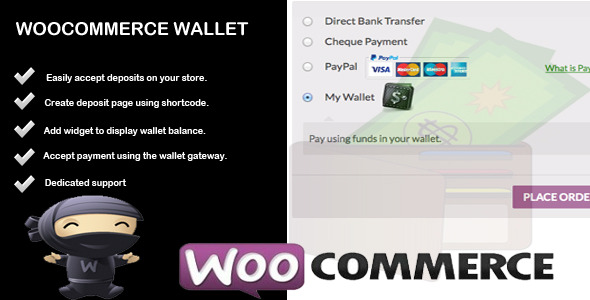
Wallet – WooCommerce Account Deposit & Payment adds a prepaid balance to a WooCommerce store: shoppers top up their account through a payment gateway the store already accepts, and the resulting credit can later be spent on orders as its own payment method. It is a single-purpose extension from the ThemeForest author codemypain, priced at $30, and it targets store owners who want Wallet Ecommerce behaviour — deposits, stored credit, a wallet checkout — without paying for custom development. The audience is narrower than the category suggests: businesses that take repeat orders from the same customers and would rather hold funds on account than process a card payment every time.
What the Wallet Ecommerce extension actually does
Three mechanisms carry the entire product, and understanding them makes the rest easy to judge.
Deposits run through existing gateways. The extension does not add a new way for money to enter the store. It leans on the gateways already enabled in WooCommerce — PayPal, a card processor, or whatever else is configured — so a customer chooses an amount, pays through that gateway as normal, and the payment is credited to their account balance rather than attached to a product. That is the sensible design: the store keeps its existing merchant account, its existing fraud rules and its existing checkout security, and nothing new needs to be certified.
Stored balance, spent through a wallet gateway. Once funds exist, the extension registers a payment method that draws on them, so a customer can select the wallet at checkout and have the order total taken out of the balance. This is the part that separates a working Wallet Ecommerce implementation from a novelty. A balance that cannot be spent at checkout is just a number on a page, and the vendor states plainly that the deposited amount is used to make purchases.
A shortcode page, a widget and the account screen. Placing [wcw_wallet] on a page produces a front-end wallet screen where customers view their balance and make a deposit. A companion widget prints the current balance into any widget area, typically a sidebar, which keeps credit visible while someone browses instead of buried two clicks into the dashboard. The balance also appears on the standard WooCommerce account page, so even a store that never touches widgets surfaces the figure somewhere familiar.
Where a stored-balance Wallet Ecommerce setup fits, and where it does not
Deposit-and-spend suits a recognisable shape of store:
- Repeat-order businesses. Wholesale accounts, coffee roasters, bakeries, print shops, cleaning services and similar operations where the same customers order regularly and would rather keep a running balance than settle each invoice separately.
- Stores with many small transactions. A wallet removes both the per-transaction gateway fee and the friction of re-entering card details, which matters most when order values are low.
- Credit and gifting scenarios. Someone deposits a round sum and spends it down over months. The money sits on the books and the customer has a reason to come back to that store rather than another.
- Sites that already look after customer accounts. If logins, addresses and order history are already part of the experience, adding a balance is a small step. If the store is guest-checkout only, a wallet asks for a behaviour change most shoppers will not make.
The clear mismatch is a catalogue of one-off purchases bought by first-time visitors. A single-product launch page, a drop-shipping site, a shop selling a course or a template once per customer — none of these has a repeat-payment problem, so the extension adds a step and a page without solving anything. It is also a poor fit for projects that need part-payment, where a customer settles some of an order from the balance and the remainder by card. Whether that works here is not stated anywhere in the listing, and for many real stores it is the deciding requirement. Stored value also brings obligations around refunds and unclaimed balances in some jurisdictions, and the plugin does not appear to address them.
Setting up deposits, the wallet page and the payment gateway
The prerequisites are modest: a working WooCommerce installation, at least one payment gateway already configured and tested, the ability to upload a plugin ZIP, and access to the Pages and Widgets screens. The sequence is short.
- Install and activate the extension the same way as any WooCommerce plugin.
- Create a page, place the [wcw_wallet]</strong