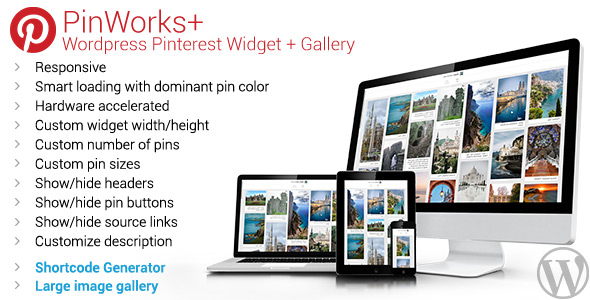
PinWorks+ WordPress Pinterest Gallery Widget is a WordPress plugin that pulls pins from a Pinterest profile or a single Pinterest board through Pinterest’s API and displays them as a responsive gallery inside a WordPress page. It is aimed at site owners, freelancers and agencies who want a live Pinterest presence on a site without uploading images by hand or pasting individual embed codes. The plugin is sold on ThemeForest by Artorius for $26 and combines the feed, a lightbox viewer and the shortcode that places both.
What the PinWorks+ WordPress Pinterest Gallery Widget Delivers
A standard Pinterest embed gives one board, one fixed layout and a link back to Pinterest. This plugin takes a different route: pins are requested from Pinterest’s API at page load, which means the gallery mirrors whatever the account or board currently contains. Because the data comes through an official interface rather than scraped HTML, the vendor can reasonably claim the results arrive quickly and are not at the mercy of a page-scraping workaround breaking.
Two feed sources behind a single shortcode
Pins can be drawn either from a user’s whole profile feed or from one specific board. Each shortcode carries its own reference, and the listing states there is no limit on how many widgets can sit on the same page, so a food blog can show a recipes board above the fold and a seasonal board further down without the two interfering with each other.
A lightbox that behaves like a photo gallery
Clicking a pin opens a lightbox, meaning the full image appears in an overlay above the page rather than on a new tab. Those large images are loaded directly from Pinterest, and each slide can carry a caption and a custom transition. The vendor points out that Pinterest’s own site does not offer this behaviour, and it is the feature that most clearly separates the plugin from a plain board embed: the pin collection reads as a browsable image gallery.
Control over size and over what is shown
Thumbnails can be set to a fixed width or to a fluid 100% width that adapts to the container, with custom container height, custom pin width and a ceiling of 50 pins per widget. On the content side, the user or board header can be hidden, the “Pin it” button can be switched off, the source link can be suppressed, and descriptions can be shown in full, hidden, or trimmed. For a site with a tight editorial style, those switches matter more than raw pin count.
Loading behaviour that respects page weight
Only pins inside the viewport request their images, and each thumbnail shows the dominant colour of the image as a placeholder until it arrives. Movement uses CSS3 transforms and transitions, which browsers can hand to the graphics processor, so the animation stays smooth without scripting overhead. The practical effect is that a fifty-pin gallery does not fire fifty image requests the moment the page loads.
Where the PinWorks+ WordPress Pinterest Gallery Widget Fits, and Where It Does Not
The clearest fit is a content site with an active Pinterest following: a recipe, craft, fashion or home-interiors blog where the Pinterest boards are already curated and the site wants to surface them as a gallery rather than a sidebar badge. Photographers, interior designers and small agencies building portfolio sites can point the widget at a board they maintain as a visual index and get a browsable archive without a second upload workflow.
It also suits agencies maintaining client sites on Avada 5 or later, since that theme is the one named in the compatibility statement, and it suits any project where a non-developer needs to add a Pinterest section later. The shortcode generator means a marketing coordinator can produce a widget without touching template files.
It is the wrong choice in several common cases. Shops that want Pinterest for catalogue marketing should look elsewhere: the feature list describes static pin images, with no mention of Rich Pins, product tagging, video pins or shopping metadata. Sites that need hand-picked pin order, exclusions or rotation are also poorly served, because the listing describes no way to choose individual pins beyond pointing at a board. And projects where every asset must be hosted locally for performance or privacy reasons will find the lightbox images served from Pinterest’s own servers, which is a third-party dependency the site owner does not control.
Setting Up the PinWorks+ WordPress Pinterest Gallery Widget
The mechanics are ordinary for a ThemeForest plugin: install the ZIP through the WordPress plugins screen, activate it, then work from the plugin panel that appears in the post editor.