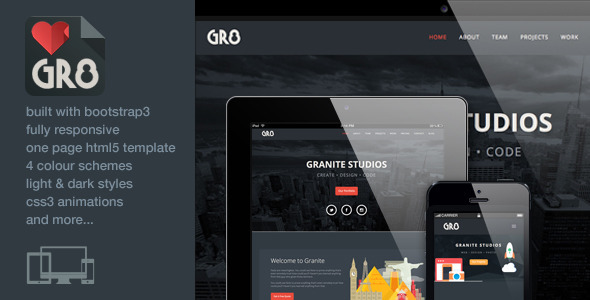
Granite is a single-page HTML5 portfolio template built on Bootstrap 3 and sold on ThemeForest for $15. It bundles four colour schemes with light and dark styling, a Revolution Slider licence, a preloader, parallax sections and a set of pre-built content blocks, aimed at design studios and creative freelancers who want a polished one-page site without designing one from nothing. Anyone weighing up the Granite creative template today should understand up front that it is a static, hand-edited code product rather than a CMS theme with an admin panel.
What the Granite creative template actually delivers
The foundation is Bootstrap 3, the 2013 release of the widely used front-end framework. In practice that means a twelve-column grid with predefined breakpoints for phones, tablets and desktops, plus ready-made classes for buttons, navigation and form fields. The layout responds to screen size without extra media queries, which is the main reason a non-developer can move sections around and still get a usable result on mobile.
Visually, the template ships as four colour folders, each with a light and a dark treatment. The vendor does not explain exactly how those two dimensions combine, so the sensible move is to open the live preview and compare a couple of variants before committing. Styling sits in a separate settings stylesheet, which keeps palette changes away from the structural CSS — a small detail that makes rebranding considerably less painful than editing styles inline.
Motion is the template’s selling point. Parallax sections shift background imagery at a different speed to the foreground as the page scrolls, CSS3 animations fade and slide elements into view, and the Royal Preloader covers the initial load with a branded animation. Slider Revolution handles the hero area, with slider elements supplied as layered source files. There is also a split-flap “airport ticker” for short announcements and an animated statistics counter for figures such as projects completed or clients served.
Content blocks cover most of what a one-page portfolio needs: a carousel for work samples, an accordion and tab set added in a later update, a coloured outline button style, and a portfolio grid. A working Ajax contact form submits without a page reload. Two blog layouts — an index and a single post page — are included as static HTML files. Font Awesome supplies the icon set, and Google Fonts links handle typography, so the typeface can be swapped without touching the design.
Buyers also receive source files: PSDs for the slider elements, an iMac mockup, a miniature browser mockup and a map pointer. The template is documented with a read-me PDF rather than an online knowledge base.
Where Granite creative fits — and where it does not
The natural home for this template is a freelance designer, illustrator, photographer or small studio that needs a portfolio page live quickly and is comfortable editing HTML. It also works well as a campaign microsite or product launch page, where a single scrolling narrative is the whole point and no blog engine is required. Agencies occasionally keep a template like this on file as a starting point for small static builds where a full CMS would be overkill.
It is the wrong choice for any project that needs a real blog. The included blog pages are visual layouts with hard-coded article markup — there is no database, no categories, no author management and no commenting. The same applies to e-commerce, membership areas, multi-language setups and sites that will grow past a handful of pages. A client who expects to log in and change their own copy will be disappointed, because every text edit means opening a file, finding the section and saving it back to the server. Granite creative is also a poor fit for organisations with formal accessibility requirements: the listing makes no mention of ARIA attributes, keyboard focus handling or reduced-motion support.
What setup involves, from download to launch
The prerequisites are modest but real: a code editor, FTP or file manager access to a web host, and enough HTML and CSS literacy to identify a section and change its contents. A PHP-capable host is needed if the contact form is to send mail, since the handler relies on server-side mail rather than an external service. No build tools, package managers or local development environment are required.
In sequence, setup means unzipping the package and choosing one colour folder, discarding or archiving the rest. The main file is then edited section by section — headline, services, portfolio items, statistics and contact details — with images swapped into the assets directory. Typography is changed in the Google Fonts link and settings stylesheet, and the recipient address is set in the form handler before upload. For