AD Gallery, a $19 WordPress plugin from developer ad-theme, builds image galleries from existing posts, categories, store products or a dedicated album, then renders them in one of five display styles. It is aimed at site owners, freelancers and agencies who want a filterable, responsive portfolio or product grid without switching to a page builder. AD Gallery Galleries are assembled with shortcodes and preset styling, which makes the typical job a photographer portfolio, a design showcase or a WooCommerce category grid.
What AD Gallery Galleries Can Do: Layouts, Filtering and Image Sources
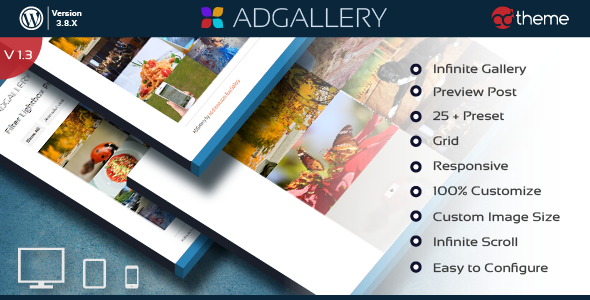
The plugin ships with five display modes. PrettyPhoto and PhotoBox cover the click-to-enlarge pattern that visitors already recognise from lightbox galleries. SGallery and PhotoWall are inline arrangements that show thumbnails on the page itself, with PhotoWall presenting them in a denser, wall-like composition. The fifth mode, Filter, adds a row of category controls above the grid so a visitor can narrow a mixed set of images down to one subject without reloading the page. The vendor names these modes but does not publish a detailed comparison of each, so the practical differences are easiest to judge from the live preview.
The Filter mode carries one detail worth noting. A click on a thumbnail can either send the visitor to the underlying post or open the image in a lightbox. That single setting decides whether the gallery behaves as a portfolio index that feeds traffic into other pages, or as a self-contained viewing experience where the visitor never leaves.
Gallery sources are unusually flexible for a plugin at this price. Images can come from a custom post type, standard WordPress categories, WooCommerce categories, WP e-Commerce categories, Jigoshop categories, or an album that holds many photos in one post. In practice, an existing blog archive or a shop section can be turned into an AD Gallery Galleries layout without re-uploading a single file. Where a post has no dedicated gallery data, the plugin falls back to the featured image or an image inside the post body, which keeps older content working.
Two behaviours handle volume. Masonry layout packs images of differing heights into columns without the gaps a fixed grid produces. Infinite scroll, or the infinite gallery option, appends the next batch of images as the visitor approaches the bottom of the page, so a large archive does not need pagination. Both matter most on portfolio sites with dozens or hundreds of entries.
Styling is handled at two levels. More than 25 presets cover the common looks, and each can be adjusted for hover effect, overlay, wrapper, border radius and colour without writing code. A custom CSS field is available when the presets run out. The plugin also supports custom image sizes, so thumbnails can be generated at the exact dimensions a layout needs rather than being cropped by the theme. Widget support and shortcodes mean a gallery can sit in a sidebar, a page, a post or a page-builder module. Translation files in .po and .mo format are included for multilingual sites.
Where AD Gallery Galleries Fit — and Where They Don’t
The strongest fit is a portfolio site where the images already exist as posts. A photographer, illustrator or design studio that publishes work as individual posts can point the plugin at a category and get a filterable wall without restructuring the site. Agencies building client sites will find the same trick useful for case-study archives, where each project is a post and the gallery is the index.
A second good fit is a store running WooCommerce, WP e-Commerce or Jigoshop that wants a visual category grid rather than a plain product list. Pulling product images into a masonry or filterable layout gives shoppers a browsing surface the default templates do not provide.
It is the wrong choice for builds that depend on the block editor. The plugin predates full site editing, and its workflow is shortcode-based, so a site assembled entirely from blocks will feel bolted together. The same applies to projects with strict accessibility requirements or a policy of only running maintained dependencies: the vendor does not state support for current PHP or WordPress versions, and that gap is hard to defend on a long-lived client build.
Setting Up AD Gallery Galleries on a WordPress Site
Installation is the standard route: upload the plugin zip through the WordPress admin under Plugins, then Add New, then Upload Plugin, and activate. No separate account or licence key is involved, and there is no companion service.
The first gallery is mostly configuration. A source is chosen — a post type, a taxonomy such as a WooCommerce category, or an album — and then a display mode, a preset and image dimensions are selected. The resulting shortcode is pasted into a page, post or widget. Custom colours, overlays and CSS are optional refinements rather than required steps.
A working gallery can realistically be live in fifteen to thirty minutes for someone already comfortable in the WordPress admin. The variables that extend that estimate are the number of presets to test, whether custom image sizes need registering, and how much CSS refinement a design calls for. Prerequisites are minimal: a WordPress installation with admin access, and whichever e-commerce plugin is being used as an image source. The listing does not state a minimum WordPress or PHP version, which is worth verifying on a staging copy before touching a live site.
Strengths and Limitations of AD Gallery Galleries
Strengths
- Five distinct display modes, including a filterable grid, cover portfolio, editorial and product uses from one plugin.
- Image sources include WooCommerce, WP e-Commerce and Jigoshop categories, so store owners get visual grids without custom templates.
- Album support allows many photos to live in a single post instead of forcing one entry per image.
- Masonry layout and infinite scroll handle large archives without pagination.
- Preset-driven styling plus custom CSS, custom image sizes and colour controls means most designs need no theme edits.
- Shortcode and widget placement works with classic themes and most page builders.
- Translation files are bundled, and three published buyer reviews single out the developer’s support response times.
Limitations
- The changelog stops at version 1.4 in June 2015. There have been no releases in the years since, so compatibility with current WordPress and PHP versions is unverified by the vendor.
- The final recorded change was a security fix for the bundled PrettyPhoto lightbox. The listing’s claim that the plugin is unaffected by an April 2015 WordPress vulnerability is now historical and tells a buyer nothing about today’s threat landscape.
- There is no stated block editor integration, which pushes the plugin out of modern full-site