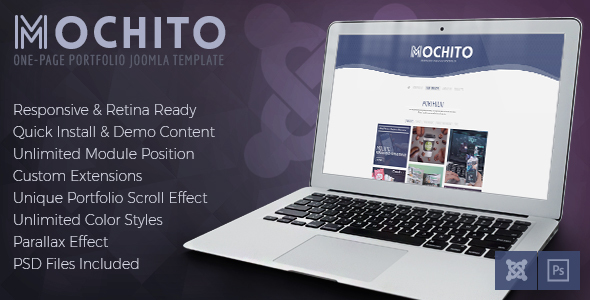
Mochito is a single-page portfolio template for Joomla, developed by WiselyThemes and sold on ThemeForest for $44. It appears in the Mochito Cms Themes section of the marketplace and provides a scroll-driven showcase layout — hero, portfolio, services, skills, team and contact — that runs on Joomla 2.5.x or 3.x rather than the newer Joomla 4 and 5 branch. The buyers it suits are freelancers, designers and small creative studios that already maintain a legacy Joomla installation and want a portfolio front end without commissioning one.
Notable Capabilities in Mochito Cms Themes
The template is built around a long vertical page rather than a set of linked subpages, and most of its features exist to make that single page feel rich without a page builder.
- Light and dark colour schemes. Two complete skins ship with the package, so a photographer can lead with the dark version while a studio using a white brand palette starts from the light one. An unlimited colour override setting sits on top of both, which means accent colours can be changed from the Joomla template manager instead of editing stylesheets.
- A custom portfolio scroll effect and parallax backgrounds. Portfolio items and background images move at different speeds as the page scrolls, which creates depth and keeps attention on the work samples. It is the template’s main visual signature, and the reason the demo reads as a designed piece rather than a stack of modules.
- A Bootstrap 3 grid with responsive, retina-ready output. Sections reflow for tablet and phone widths, and image assets are served at densities that stay sharp on high-pixel-density screens. The grid also gives anyone comfortable with Bootstrap a familiar system for adjusting column widths.
- Unlimited module positions. In Joomla, a module is a self-contained block of content — a menu, a map, a contact form — placed into a named slot in the template. Unlimited positions means the layout is not capped at a fixed set of slots, although a one-page structure still stacks them vertically.
- Purpose-built content modules. Separate modules handle services, skill bars, team member profiles, a contact form and a Google Maps panel. Each is edited in the Joomla administrator like any other module, so routine updates do not require touching code or shortcode markup.
- RokCandy shortcodes and Google Fonts. RokCandy is a macro-style extension that lets styled elements be dropped into ordinary Joomla articles, which is useful for buttons or callouts inside text. Google Fonts support covers typography changes through the template settings.
- Two layered PSD files and documentation. Designers who want to reshape sections before building them get editable source files organised into layers, plus a written guide. The demo photography is not included and is licensed for preview only, so a buyer supplies their own imagery.
Where Mochito Cms Themes Fit — and Where They Do Not
The strongest fit is a solo creative professional with an existing Joomla 3 site: an illustrator, photographer or front-end developer who needs a single scrolling page with a portfolio, a short biography, a skills list and a contact form. Small agencies use the same layout as a capability page or a campaign microsite, and because the template supports multiple languages, bilingual portfolios are practical.
It also has a niche value that is easy to overlook. Organisations running an old Joomla build they cannot migrate this quarter can reskin the front end cheaply and keep the existing content and extensions in place.
The wrong choice is a new project. Anyone starting from scratch should be on Joomla 4 or 5, where this template will not install at all. It is also a poor fit for content-heavy sites — a blog, a documentation hub, a multi-department corporate site — because a one-page structure forces everything into a single long scroll and pushes deep content into anchors. Stores, membership sites and public-sector projects with accessibility requirements need a different foundation entirely.
What Setting Mochito Up Involves
The package includes a quick-install bundle, which is a preconfigured Joomla package containing the template, its modules and sample content. Importing it produces a working copy of the demo, and that step takes roughly ten to fifteen minutes on a clean Joomla 3.x installation.
Three prerequisites matter. First, the server needs a PHP version the template was tested against; the vendor does not state which versions are supported, and the last update was November 2017, so a host running PHP 8 may produce deprecation warnings. Second, the Google Maps module requires an API key from a Google Cloud project, and current Google billing rules mean that key needs an active billing account. Third, real images must be sourced and licensed separately, because the demo files are preview-only.
Replacing demo content with real content is the bulk of the work: editing the services and team modules, rebuilding the portfolio entries, adjusting colours and fonts, wiring the contact form to a working mail setup and trimming sections that are not needed. Budget half a day for a straightforward portfolio and up to two days for an agency page with custom copy and a redesigned portfolio grid. Designers planning layout changes should add time for working from the PSDs.
Strengths and Limitations of Mochito Cms Themes
Strengths
- A coherent, finished visual design — parallax, the portfolio scroll effect and the two colour schemes work together rather than feeling bolted on.
- Content modules for services, skills, team and contact mean most edits happen in the Joomla administrator, not in code.
- Layered PSDs give designers a genuine starting point