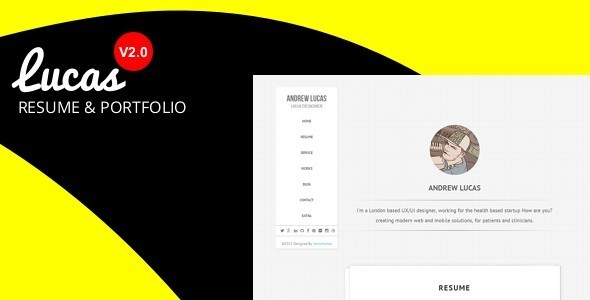
A single-page HTML5 and CSS3 template for personal résumés and portfolios, Lucas Resume Cv ships as a static site rather than a WordPress theme. It bundles a filterable project grid, a lightbox gallery, a working contact form and a Google map into one scrolling page, and sells on ThemeForest for $11. It fits freelancers, designers, developers and photographers who are comfortable editing markup and want a fast personal site without a CMS behind it.
What the Lucas Resume Cv Template Actually Delivers
The feature set is narrow but coherent: one long page divided into sections, with a fixed sidebar or top navigation that jumps between them. Everything is built on Bootstrap 3, so the layout is a familiar twelve-column grid that can be reordered, duplicated or trimmed without fighting a proprietary system.
Portfolio filtering and image presentation
The headline inclusion is Isotope, a premium JavaScript plugin that sorts and animates a grid of items. The vendor bundles a licensed copy and values it at $25 on its own, which is more than double the price of the template. In practice it lets a photographer separate wedding work from portraits, or lets a developer split web projects from mobile ones, without loading a new page. Clicking an item opens it in prettyPhoto, a lightbox script that overlays the image or video on top of the current view. The two work together well: visitors can browse a whole body of work and return to the same scroll position, which is exactly the behaviour a one-page portfolio needs.
Navigation, contact and supporting sections
Version 2.0, released in May 2015, replaced the older layout with Bootstrap 3 and reworked the sidebar so it can link to a single page or, if the buyer splits content across separate files, to multiple pages. That dual mode is the most practical thing in the changelog, because it means the resume section and the portfolio section can live apart if the project demands it. Beyond navigation, the template supplies an AJAX contact form, a jQuery-driven Google map with a marker, Font Awesome icons, animated skill bars and a set of pre-styled sections for services, testimonials and client lists. The vendor states the markup validates as HTML5 and that the layout has been tested across browsers, and includes written documentation covering the basic edits.
Where the Lucas Resume Cv Template Fits and Where It Does Not
This is a good match for a freelancer whose site is essentially a calling card: an introduction, a short list of services, a filterable gallery of past work, a CV timeline and a contact form. Photographers benefit most, because the Isotope grid is the strongest part of the package. Designers and front-end developers who already work in HTML will find it faster than configuring a theme. Agencies can also use it as a low-cost microsite for a single candidate or contractor, since the whole thing can be reskinned by editing a stylesheet.
The template is the wrong choice in several common cases. Anyone who needs a blog, multiple indexable pages, or a client who will log in and edit their own content should start with a CMS-based theme instead, because Lucas Resume Cv has no admin panel at all — text lives inside HTML files. Projects with accessibility requirements should also look elsewhere, since the vendor documentation does not describe keyboard handling, focus states or ARIA labelling for the lightbox, skill bars or navigation. And a business that expects to grow into e-commerce, membership or multilingual content will outgrow a static one-pager quickly.
Setting Up the Lucas Resume Cv Template in Practice
Buyers need a text editor, a way to upload files (FTP or a hosting control panel), and enough HTML and CSS knowledge to swap placeholder text and images without breaking tags. No build tools, package manager or database are involved, so the barrier is lower than a modern JavaScript stack, but higher than a drag-and-drop builder. For the contact form to actually send mail, the site must sit on hosting that runs PHP; the vendor does not state which mail method is used or whether any spam protection is included.
A realistic timeline for someone comfortable with markup is an afternoon: replace the sample copy, drop in your own images at the right dimensions, adjust the colour and type variables in the stylesheet, and add or remove portfolio items. Budget closer to a full day if you plan to restyle the typography, rewrite the section order, or reconnect the map — Google’s embedding requirements have changed since 2015, so that block is the most likely piece to need attention. The included documentation covers the structure, but this is a template you read rather than a product you configure.
Strengths and Limitations in Plain Terms
Strengths
- The bundled Isotope licence is a genuine saving; the plugin alone is priced higher than the template.
- One page means one HTTP request chain for the core content, so it loads quickly on cheap shared hosting.
- The Bootstrap grid is widely understood, so any developer can extend the layout without learning a bespoke framework.
- Portfolio filtering and the lightbox are exactly the interactions a visual portfolio needs, already wired together.
- At $11 with 207 sales and a positive rating on ThemeForest, the financial risk is minimal.
Limitations
- The vendor’s last recorded update is 30 June 2015. Bootstrap 3 and the jQuery plugins it depends on are legacy code that no longer receives fixes.
- There is no content management layer. Every word, image and portfolio entry is edited directly in files, which rules out handing the site to a non-technical owner.
- All content shares a single URL, so individual projects or services cannot rank separately in search results; the multipage navigation option helps usability but does not solve that.
- The contact form’s spam handling is undocumented, and a public-facing form without a captcha or honeypot will attract bots.
- Skill bars communicate proficiency purely through animation, which assistive technology and search engines largely ignore.
- The visual language is mid-2010s minimalism — flat colours, thin type and generous whitespace — and will read as dated against current portfolio conventions unless restyled.
How It Compares With the Wider Resume and Portfolio Category
Most buyers in this category choose between three models: a hosted site builder, a CMS theme with a visual editor, and a static template like this one. Builders win on convenience and ongoing maintenance but cost more per year and lock content into a platform. CMS themes give non-technical owners control and support plugins for SEO and forms, at the cost of hosting, updates and a heavier page weight. A static HTML template sits at the opposite end: cheapest to buy, fastest to serve, easiest to host anywhere, but every edit is a code change. Lucas Resume Cv competes on price, load speed and the included Isotope licence rather than on flexibility or longevity, and it is honest about being a one-page presentation rather than a platform.
Frequently Asked Questions
Is Lucas a WordPress theme or an HTML template?
Lucas Resume Cv is a static HTML5 and CSS3 template, not a WordPress theme. It has no PHP templates, no admin dashboard and no theme installer, so it cannot be